Many alarm shops don't run on one system. They run on five. A CRM holds the leads. A spreadsheet tracks inspection due dates. A billing tool counts recurring monthly revenue (RMR). The panel program sits on one laptop, and the central station sends its own reports. Every handoff between those tools is where an inspection slips past due or a deficiency goes unbilled.
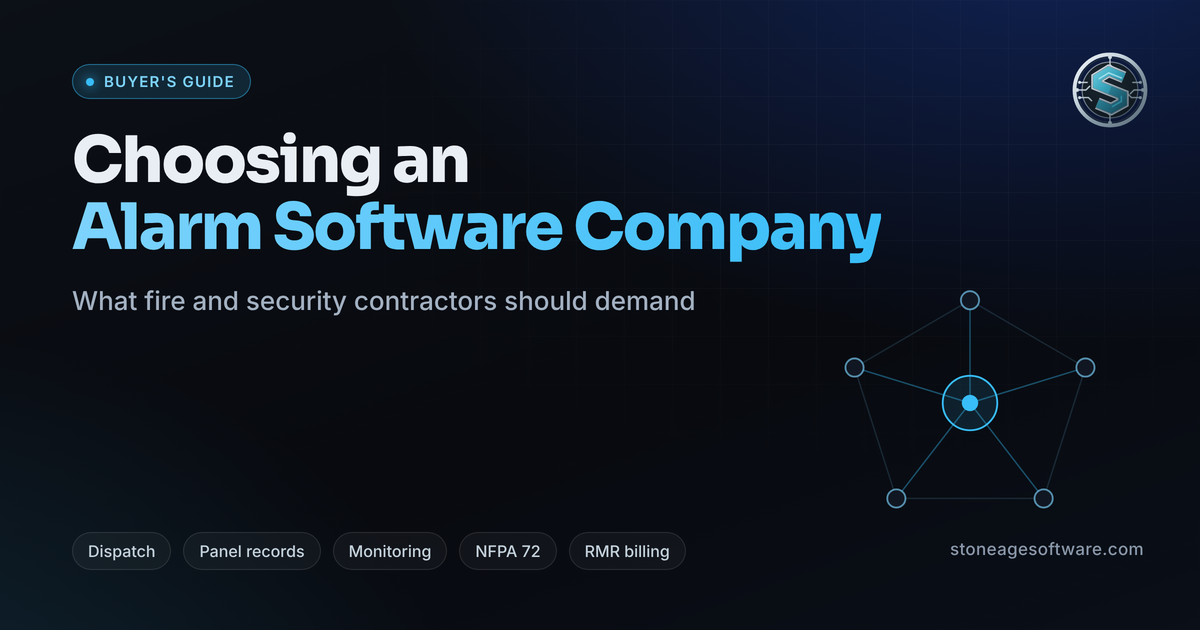
That is the gap a modern alarm software company should close. The good ones go well past a CRM with a security logo. They build around how life-safety work runs: inspections, panel records, monitoring, NFPA 72 documentation, and RMR billing, tied to one building. Here is what to expect, how to compare providers, and where buyers get burned.
What a Modern Alarm Software Company Should Deliver
Five capabilities separate purpose-built alarm management software from general business tools. Each one plugs a common leak in revenue or compliance.
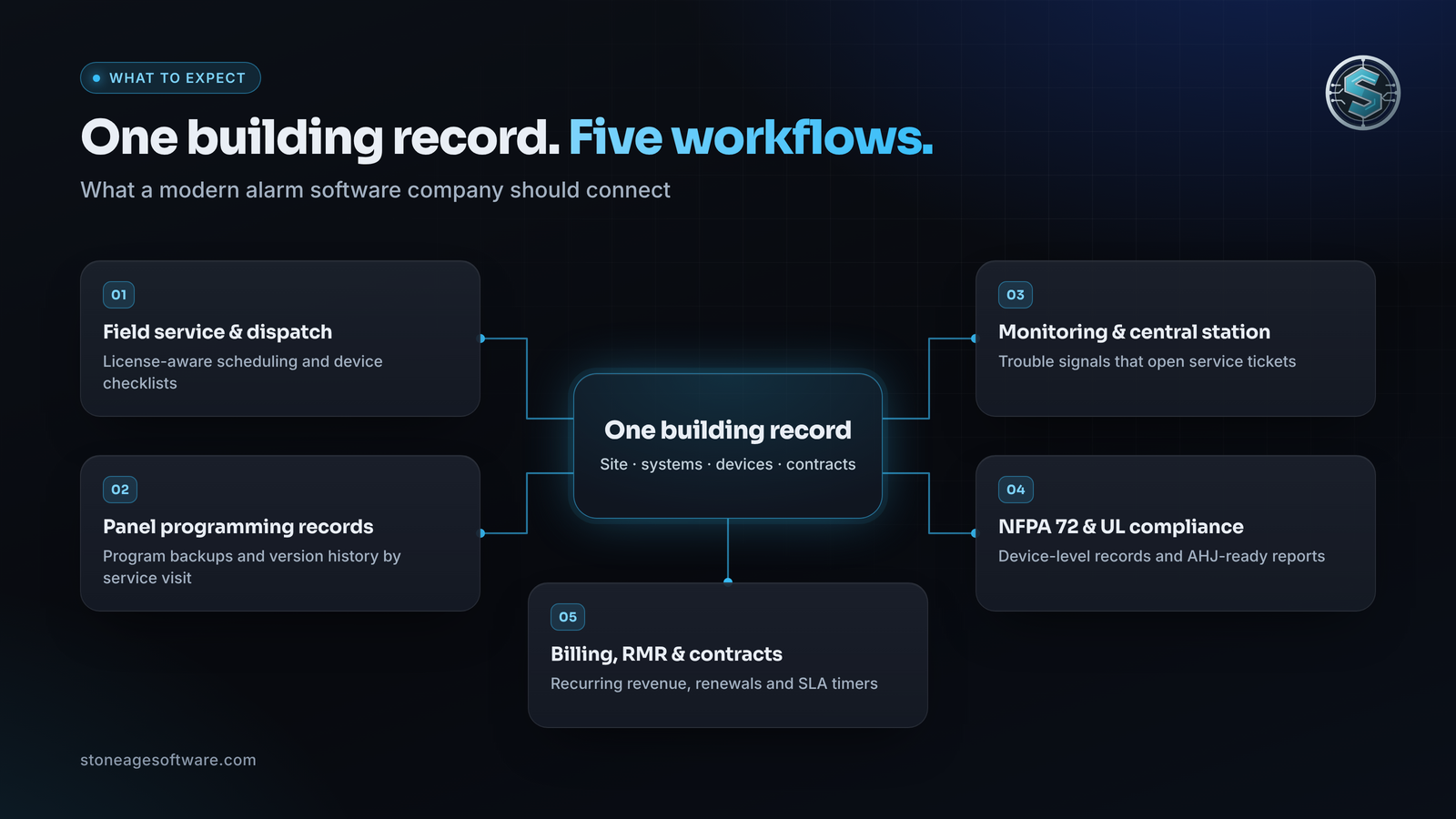
Field Service and Dispatch Built for Alarm Work
A fire alarm inspection, a communicator swap, and an access control repair need different licenses, skills, and parts. Good alarm company field service software schedules by license, NICET level, territory, and the panel brands each tech knows.
Inspections should schedule themselves from contract frequencies, with each building's device list riding along to the tech's phone. On site, the tech works device by device, captures photos and signatures, and logs deficiencies with severity. Every deficiency logged in the field should be one tap away from a quote.
System Configuration and Panel Programming Records
The panel program may be the most important file in the building. Control-by-event logic, device addresses, zone labels, and custom messages can live on a single laptop. If that laptop fails, the configuration goes with it.
The right platform treats programming as a record. It stores each program backup against the site and keeps version history by service visit. It also pulls device schedules into the inspection checklist, so every addressable point gets tested. The programming itself stays with licensed technicians and the manufacturer's tools; the software documents their work. Our approach to fire alarm programming and records shows how that split works. If your software can't show what changed on the last service visit, it isn't managing your configuration.
Monitoring and Central Station Connectivity
Central station software takes signals from receivers, sorts them by priority, and drives each operator's action plan. Fire alarm, supervisory, and trouble signals each need different handling. Automation should clear routine traffic, like openings, closings, and restorals, so operators can focus on events that need judgment.
Two newer capabilities are worth asking about. ASAP-to-PSAP delivers alarm events digitally to participating 911 dispatch systems, cutting manual call handling. ANSI/TMA-AVS-01 gives intrusion alarms a standard score from 0 to 4, so responders know how credible a call is. The bigger payoff is the service loop: a trouble signal should open a ticket, and the tech should arrive knowing its history.
Compliance and NFPA 72 / UL Reporting
NFPA 72 sets inspection and testing frequencies by device type, and jurisdictions adopt different editions. Your forms need to match the edition your authority having jurisdiction (AHJ) enforces.
Look for device-level records with timestamps, photos, technician names, and signatures. Deficiencies and impairments should stay open until closed. We built that discipline into an audit platform where checks can't be quietly passed. NFPA 72 requires test records to be kept until the next test and for one year after. Paper or electronic records both work, but they must be ready when the AHJ asks. Some jurisdictions add online report filing, and UL-certificated systems need their certificates tracked too. Fire alarm software solutions should produce an AHJ-ready report in minutes, because an audit trail you can't produce is no audit trail.
Billing, RMR, and Contract Management
RMR largely sets what an alarm company is worth, so billing deserves real scrutiny. It should track recurring revenue by account, site, and service line: monitoring, inspection agreements, service plans, and communicator fees. Attrition should show up monthly, not at year end.
Contracts need terms, renewal dates, and escalations that trigger on schedule, and SLA timers should flag response commitments before they slip. Invoices should go out on recurring cycles and when an inspection or repair closes. Clean invoicing/accounting integration means nobody re-keys them. Copper phone line retirements make a good test: the system should list which accounts still need a new communicator. When RMR lives in one system and contracts in another, revenue leaks where nobody can see it.
How to Choose the Right Alarm Software Partner
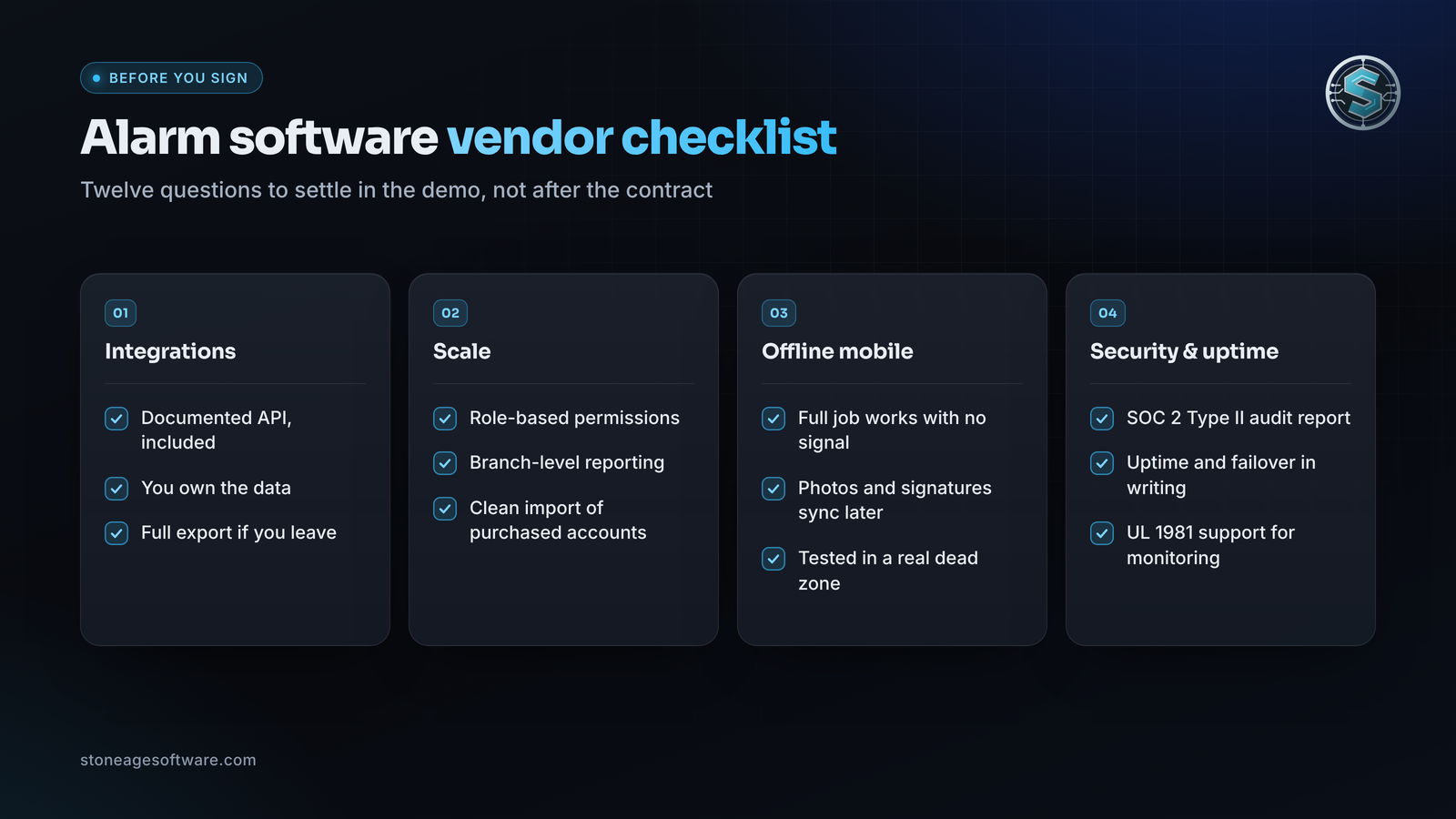
Four criteria decide whether a platform still fits in three years.
Proprietary vs. Open-Architecture Integrations
Every alarm business runs a mix of receivers, panels, accounting tools, and customer apps.
- Proprietary platforms: one vendor, one support line, one interface. The tradeoff is lock-in, slower support for new hardware, and limited access to your own data.
- Open-architecture platforms: documented APIs, webhooks, and full data exports. You connect what you already run and add tools later, at the cost of more integration work up front.
Ask three questions in every demo: Is the API documented and included? Who owns the data? What does a full export look like if you leave? Own your data, and connect what you already run.
Scalability From Installer to Multi-Branch Operation
A three-tech shop and a five-branch integrator need different things. Check for role-based permissions, branch-level reporting, shared customer records, and territory dispatch. Ask how licensing scales: per user, per technician, or per account. Acquisitions are common in this industry, so test how cleanly the platform imports a purchased account list. Low-voltage business software should grow with you, not force a migration at the worst moment.
Offline Mobile Capability for Field Techs
Alarm panels and devices often sit in basements, electrical rooms, parking garages, and vaults where cell signal doesn't reach. An app that needs a connection to load a checklist stalls right where the work happens.
Real offline support means the job, device list, forms, photos, and signatures work with no signal, then sync cleanly outside. Test it in a real dead zone during the trial. When a packaged app can't handle it, custom field service app development can. If the app fails in the basement, the inspection gets finished on paper.
Data Security, Cloud Uptime, and Regulatory Certification
Alarm data is sensitive in a physical way: passcodes, call lists, floor plans, and key-holder details form a map of the building. Ask security alarm software providers for an independent audit report like SOC 2 Type II, plus encryption, multi-factor sign-in, and audit logs.
Get the uptime commitment, failover design, and disaster recovery plan in writing. For monitoring, UL 827 governs central-station alarm services and points to UL 1981 for the automation software those stations run. If monitoring is part of your business, ask how the platform supports UL 1981 before you sign.
Common Pitfalls When Evaluating Vendors
Two gaps sink most rollouts.
Buying Generic FSM Software
General field service management (FSM) software handles appointments and work orders well, but it wasn't designed for life safety. The usual gaps:
- No device-level inspection records or NFPA 72 frequency logic
- No deficiency-to-quote workflow
- No link to monitoring signals or account zones
- Billing built for one-time jobs instead of RMR
Every gap becomes a workaround, and the spreadsheets creep back in. The data model has to know what a building, a panel, and a device are.
Underestimating Technician Onboarding and Migration Downtime
Migration is where good software choices go sideways. Customer, site, zone, and device records rarely move cleanly between systems, and inspection histories are harder still. Plan the cutover like a job:
- Clean and de-duplicate data before it moves
- Run both systems in parallel for at least one billing cycle
- Train lead techs first and let them coach the crew
- Avoid cutting over at month-end or in a heavy inspection month
Sometimes the right answer isn't a migration at all. Integrating with the platform you already run can capture much of the value with less disruption. When a move is necessary, a reconcile-and-roll-back migration plan keeps the old data safe. Plan the rollout in technician hours, not just license costs.
Frequently Asked Questions
What does an alarm software company do?
An alarm software company builds or customizes the systems that run an alarm business: dispatch, inspections, panel records, monitoring, compliance, and recurring billing. Some sell one packaged platform. Others, like us, build and extend software around the platforms a contractor already runs.
How does alarm company software differ from general field service software?
General field service software tracks jobs. Alarm company software tracks buildings, systems, and devices over years: inspection frequencies, deficiency workflows, monitoring accounts, and RMR contracts. A generic tool can schedule the visit, but it can't prove every device was tested or tie a trouble signal to a service call.
Can alarm software integrate with existing panels and central monitoring stations?
Yes, though usually not by talking to the panel directly. Business software works from what panels and monitoring centers already produce: program exports, device schedules, receiver and automation event data, and inspection records. Central station links typically run through the automation platform's API or scheduled exports. Changes to the panel itself stay with licensed technicians using the manufacturer's tools.
The Bottom Line
The right platform shows up in four numbers: fewer past-due inspections, more deficiencies billed, faster audits, and steadier RMR. It also hands technicians back time for the work that needs their judgment.
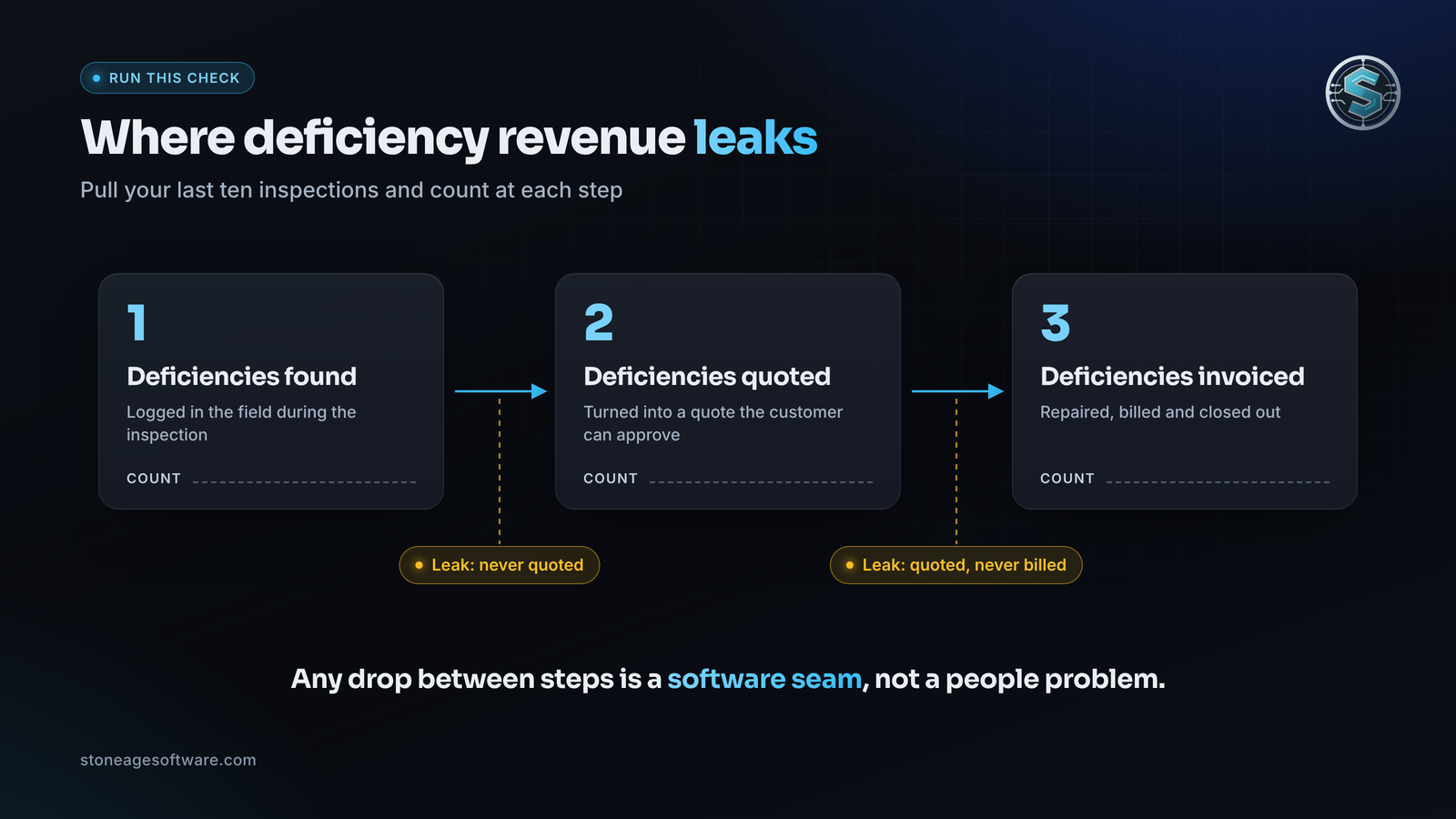
Run one check before your next vendor call. Pull your last ten inspections and count the deficiencies found, then quoted, then invoiced. If the count drops at each step, you've found the seam costing you money.
Need an alarm software company that builds around your systems instead of replacing them? Stone Age Software is a Houston-based shop for the software side of alarm work. We customize the platforms you already run, build custom software where packaged tools fall short, and develop mobile apps that work in a basement. Programming stays with your licensed technicians.
Builds are fixed price, quoted up front, and you own the code. See our fire alarm programming and records work, or book fifteen minutes with the engineer who'd do the work.