The renewal quote lands, and the number is higher than last year. It also arrives with a bundle of new features. Before anyone signs, someone asks a fair question: could we build our own? A second question follows close behind. We have customized this platform for years. If we ever left, which of those changes would come with us?
Those two questions sit under every custom software application decision. One is about cost. The other is about ownership, and it gets asked far less often. Below is what you own when you build and what you own when you customize. Then comes a check you can run before your next renewal.
Why the question is louder this fall
On October 21, Gartner forecast worldwide software spending growth of 14.6% for 2027. That follows 15.2% growth in 2026. IT services, which covers consulting, implementation and managed support, is forecast to grow 4.9%. Software spending is growing about three times as fast.
Some of that growth is new capability. Some of it is price. Earlier this year, CIO Dive reported that bundled add-ons were pushing licensing fees up, with buyers absorbing the subscription increases.
None of this makes subscriptions a bad deal. A shared platform runs the common path well, and you never patch its servers. The structural point is simpler. A rented platform's cost moves at renewal, on someone else's schedule. Code you own costs money when you choose to change it.
Custom software application vs. software customization services
A custom software application is software written for one business's process. It might be a customer portal, a dispatch board, a quoting tool, or a receiving app on a handheld. It runs on servers and accounts you control. It changes when you decide it should.
Software customization services work on a platform someone else builds and maintains. Most platforms are customizable software by design, and the work comes in two depths:
- Configuration. Fields, rules, screens and workflows the platform already exposes. These usually survive upgrades, since the platform was designed to hold them.
- Extension. Scripts, plug-ins and integrations that add behavior the platform did not ship. They run on the vendor's interfaces, so every release needs a retest.
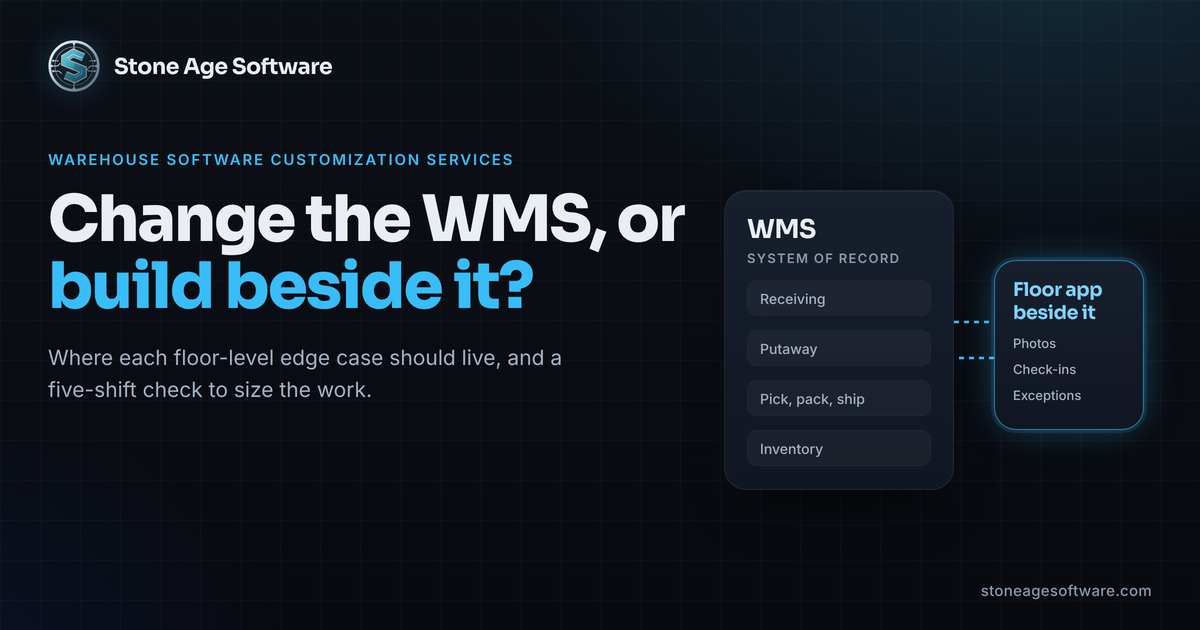
Most businesses need some of both. The platform handles the common path. A custom layer handles what is specific to your operation. We drew that line for warehouses in our guide to warehouse software customization services. The same line runs through field service, distribution and professional offices.
What you own in each case
Ownership is not one thing. It is at least five, and each path splits them differently.
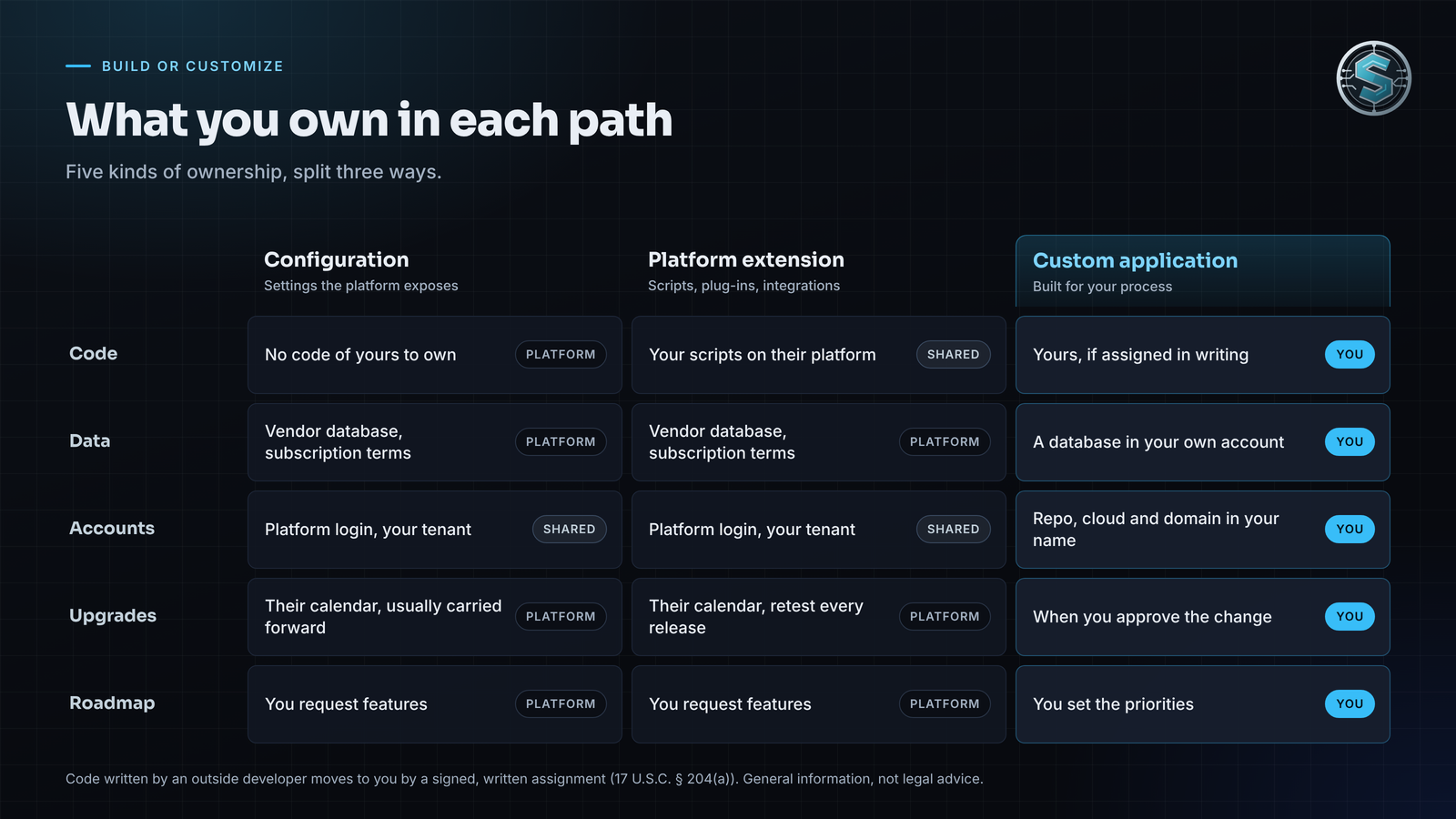
- The code. Configuration leaves you no code to own. An extension may be yours, but the platform under it is not. A custom application's code can be entirely yours, if the contract says so.
- The data. Platform data lives in the vendor's database under the subscription terms. Export is usually possible, but formats and limits vary. A custom application writes to a database in your account.
- The accounts. Code repositories, cloud hosting, domains and app store listings all sit under somebody's login. Whoever's name is on them holds the keys.
- The upgrade schedule. A platform upgrades on its own release calendar. A custom application upgrades when you approve the change.
- The roadmap. You can request platform features. You can only prioritize your own.
That answers the opening question. When you customize software you subscribe to, the changes describe what you wanted on that one platform. They rarely run anywhere else. What travels with you is the knowledge of why each change exists, if someone wrote it down.
Custom software app development for phones adds two more items: the developer account and the signing key. We covered why those matter in our look at whose name belongs on your handheld apps. Building for iPhone and Android at once? Our piece on Flutter enterprise apps shows one codebase serving both.
Who owns the code? Read the contract, not the invoice
Here is the part that surprises people. Paying for software to be written does not, by itself, make you its owner.
The Copyright Office explains the rule in Circular 30 on works made for hire. Work an employee creates as part of the job belongs to the employer. A commissioned work counts as made for hire only in nine listed categories. It also takes a written agreement both parties sign. Otherwise, the author is ordinarily whoever created the work.
So when an outside firm writes your application, ownership usually moves through an assignment. Under 17 U.S.C. § 204(a), a transfer of copyright is not valid unless it is in writing and signed by the owner.
The same rule reaches platform work. If a consultant writes scripts or plug-ins for your platform, ask for the same assignment on that code.
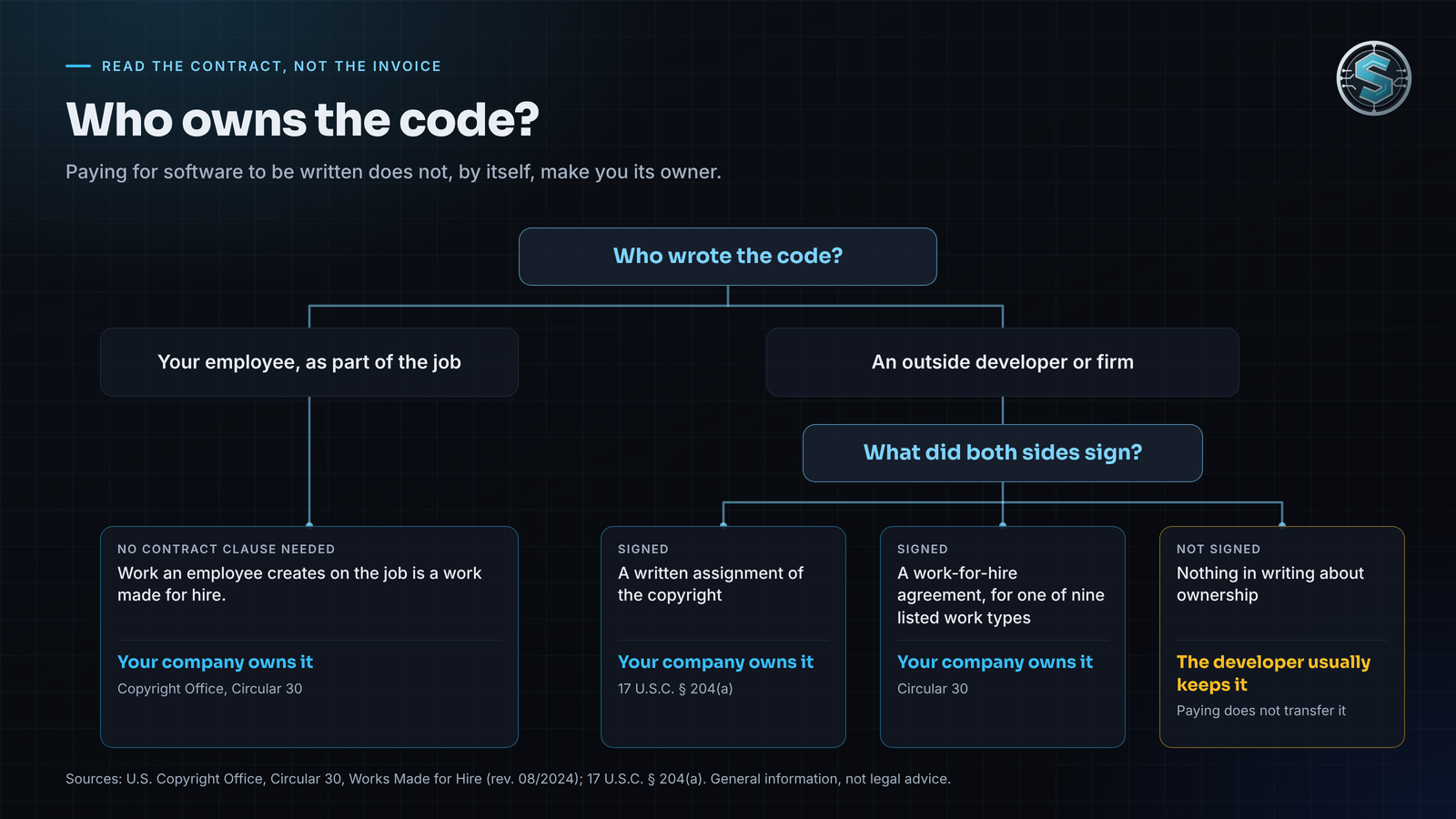
That is a structural gap, not a trust problem. Some quote templates never mention ownership at all. Before you sign, look for three things:
- A clause that assigns copyright in the delivered code to your company.
- A list of any reused components, and the license you receive for each one.
- Delivery of source code and documentation, not just a working system.
This is general information, not legal advice. Have your attorney read the assignment clause before you sign.
When to customize and when to build
Neither path wins everywhere. Five questions settle most cases:
- Is the process common? Payroll, email and standard purchasing are solved problems. Configure the platform.
- Is it specific to you? A customer's labeling rule or your own approval chain rarely fits a product built for everyone. That belongs in a custom layer.
- How often will it change? Logic that changes every month is usually easier to own than to keep re-requesting.
- Does the release calendar keep breaking it? An extension that needs rework after every upgrade has outgrown the platform.
- Does the data need to leave? If results must reach customers, carriers or another system, plan that path first.
The usual answer is both. Keep the platform for the common path, and own the layer that makes you different.
That is how we built one application that replaced a decade of spreadsheets for a contract-logistics returns operation. The warehouse system kept the inventory. A single web application took over the spreadsheets, inbox rules and clipboards around it, one module at a time. Each old tool retired the day its module shipped. There was never a cutover day. Every new capability ships as a self-contained module, so the eightieth feature took about the same effort as the eighth.
The payoff was more than fewer spreadsheets. Recurring work that lived in one person's routine became scheduled, logged and visible. Nobody re-keys arrival reports anymore. The point is to free people for the exceptions that need a person's judgment.
Run this ownership check before your next renewal
You can do this in an afternoon, without a vendor on the call. For every system your business depends on, write down who holds each item below. A simple table works: one row per system, one column per item, and the date you checked.
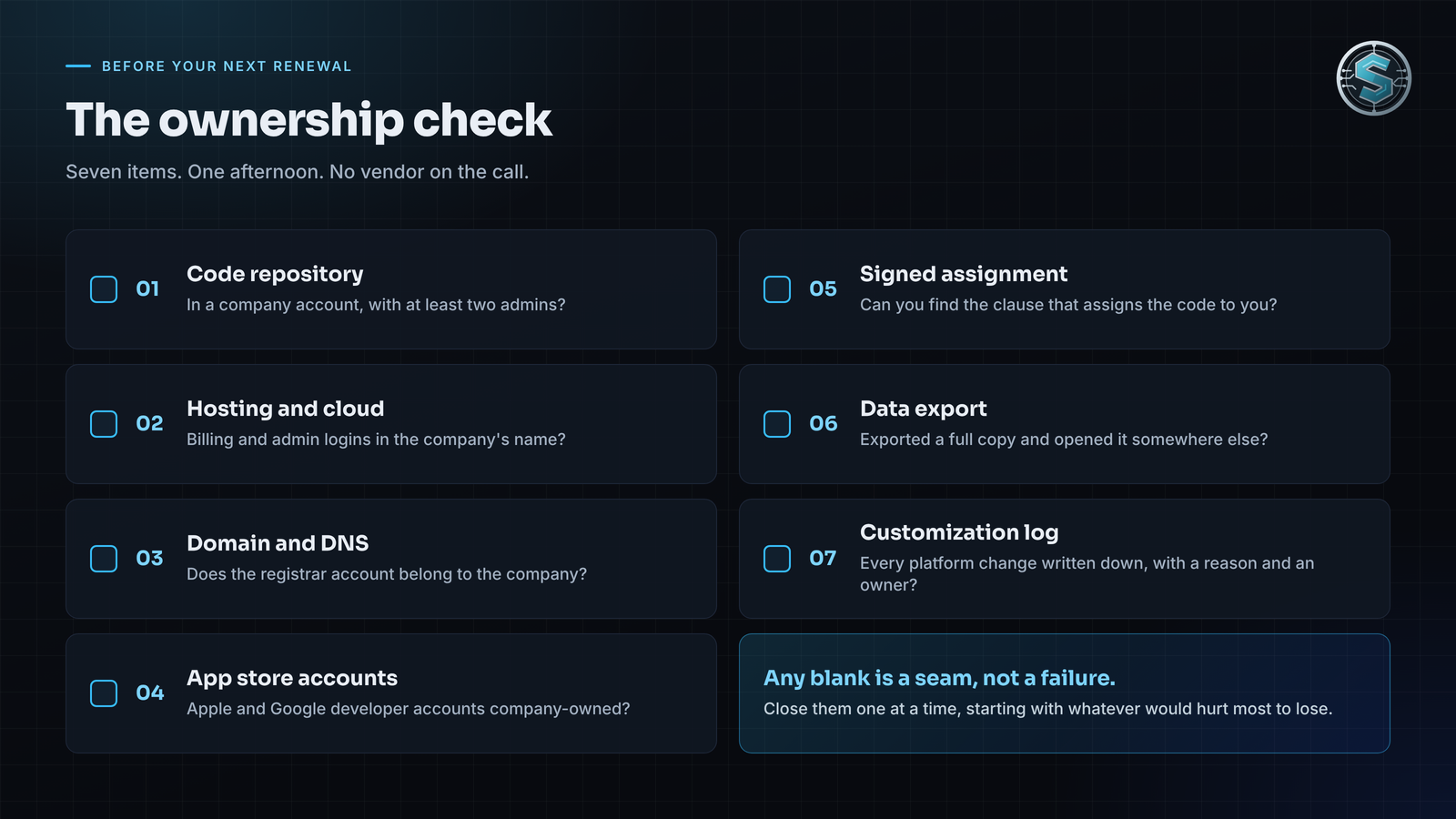
- Code repository. Is it in a company account, with at least two admins?
- Hosting and cloud. Are the billing and admin logins in the company's name?
- Domain and DNS. Does the registrar account belong to the company?
- App store accounts. Are the Apple and Google developer accounts company-owned?
- Signed assignment. Can you find the clause that assigns the code to you?
- Data export. Have you exported a full copy and opened it somewhere else?
- Customization log. Is every platform change written down, with a reason and an owner?
Any blank is a seam, not a failure. Most trace back to a fast launch where the paperwork came second. Close the blanks one at a time, starting with whatever would hurt most to lose.
If the check turns up more blanks than answers, that is a good place to start. Stone Age Software builds custom software applications and customizes the platforms you already run, for the web, iPhone, Android and Windows. Every build is scoped so you own the result outright, at a fixed price, quoted up front.