Six months after go-live, the demo is a memory. The receiving screen has eleven fields; the crew needs three. The rule that makes your yard faster than the next one is not in any menu. So the question lands on your desk: can we just customize this software?
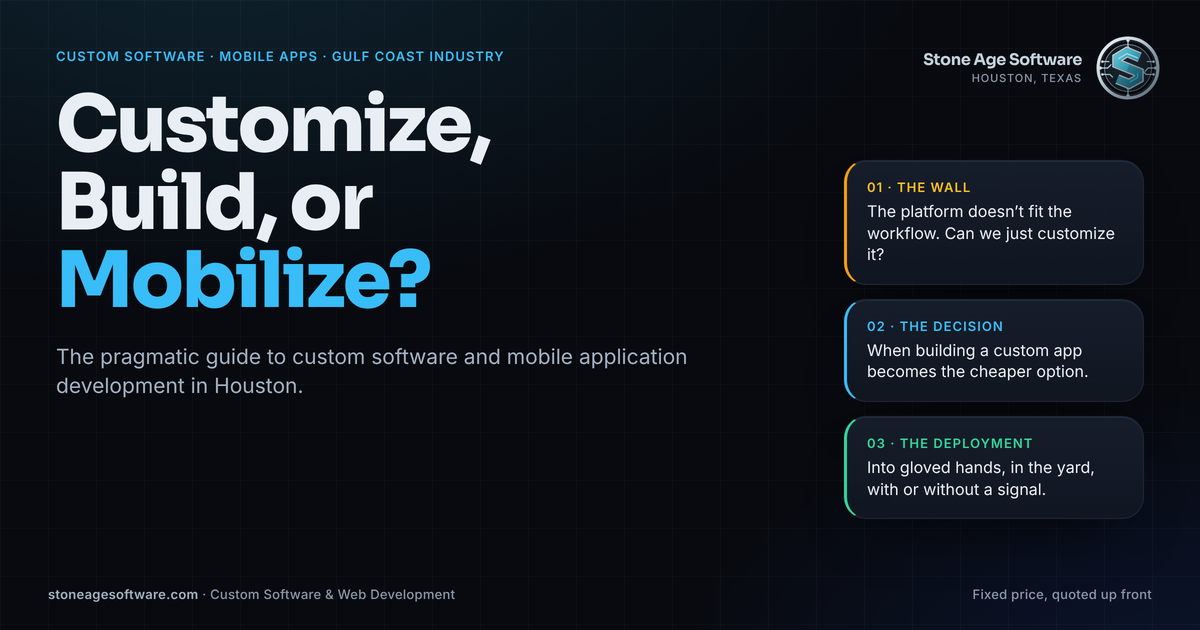
That question opens a path most industrial operators here walk in the same order. First the wall: the ERP, WMS, or field service platform does not fit the workflow. Then the decision: keep bending the vendor's product, or build a custom application beside it. Then deployment, where mobile app development in Houston earns its keep. The logic has to survive a petrochemical yard, a Ship Channel dock, or a fabrication bay. This guide walks the three steps in order, with a check at each one for when to move on.
Why the question is louder on the Ship Channel this fall
Port Houston's monthly trade report released September 22 shows the shape of the pressure. Loaded import containers were up 4 percent in August and 5 percent for the year. Steel tonnage through the public terminals rose 49 percent in a single month. Total container counts were nearly flat.
The same gates, yards, and software are handling a heavier, lumpier mix of freight. Flat volume with a steel spike means exceptions grew faster than throughput. Exceptions are where packaged software stops fitting, because packaged software is built around the standard path, not yours.
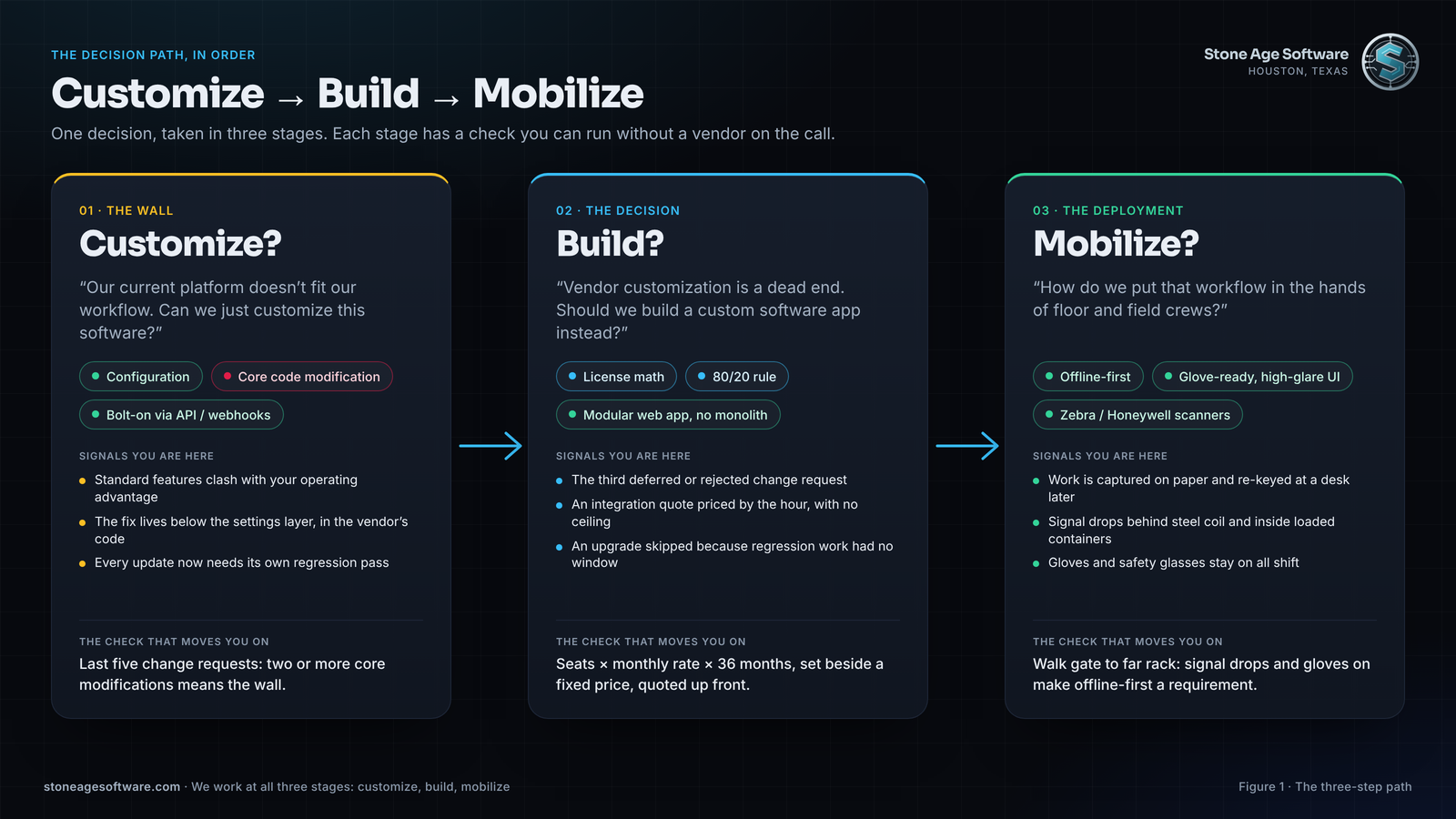
Step one: the customization dilemma
"Customize" covers two different things, and the difference decides everything downstream.
Configuration is the work the vendor expects you to do. Field labels, pick strategies, approval chains, printed forms, and user roles all live in settings the product was designed to carry through an upgrade. If the workflow tweak you need lives there, make it and move on.
Code modification is different. It changes the vendor's logic, tables, or screens underneath the settings. Three structural problems follow:
- The upgrade path breaks. The vendor tests each release against the product as shipped. Your modified copy is untested by definition, so every update becomes a project with its own regression pass.
- The lock gets brittle. Modified objects are typically supported only by the vendor's own services arm or an approved partner. The hourly rate is set by that scarcity, not by the difficulty of the change.
- The debt never clears. Each modification raises the cost of the next upgrade. One skipped upgrade compounds the gap; two freeze the system.
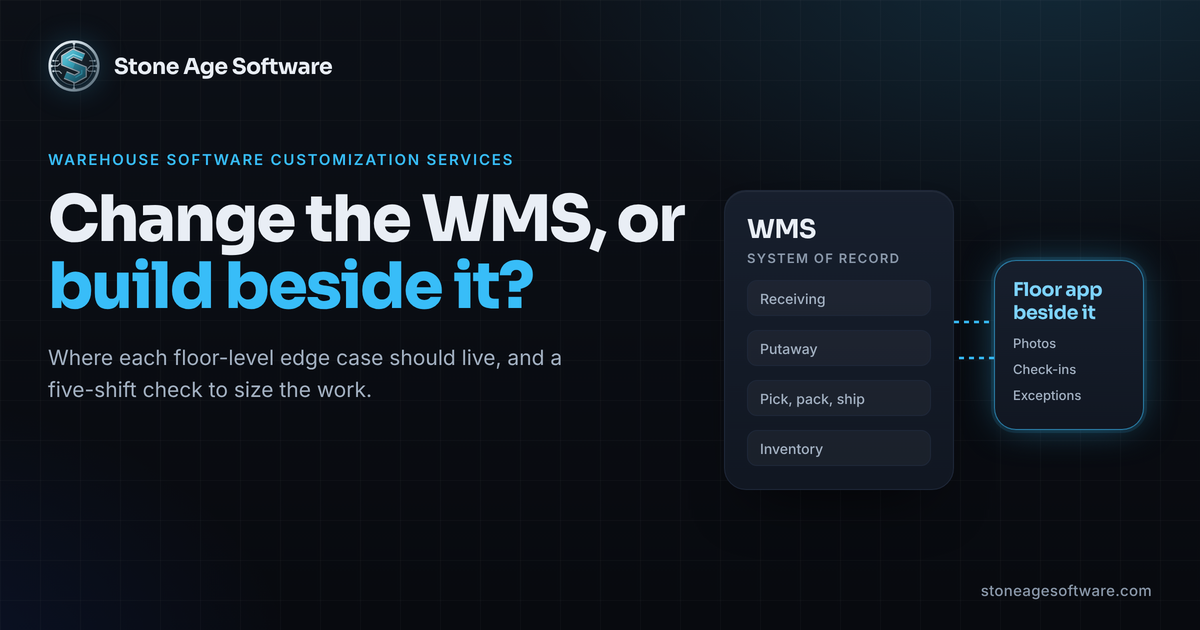
The way out is the bolt-on rule: leave the vendor core alone and extend its data from outside. Modern platforms expose webhooks, REST or OData APIs, event feeds, and read replicas. A lightweight sidecar service listens to those, applies your rule, and writes the result back through a supported interface. The core stays stock. The vendor's upgrade still applies. Your logic lives in code you own.
Done this way, customization is a service, not a dead end: configuration done right, plus bolt-ons beside the core. We laid out where each edge case belongs in warehouse software customization services: change the WMS or build beside it. The closing check tells you when that path has run its course.
Step two: when a custom software application becomes the cheaper option
The pivot point is financial. Three signals usually arrive together.
The third rejected or deferred change request. The integration quote priced by the hour with no ceiling. The upgrade that got skipped because the regression work had no window. When those stack up, bending the product costs more than building beside it.
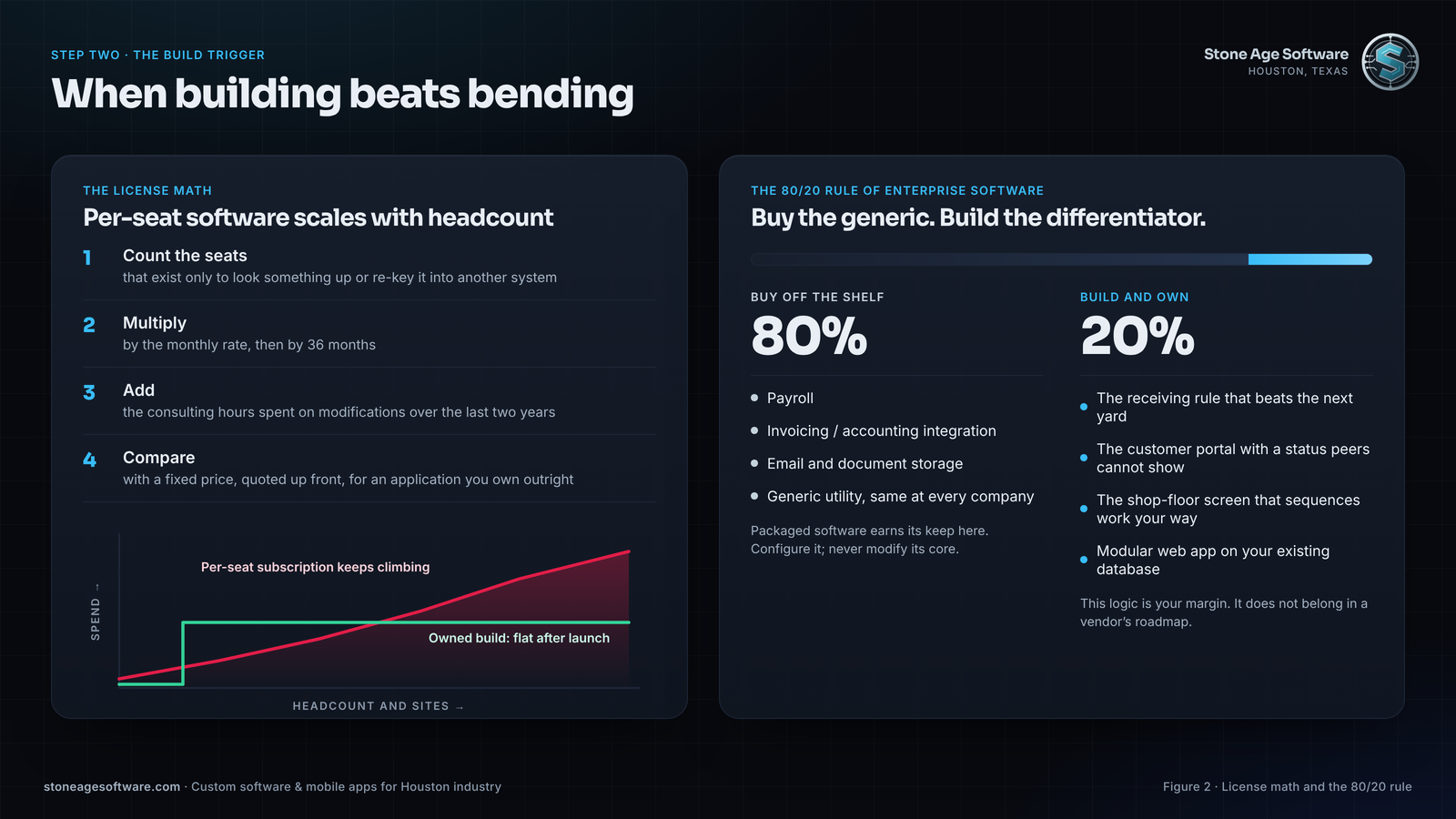
The license math
Per-seat software scales with headcount, and headcount in a growing operation goes one way. Run the arithmetic:
- Count the seats on the per-seat platform that exist only to look something up or re-key it into another system.
- Multiply those seats by the monthly rate, then by 36 months.
- Add the consulting hours spent on modifications over the last two years.
- Set that total next to a fixed price, quoted up front, for a purpose-built application your company owns outright.
The owned application has no per-seat meter. Adding a shift or a second site adds users, not line items. The source, the database, and the hosting account sit in your name, so the next change is a decision, not a negotiation.
The 80/20 rule of enterprise software
Buy the generic 80 percent. Payroll, invoicing/accounting integration, email, and document storage are the same at every company; packaged software earns its keep there.
Build the differentiating 20 percent. The receiving rule that beats your competitor's dock time. The customer portal that shows a status your peers cannot. The shop-floor screen that sequences work the way your best lead does it. That logic is your margin, and it does not belong in a vendor's roadmap.
What modern custom development actually looks like
Not a multi-year monolith with a cutover weekend. A modern custom software application is modular: one web application, built on your existing database and identity provider, shipped one workflow at a time. Each module retires one spreadsheet, one inbox rule, or one clipboard. The floor never has a big-bang day.
Our warehouse operations platform project followed that shape. Fifty-plus operational screens and 24 background automations replaced forty small systems, module by module, with no single cutover. The people who ran those spreadsheets did not lose a job. They stopped re-keying and started handling exceptions, which is the part that needed a human all along.
Step three: mobile app development in Houston has to survive the yard
Software is only as good as the data entered at the point of work. On the Gulf Coast, the point of work is a tank farm, a Ship Channel freight hub, a laydown yard, or a fabrication bay. The screen is read through safety glasses in direct sun. The thumb is inside a leather glove.
A consumer app playbook assumes a signal, bare fingers, indoor light, and a user who will retry when something fails. Those assumptions are structural, not careless, and they break at the gate.
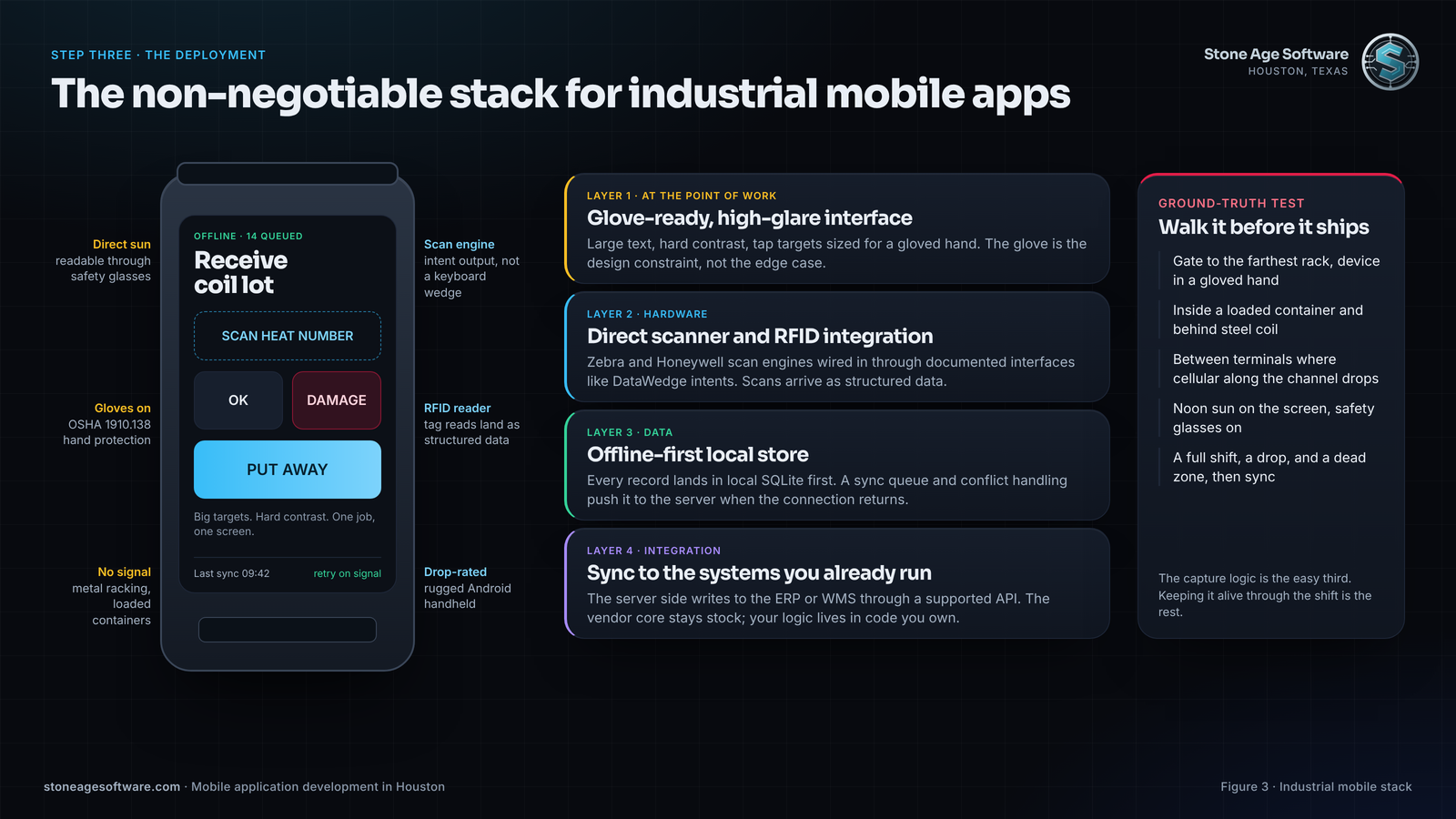
The non-negotiable stack for industrial mobile apps
- Offline-first data. Every record lands in a local SQLite store first, with a sync queue and conflict handling behind it. Google's own offline-first architecture guidance treats the network as an enhancement, not a dependency.
- High-glare design. Large text, hard contrast, and tap targets sized for a gloved hand. OSHA's hand protection standard, 1910.138, requires gloves wherever hands face cuts, chemicals, or heat. In a Houston yard, that is most of the shift, so the glove is the design constraint, not the edge case.
- Direct hardware integration. Zebra and Honeywell handhelds expose their scan engines and RFID readers through documented interfaces, such as Zebra's DataWedge intent output. Wiring the app to those directly beats a keyboard wedge: each scan arrives as structured data, symbology and device identity attached.
- Fewer, purpose-built screens. DC Velocity reported in June that warehouse handhelds can carry dozens of apps each, with workers flipping between screens to find one fact. A field app should answer one job, end to end, on one screen.
Why ground-truth testing in the facility matters
The office Wi-Fi proves nothing. Metal racking, steel coil, and tank walls create dead zones that a site survey from the mezzanine never sees. Cellular along the channel is patchy between terminals, and it drops inside a loaded container. The test plan has to include the walk from gate to far rack, device in a gloved hand. We covered the radio side in our note on warehouse Wi-Fi access points.
Floor hardware fails in ways a lab never shows. Our badge reader to browser bridge project put most of its engineering into a reader still working on Monday morning, not into reading a card. The capture logic is the easy third. Keeping it alive through a shift, a drop, and a dead zone is the rest.
One more ownership point. Store listings and signing keys belong in your company's accounts, not a contractor's, as we explained in custom software applications: will your scanner app still install next year. The rule holds for mobile app development in Houston as for any code you pay for.
Run the three-question check this week
Each step has a check you can run yourself, with no vendor on the call.
- The customize check. Pull the last five change requests sent to your platform vendor. Mark each as configuration, core modification, or bolt-on. Two or more core modifications means the customization path is already costing more than it returns.
- The build check. Count seats that exist only to view or re-key data. Multiply by the monthly rate, then by 36 months. Ask for a fixed price, quoted up front, for an owned application that covers the same workflow, and compare the two numbers.
- The mobilize check. Walk the facility from the gate to the farthest rack with a phone. Note every spot where the signal drops and every task where the gloves stay on. If any step of the workflow happens there, offline-first and glove-sized targets are requirements, not options.
If two of the three checks come back loud, the path is already decided. You are past customizing and into building, and the build has to end in the field.
Where this fits
Customize, build, or mobilize is one decision, taken in stages, and we work at all three. Our custom software and web development practice configures and extends the platform you have, builds the application beside it, and takes the workflow to the field, scoped as one job. Fixed price, quoted up front. Code and accounts in your name from the first commit.