
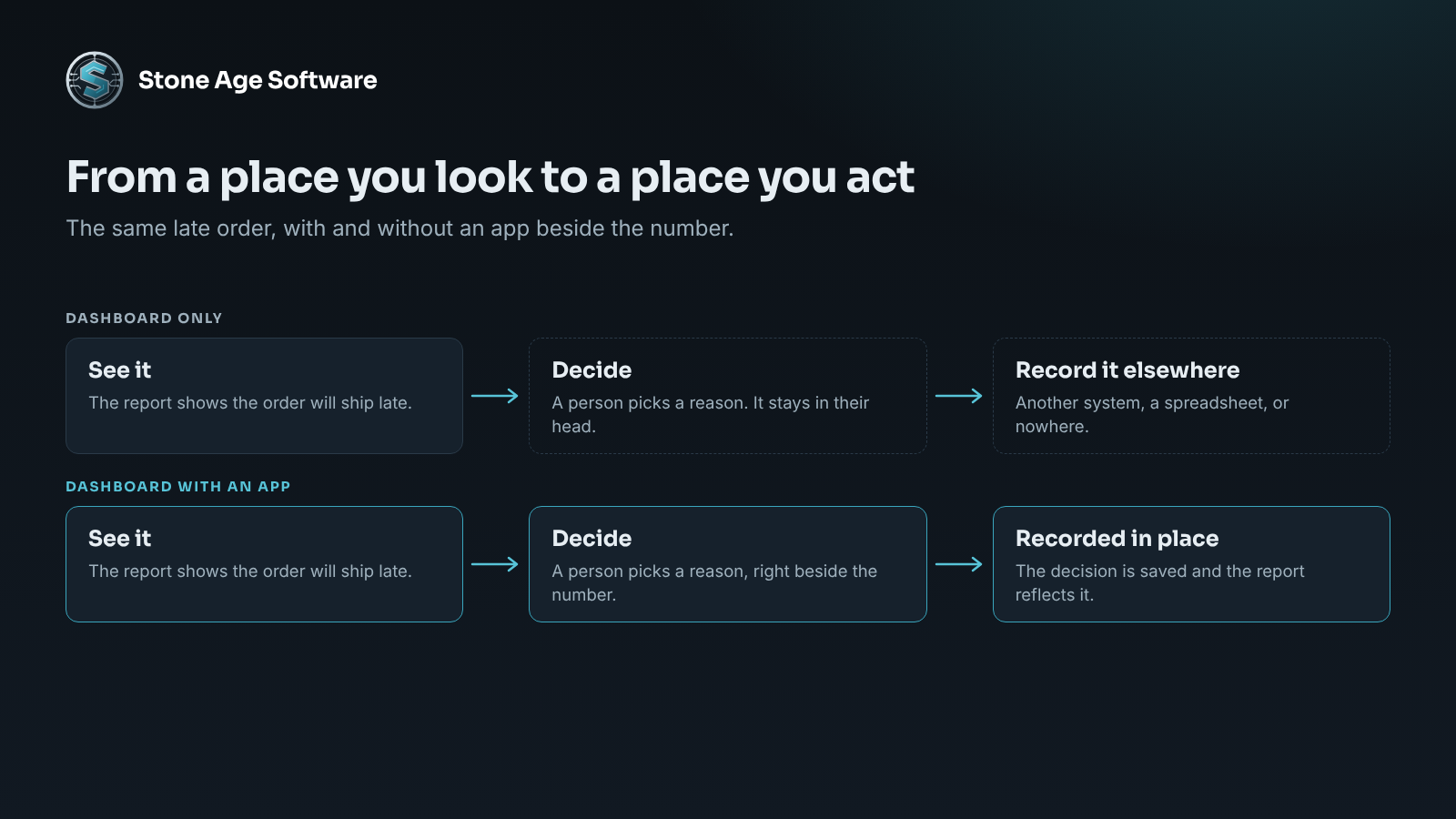
The dashboard says fourteen orders will ship late today. The supervisor reads it, nods, and opens a different system to do something about it. A reason code goes in one place. A note to the client goes in another. The dashboard never learns what happened.
That gap between seeing and acting is the oldest complaint about reporting. On September 25, Microsoft aimed straight at it. The Power BI team announced apps in Power BI, a way to build small working applications on top of the same data your reports use.
For a 3PL owner, the question is practical. Is this something to build on, something to wait for, or something to ignore?
What apps in Power BI are
The announcement came in a post titled Power BI's next chapter. Microsoft describes "a new app building experience in Power BI Desktop" that lets users "create data applications using natural language."
In plain terms, you describe the tool you want. Desktop generates it. You preview it, edit it, and publish it to Microsoft Fabric.
Three details matter more than the rest:
- It starts from your model. Microsoft says the app begins from "a trusted semantic model." That is the same layer of tables and measures your reports sit on.
- It can write. These apps "can accept inputs, write back data, preserve shared state, and support operational workflows." A report only reads.
- It reaches ordinary licenses. The preview is open to Power BI Pro and Premium Per User customers, as well as Fabric capacity customers.
Timing is the caveat. Microsoft says the Desktop experience arrives "in the coming months." It is a preview, not a finished product.
Trade coverage adds one useful number. A FabCon Europe 2026 recap from Solv Systems reports that Pro and Premium Per User apps include a Fabric database of up to 1 GB per app. That is room for decisions and notes. It is not room for your transaction history.
What else changed in September
Apps took the headline. The Power BI September 2026 feature summary lists quieter changes that an operator will feel sooner:
- Bigger exports. The row limit for exporting a table visual rose from 150,000 to 500,000.
- Reports as files. Power BI Projects are generally available. A report and its model are stored as readable text, so changes can be tracked and reversed.
- Model editing on the web. DirectQuery models can be created and edited in the service, with no Desktop install.
- A Copilot gate. Model editors can block read-only users from reaching a model through Copilot.
- Apps beside reports. Fabric apps are listed as coming soon inside org apps, next to your existing dashboards.
One more piece is already here. Reports can carry buttons that change data. Microsoft calls these translytical task flows. Its translytical task flow documentation lists what a button can do: add a record, edit one, delete one, or call an outside system.
So the direction is clear. Power BI is moving from a place you look, to a place you act.
Where apps in Power BI fit in a warehouse
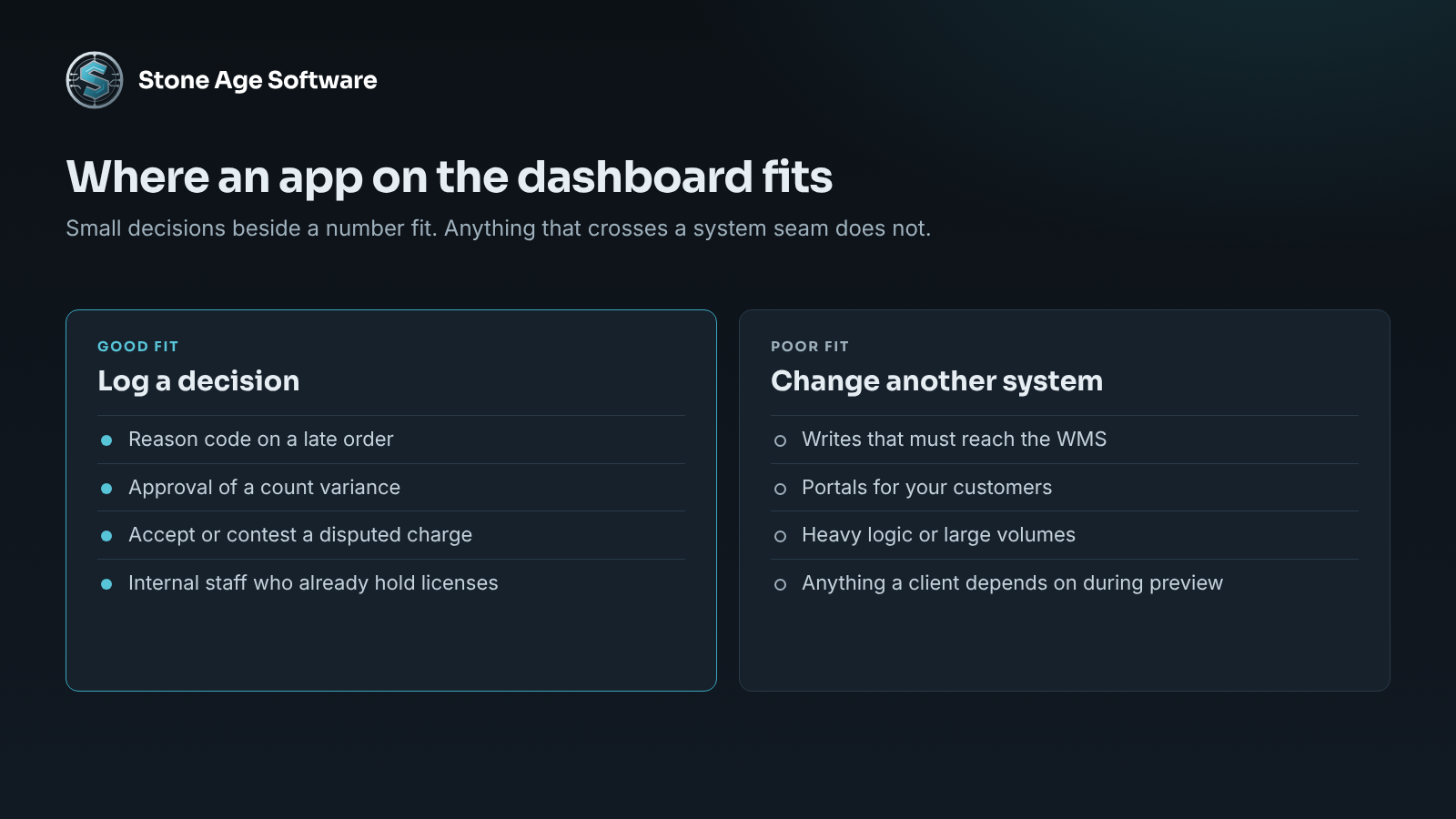
The best uses are small. They sit right beside a number, and they capture a decision a person just made.
Think about what happens after someone reads a report today:
- A supervisor sees a late order and picks a reason code.
- A manager reviews a cycle count variance and approves the adjustment.
- An account lead reads a disputed accessorial charge and marks it accepted or contested.
- A dock lead scores a carrier after a missed appointment.
Each of those is a judgment. Each is usually recorded somewhere else, or nowhere. An app that sits on the dashboard keeps the decision next to the number that prompted it.
The software is not making the call. The person is. The app removes the retyping, and it leaves a record that outlasts the shift.
That record has real value. We saw it on a damage and discrepancy system for a contract-logistics site. The hard part was never the form. It was getting the evidence captured at the moment of discovery. Our exception case management project shows how a case opens itself and carries its own proof.
Where they do not fit
A generated app is quick to make. That is its strength and its risk. Four limits are worth knowing before anyone builds one.
It writes to Fabric, not to your WMS. The write-back lands in a Fabric database. Your warehouse system does not know about it. If the decision must change inventory, an order, or an invoice, something still has to carry it across. That seam is where most of the real work sits.
It is a preview. Features in preview change. Some are renamed, and some are reshaped before release. Nothing a client depends on should rest on one yet.
It needs an owner. An app made in ten minutes still runs for years. Someone has to know it exists, what it writes, and who uses it. Without that, it becomes one more thing nobody can safely switch off.
It has a size. Our own Power BI and Power Platform practice page draws the line plainly. The platform suits internal, licensed users and reasonable volumes. It suits complex logic, large volumes, and outside users far less well.
That last point matters for client-facing work. A portal for your customers is a different job. It usually belongs in custom software you own.
The model comes first
There is a quieter message in the announcement. Every one of these features starts from the semantic model. Microsoft says more than 22 million of them are in use each day.
An app built on a model inherits that model. If two reports disagree about on-time rate today, the app will pick one. Then people will act on it.
So the preparation is not exciting, and it is the same as ever:
- One shared model, not one per report.
- One written definition for each number.
- Measures defined once, in the model.
- A named owner and a second owner.
- A refresh that alerts someone when it fails.
Operators who have this in place can try the preview the week it lands. Operators who do not will generate apps on top of numbers they do not trust. The tool is not the gap. The foundation is.
Build, wait, or go custom
Three paths cover most cases.
Build now, with what is released. If you hold Fabric capacity and need a button that records a decision, translytical task flows exist today. Start with one decision on one report.
Wait for the preview, and prepare. If you are on Pro licenses, the app builder is months out. Use the time on the model. List the decisions your team makes after reading each report.
Go custom. If the action must reach the WMS, serve clients, or carry heavy logic, a generated app is the wrong fit. Build it properly, once, as software you own.
None of these is a failure to keep up. They are different tools for different seams.
A check you can run this week
You do not need the preview to do this. You need one report and thirty minutes.
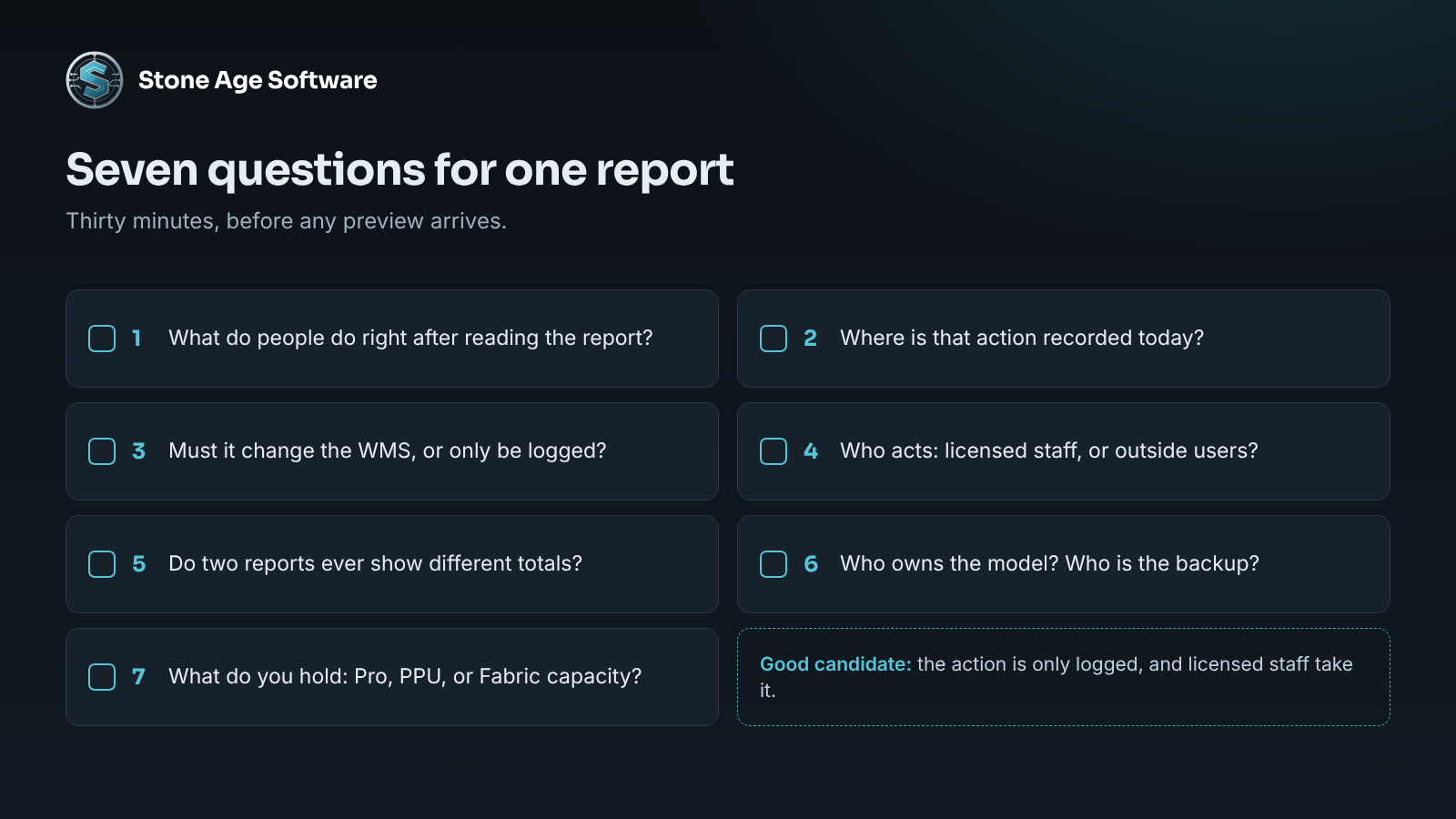
- Pick your most-used report. What do people do right after they read it?
- Where is that action recorded today? A system, a spreadsheet, an email, or nowhere?
- Does the action need to change the WMS, or only be logged?
- Who takes the action? Staff with licenses, or people outside your company?
- Do two reports ever show different totals for this number?
- Who owns the model behind the report? Who is the backup?
- What do you hold today: Pro, Premium Per User, or Fabric capacity?
If answers three and four are "only logged" and "licensed staff," you have a good candidate. If either goes the other way, you have a custom build or an integration. Both are fine. It is better to know before you start.
If you want a second opinion on that list, that is the work we do. Our Power BI and Power Platform practice builds the model, the reports, and the actions on top. It is fixed price, quoted up front, and we will tell you when the platform is the wrong tool.