
One morning in February 2027, a tile on your operations dashboard will show an error instead of an answer. Nobody edited the report. Nobody changed the data. The feature underneath it was switched off.
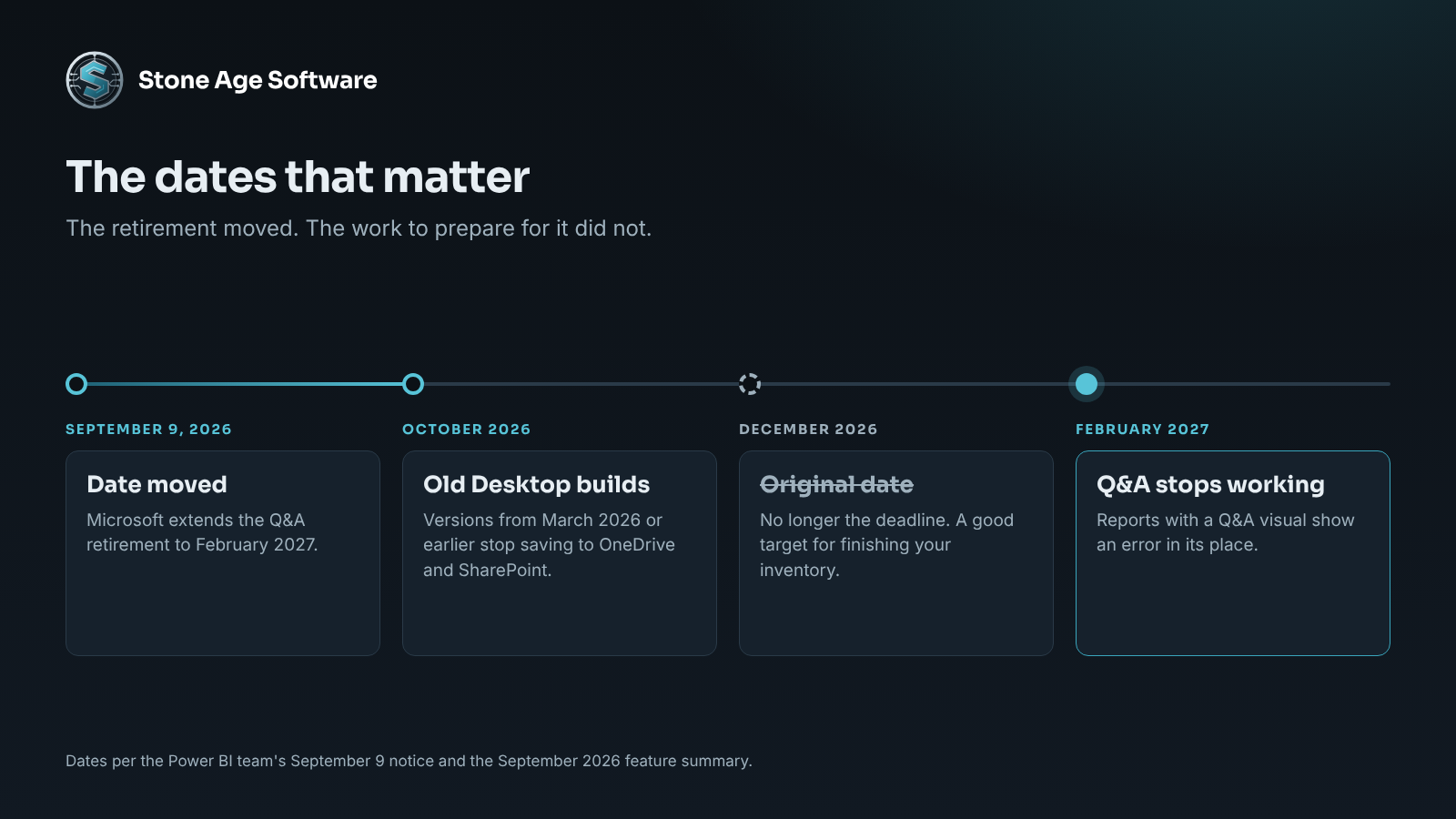
That is the Power BI Q&A retirement, and it now has a firm month. Microsoft first set it for December 2026. On September 9, the Power BI team moved the retirement date to February 2027. The extra weeks are meant for one job. Find what depends on Q&A, and decide what replaces it.
For a 3PL, that job is harder than it sounds. The reports were built one at a time, over years. Few operations hold a list of them.
What the Power BI Q&A retirement removes
Q&A is the box where a user types a question in plain words. "Total pallets received last week by client" is a typical one. Power BI answers with a chart.
Microsoft's notice lists five things that go away:
- Q&A in reports, including the Q&A visual placed on a report page.
- Q&A on dashboards, the question box across the top.
- The Q&A virtual analyst in the mobile app.
- Q&A in embedded analytics.
- Q&A Setup, the tool for teaching it your terms and synonyms.
The wording on existing reports is blunt. Microsoft says Q&A will no longer work, the visual will be removed, and reports that contain it "will display an error in place of the visual."
So this is not a quiet change. It lands on the screen, in front of whoever opens the report that day.
Where Q&A hides in a warehouse operation
Most operators will say they never use Q&A. Many are right about the typing. The dependency can still be there.
Check four places:
- Report pages. Someone added a Q&A visual years ago as a helpful extra. It still sits on page three.
- Dashboards. The question box sits at the top of a dashboard unless someone turned it off. A supervisor may lean on it every Monday.
- Phones. Managers who check numbers from the dock often use the mobile app.
- Customer portals. If you embed reports in a portal for your clients, read the next paragraph twice.
Embedded use is the hard case. Microsoft's notice separates two kinds. Where each viewer signs in with their own Power BI account, Copilot is the stated path. Where your application shows reports to customers who have no account, the notice is direct. "There are currently no plans to provide a Copilot replacement for embedded Q&A PaaS scenarios."
That second kind is how most 3PL customer portals work. If yours offers a question box, it has no successor. The portal needs a different answer before February.
The replacement is not a like-for-like swap
Microsoft names Copilot as the replacement in each area. It is a capable tool. It also comes with conditions that Q&A never had.
The first is capacity. Q&A worked on an ordinary Pro license. Copilot does not. Microsoft's Copilot for Power BI requirements call for a paid Fabric capacity at F2 or higher, or Premium at P1 or higher. The page states it plainly. A Pro or Premium Per User license "alone isn't sufficient."
The second is administration. A tenant setting must be switched on before anyone sees Copilot. Capacity must sit in a supported region. Sovereign clouds are not supported yet.
The third is rework. Q&A Setup is replaced by a tool called Prep Data for AI. It uses data schemas, verified answers, and written instructions. Microsoft's notice names the new tool. It does not describe an automatic carry-over of your old synonyms. Plan to rebuild that work, not to migrate it.
None of this makes Copilot the wrong choice. It makes it a decision, with a licensing line attached. That decision deserves more than a default.
Three honest options for each dependency
Every place Q&A appears can go one of three ways.
Replace it with a fixed visual. This fits most warehouse cases. If people type the same five questions each week, those are five charts. Build them once, on a shared model, with one written definition per number. A fixed visual gives the same answer every time. For a figure that feeds an invoice, that matters. It also needs no new capacity.
Move it to Copilot. This fits open-ended analysis by people who explore data for a living. It suits operations that already hold Fabric or Premium capacity. Budget time for the preparation work.
Remove it. If nobody has typed a question in a year, delete the visual. An error tile on a live dashboard costs more trust than an empty space.
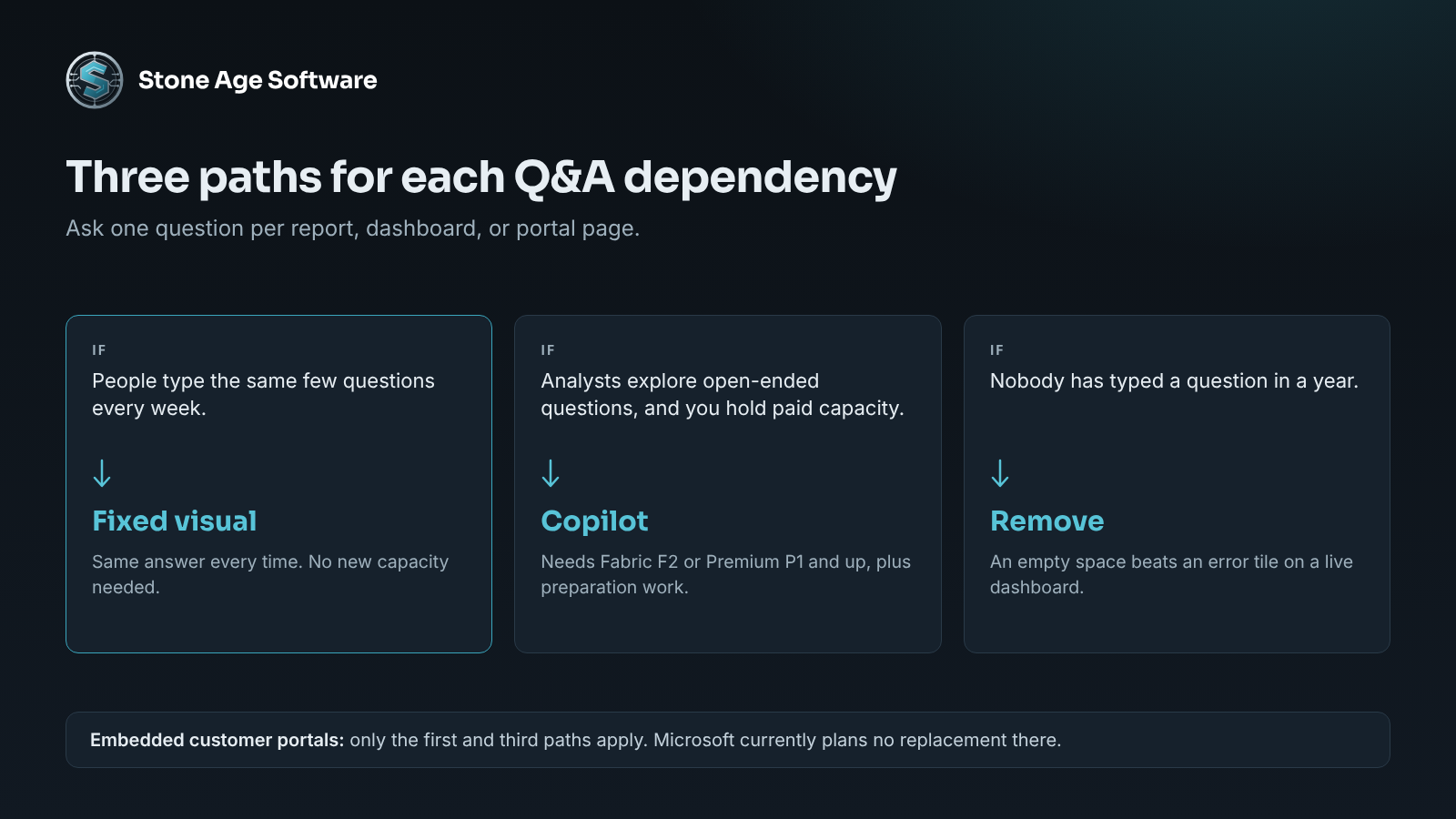
For embedded customer portals, only the first and third apply. A page of well-chosen filters often serves clients better than a question box did. Clients want their receipts, their on-hand, and their on-time rate. Those are known questions. A 3PL reporting layer can answer them on a schedule.
A second date that arrives sooner
February is not the only date on the calendar. One arrives this month.
The Power BI September 2026 feature summary carries a short notice. Starting in October, Power BI Desktop versions from March 2026 or earlier can no longer save and share files to OneDrive and SharePoint.
That matters where one person builds every report on one machine. Desktop installed from a download does not always update itself. The fix is simple. Update Desktop on every machine that publishes.
The same summary holds better news. Power BI Projects are now generally available. A project stores a report and its model as readable text files. Text files can live in version control. That means a history of changes, and a second person who can open the work.
Trade coverage has tracked these shifting dates closely. Easy Insight's September roundup of Power BI dates that moved is a useful short read.
The real gap is the missing list
A retirement notice is a test. Can you name every report that uses the retired feature, within an hour?
Most operations cannot. That is not a failing of the people who built the reports. Each report answered a real question on the day it was made. Nothing in the tool adds it to a register. Nothing asks for a second owner. The gap is structural.
We have seen the same pattern outside Power BI. One contract-logistics site ran on answers kept in spreadsheets on individual laptops. The work held up until an owner took a week off. Our unified operations platform project describes how that was replaced with one shared application.
Reports need the same treatment on a smaller scale. A useful register records, for each report:
- Its name, workspace, and what decision it supports.
- An owner and a second owner.
- The data source and the refresh schedule.
- Who reads it, and how often.
- Platform features it depends on, such as Q&A or embedding.
Software can scan a tenant and fill in most of those columns. People still decide what each report is for, and whether it earns its place. That judgment is the valuable part.
A check you can run this week
You can do the first pass in an afternoon. Work through this list.
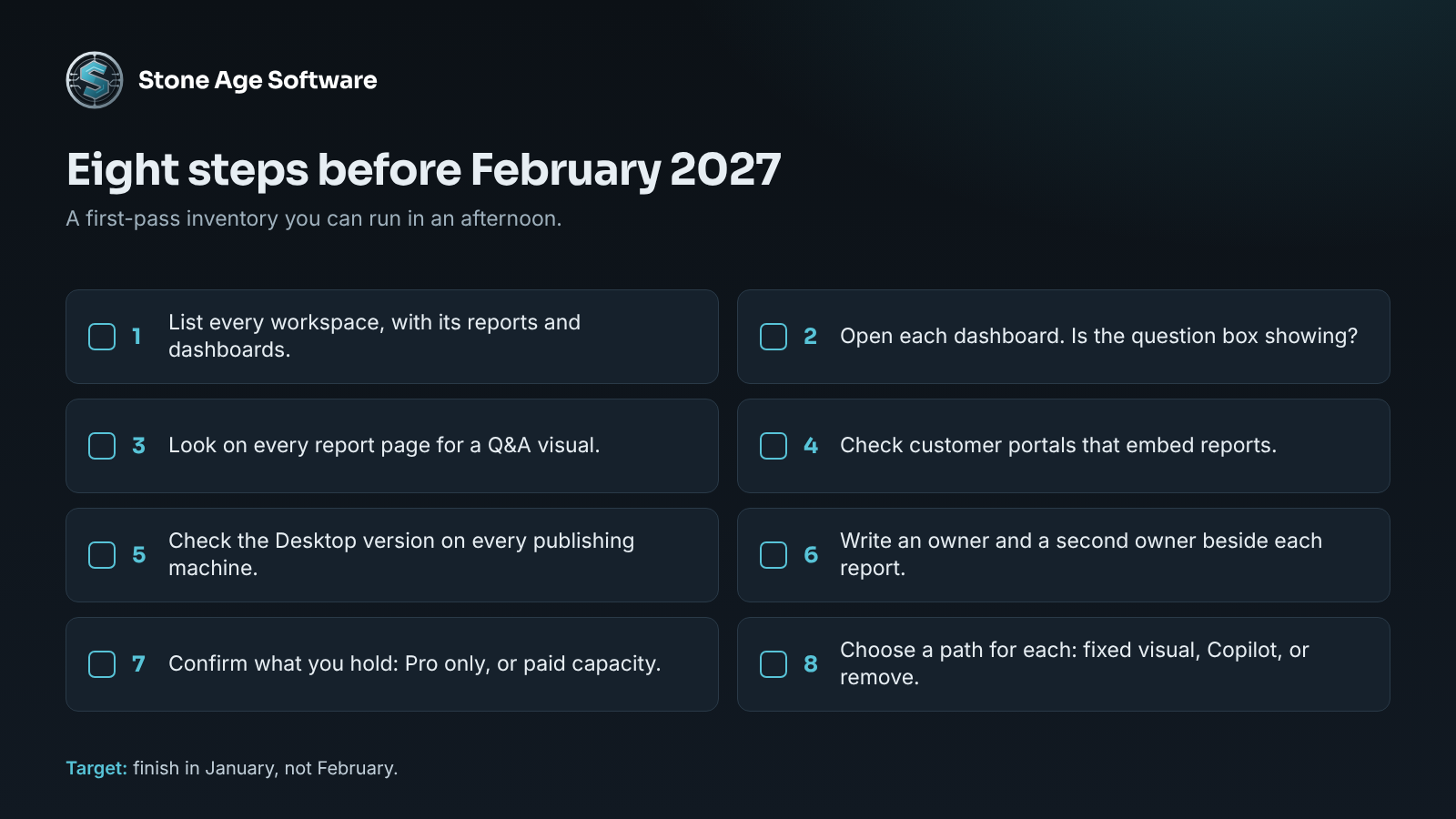
- List every workspace, and the reports and dashboards inside each.
- Open each dashboard. Is the question box showing at the top? Ask who uses it.
- Open each report and look on every page for a Q&A visual.
- Check any customer portal that embeds reports. Does it offer a question box?
- Check the Desktop version on every machine that publishes. Update anything from March 2026 or earlier.
- Write an owner and a second owner beside each report.
- Confirm what you hold: Pro licenses only, or Fabric or Premium capacity.
- Choose a path for each dependency: fixed visual, Copilot, or remove.
Then put a date on it. Aim to finish in January, not February. A dashboard fixed a month early is a non-event. One fixed a day late is a call from a client.
If the list turns out longer than expected, that is normal, and it is the work we do. Our Power BI and Power Platform practice builds the inventory, replaces what breaks, and documents a second owner for each report. It is fixed price, quoted up front, in your tenant and under your licenses.