The pilot ran for a month and the bill was a rounding error. Then the feature went live across every client account, and the invoice from the model provider grew many times over. Nothing about the model changed. The volume did.
That is the usual shape of the problem. Most teams do not have a model quality problem. They have a token efficiency problem. If you want to reduce LLM API costs, the answer is rarely a weaker model. It is a smarter path for each request.
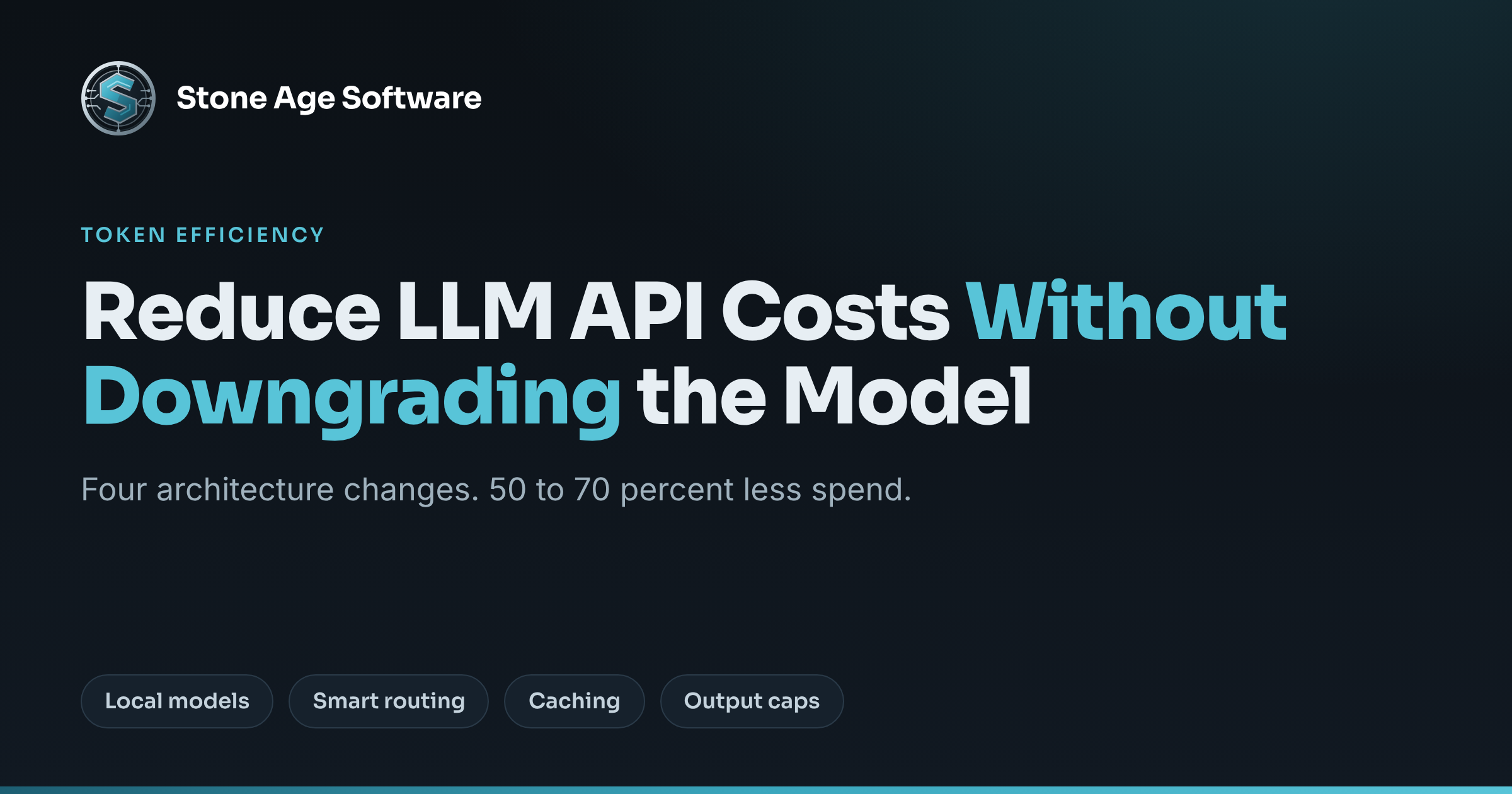
We worked through this with a client recently. The four changes below come from that work. Together they typically cut model API spend by 50 to 70 percent. The same flagship model still answers the hard questions.
Why the bill grows faster than the workload
Per-token prices keep falling. Bills keep rising anyway. Gartner expects inference to cost providers over 90 percent less by 2030 than it did in 2025. The same analysts warn that buyers will not feel it. CIO Dive's coverage of the Gartner forecast quotes one of them plainly. Moving from a simple chatbot to an agent means each query uses five to 30 times more tokens.
A warehouse example makes it concrete. A pilot reads a few dozen emailed bills of lading a day. Production reads every inbound document, for every client, on every shift. Each call also carries a long system prompt, a rate table, and a customer profile.
Three structural gaps do the damage:
- Every request goes to the most expensive model, whether it needs it or not.
- The same long context is sent, and billed, again on every call.
- Nothing limits how much the model writes back.
None of that is a failing of the team that built the pilot. A prototype exists to prove the idea works. It should be simple. The seams only show at volume.
Move 1: send routine work to a local model
A large share of production calls are not hard. They are sorting and reading tasks:
- Classifying an inbound email as an order, a claim, or a status question.
- Deciding which workflow a request belongs to.
- Pulling fields out of a document into structured JSON.
Small open-weight models handle these well. The Llama and Mistral families are common picks. In quantized form they run on a single server you control. Tools like Ollama and vLLM serve them on your own hardware.
The cost shape changes completely. A cloud API bills per token, forever. A local model costs the hardware and the power. The ten-thousandth extraction of the day costs almost nothing more than the first.
There is a second benefit. Documents that should not leave the building never do. For an operator bound by customer contracts, that can matter more than the savings.
Ownership matters here too. vLLM's documentation describes an OpenAI-compatible API server, quantization support, and continuous batching. Ollama offers a compatible endpoint as well. So your application talks to the local model the same way it talks to a cloud one. Switching is a configuration change, not a rewrite. That is what zero vendor lock-in looks like in practice.
Move 2: route by confidence, not by habit
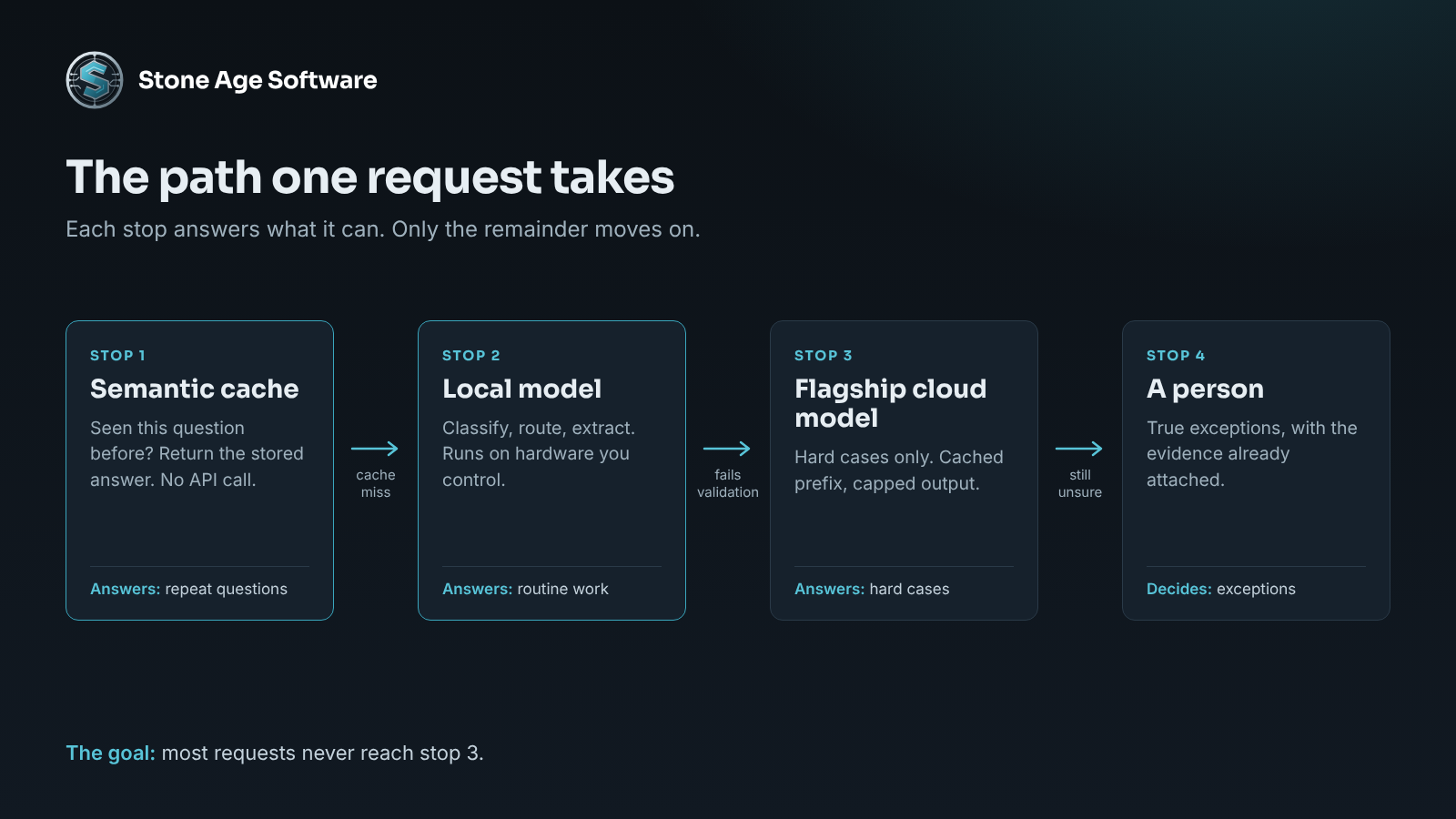
Routing is the rule that decides which model answers. The pattern is simple:
- Send the request to the local or cheapest model first.
- Score the result, or validate it against rules you already trust.
- Accept the answer if it clears the threshold.
- Escalate to the flagship cloud model only if it does not.
- Send anything the flagship is unsure about to a person.
Step five matters most. Software should clear the routine volume. People should get the exceptions, with the evidence attached. A damaged-freight email with a strange attachment deserves a person's judgment, not a guess.
Validation rules are often better than a confidence score. Does the extracted purchase order number exist? Do the line quantities add up to the stated total? Is the item on that customer's item master? A cheap model that passes those checks has earned the answer.
The research supports the approach. The RouteLLM paper tested trained routers that choose between a strong and a weak model. It reports cost reductions of over two times in certain cases, without compromising response quality.
Two practical notes. Start with a strict threshold and loosen it with data. And log the escalation rate. If it climbs, something upstream changed. A new document layout from one customer is a common cause.
Move 3: reduce LLM API costs with two kinds of caching
Caching is where the largest single saving usually sits. There are two kinds, and they solve different problems.
Prompt caching is offered by the providers themselves. It stores the long, repeated front of your prompt. Later calls that start with the same text are billed at a fraction of the input price.
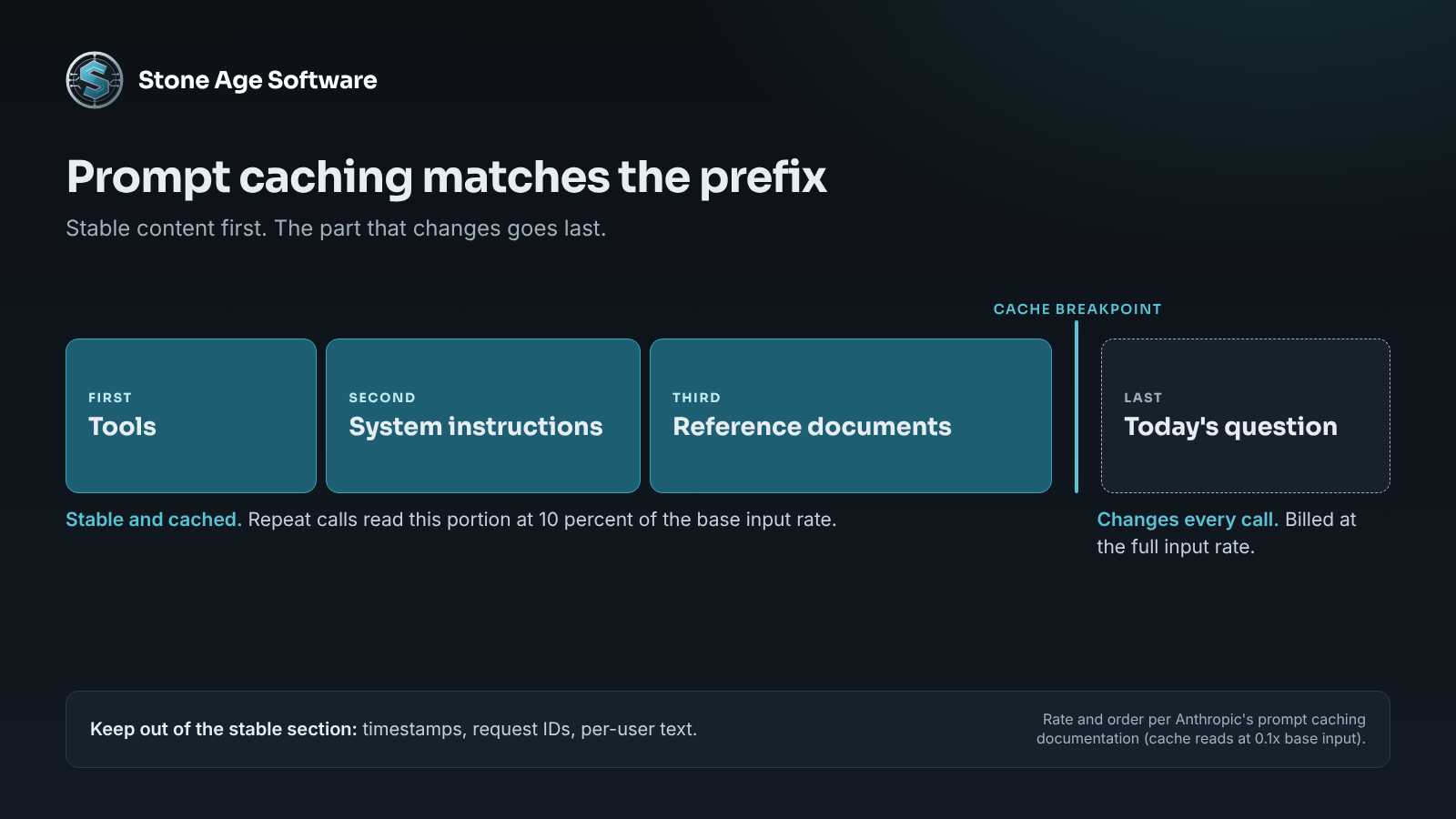
The numbers are published. Anthropic's prompt caching documentation prices cache reads at 0.1 times the base input rate. That is 90 percent off the repeated portion. Writing to the cache costs 1.25 times the base rate, so it pays back on the second call. OpenAI's prompt caching guide says caching is on by default for supported models. It lists cached input as discounted up to 95 percent.
The catch is order. The cache matches on the prefix. Anthropic's documentation gives the sequence as tools, then system, then messages. A change at any level invalidates that level and everything after it. So structure matters:
- Put stable content first: tool definitions, instructions, reference documents.
- Put the changing part last: the customer's question or today's document.
- Keep timestamps and request IDs out of the stable section.
- Check the minimum length. Prompts under the provider's threshold are not cached, and no error is returned.
That last point is a quiet one. The API gives no signal either way. The only way to know is to read the cached-token fields in each response.
Semantic caching sits in your own stack. It stores past questions as vectors, along with their answers. When a new question means the same thing as an old one, the stored answer comes back. No API call happens at all. Redis and GPTCache are common building blocks.
Use it with care in a warehouse setting. "What are your receiving hours?" is safe to cache. "How many pallets of this item do I have?" is not. That answer depends on live data and on which client is asking. Scope the cache by client. Set expiry by how fast the truth changes.
Move 4: cap what the model writes back
Output is the expensive side. On Anthropic's published price list, output tokens are priced at five times input tokens on every current model. Other providers typically land between three and five times.
So every unneeded sentence costs several times what a prompt sentence does. Three controls help:
- Set a strict
max_tokenslimit per task type. An extraction needs far less room than a summary. - Ask for structured output. A JSON object with six fields has no greeting and no recap.
- Trim the conversation history. Old turns ride along as input on every new call. Summarize them or drop them.
One more lever lives nearby. Work that can wait should wait. Nightly summaries and bulk re-classification do not need an instant answer. The same price list shows a 50 percent discount for batch processing.
What this looks like when it is running
After the four changes, a single request takes a different path. It checks the semantic cache first. A miss goes to the local model. A result that fails validation escalates to the flagship, with a cached prefix and a capped reply. A true exception lands in a person's queue.
Measurement holds it together. You cannot manage a token budget you cannot see. Each call should record the model, input tokens, cached tokens, output tokens, and which feature asked.
We built that kind of instrumentation for a contract-logistics platform. The platform observability project shows the approach. Every request is timed and logged, so slow paths stop being guesses. Token metering is the same discipline pointed at a different number.
None of this replaces the people who know the operation. It gives them fewer routine documents to read. It gives them better-prepared exceptions to decide.
A check you can run this week
You can do the first pass yourself. Pull one week of usage from your provider's console and answer seven questions.
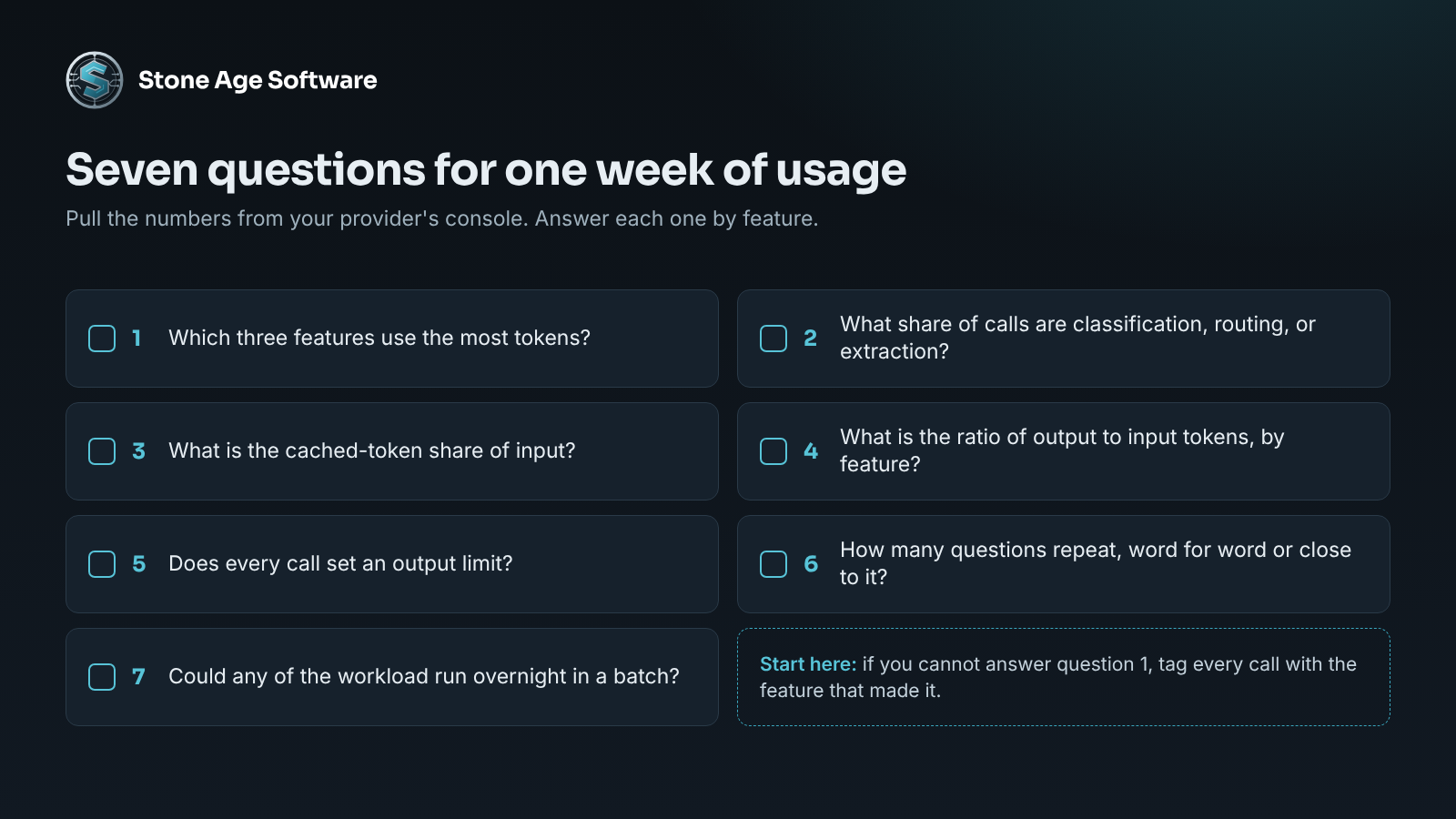
- Which three features use the most tokens? If you cannot tell, add a feature tag to each call first.
- What share of calls are classification, routing, or extraction? Those are candidates for a local model.
- What is your cached-token share of input? If it is near zero and your prompts are long, look at prefix order.
- What is your ratio of output to input tokens? Compare it by feature and look for outliers.
- Does every call set an output limit?
- How many questions repeat, word for word or close to it?
- Could any of the workload run overnight in a batch?
Seven honest answers will show where the spend sits. Usually two of the four moves cover most of it.
If you would rather have the routing, caching, and metering built into software you own, that is the work we do. Our custom software practice builds it fixed price, quoted up front, on top of the systems you already run. For private model deployments, see our AI and automation practice.