A load tender leaves your system at 2:14 on a Tuesday afternoon. A functional acknowledgment comes back in under a minute, so the screen says "sent." The carrier never accepts or declines. Nobody notices until Thursday, when the dock calls to ask where the truck is.
Every file in that chain did its job. The 204 was valid. The 997 was honest. What failed was the seam between them, and that seam is exactly what trucking EDI software is supposed to own.
This is a good month to look at yours. On October 5, C.H. Robinson announced plans to acquire RXO. Together they would work with roughly 600,000 carriers. Navisphere is slated to become the system of record for the truckload and LTL services the two firms share. Closing is expected in the first half of 2027, pending regulatory clearance and an RXO shareholder vote.
If you tender freight to either firm, some of your EDI connections now sit on someone else's timeline. Connections that get re-pointed are where hidden seams show up. Better to find them on a quiet load than during a cutover.
The four documents trucking EDI software has to connect
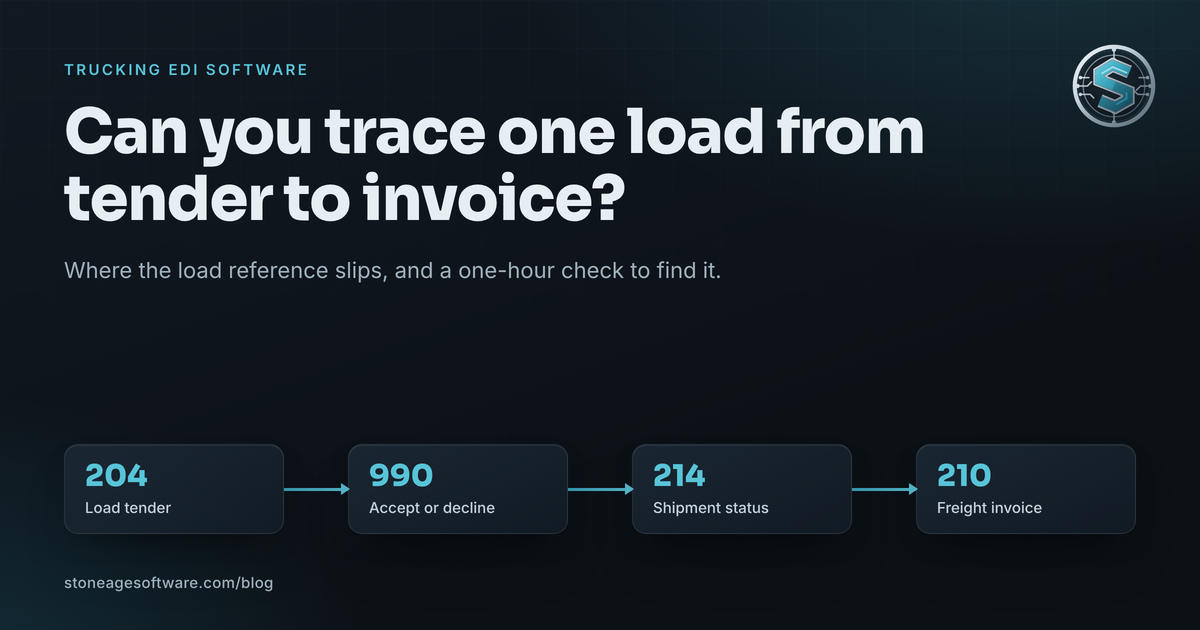
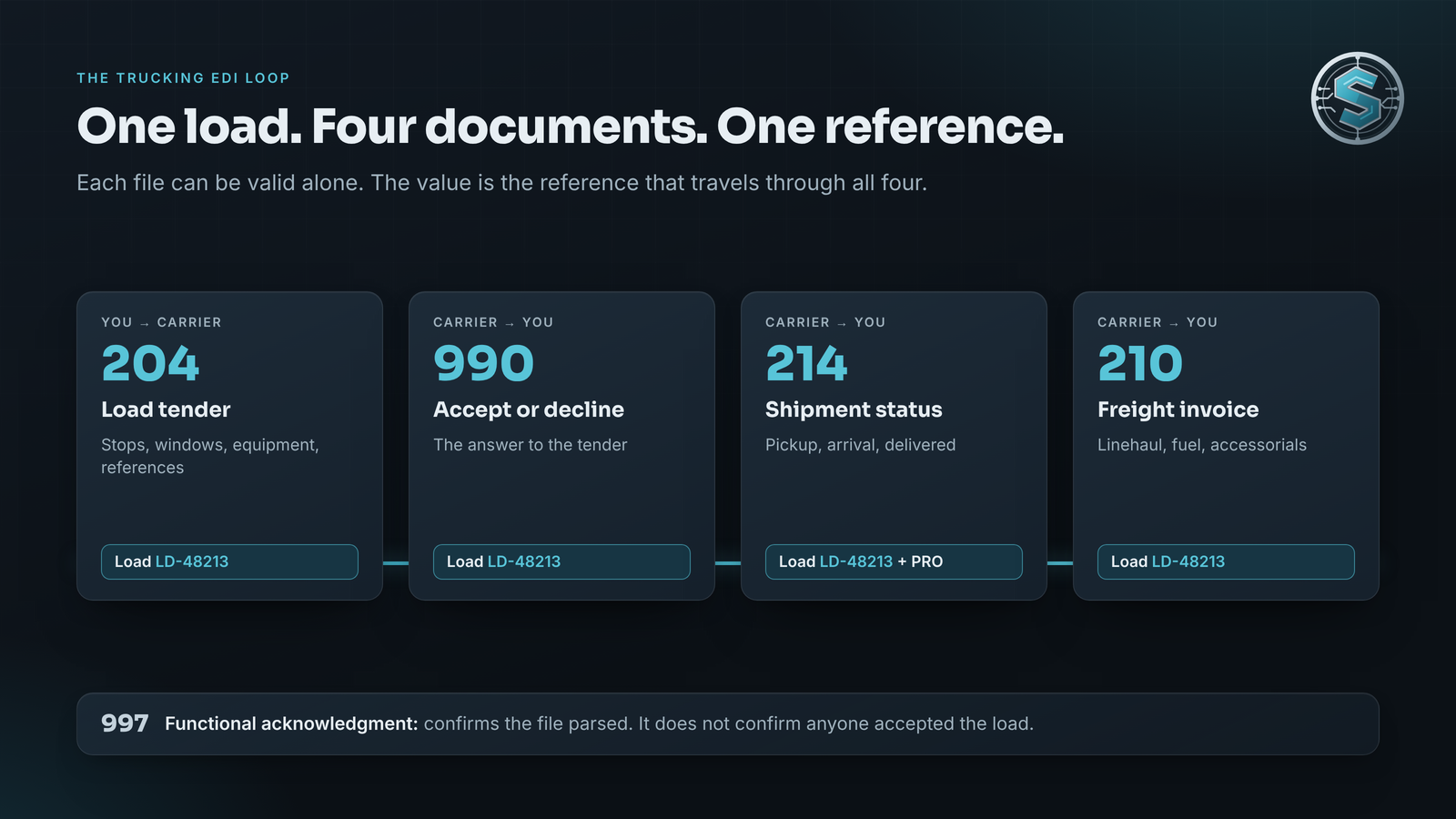
Truckload EDI runs on a short list of X12 transaction sets. The X12 transaction set catalog defines each one. None of them is new.
- 204 Motor Carrier Load Tender. The offer: stops, appointment windows, equipment, commodity, and your reference numbers.
- 990 Response to a Load Tender. The carrier's accept or decline.
- 214 Transportation Carrier Shipment Status Message. Pickup, transit, arrival, delivery, and delays.
- 210 Motor Carrier Freight Details and Invoice. The bill, with linehaul, fuel, and accessorial lines.
Under all four sits the 997 Functional Acknowledgment. X12 describes it as a report on syntax, not on what the data means. A 997 tells you the file parsed. It does not tell you anyone agreed to haul your freight.
Here is the part that matters. Each document can be perfectly valid on its own. The value shows up only when one load reference travels through all four. Lose that thread and your system sees four correct files about four different loads.
On the carrier side, this loop is the core of carrier integration. On the customer side, the same shipment often carries retail EDI too. Both have to agree on which load they are talking about.
Where the load reference falls out
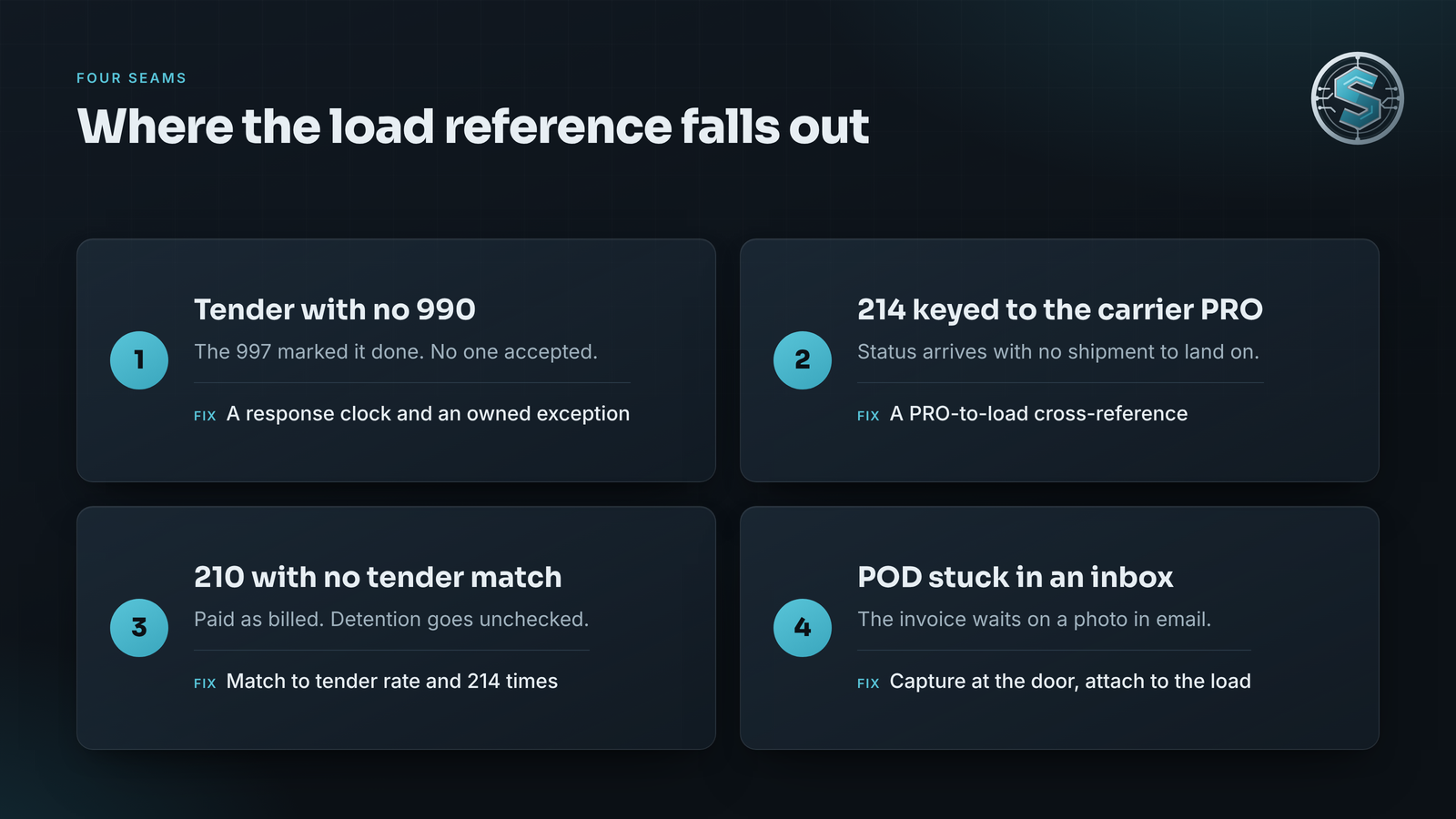
Most trucking EDI problems trace back to four seams. None of them is anyone's fault. Each is a place where two systems were never told how to agree.
1. The tender nobody answered
The 997 comes back and the tender is marked complete. No 990 ever follows. The software treated an acknowledgment as an answer.
The fix is a clock. Every tender gets a response deadline. A tender with no 990 by that deadline becomes an exception with a named owner. It should not be a line on a report somebody might read.
2. Status messages that cannot find their shipment
A 214 arrives with a status code. X3 means arrived at pickup. AF means departed pickup. X1 means arrived at delivery. D1 means unloading is complete. Your system has to translate each code into a status your team actually uses.
Two things go wrong here. Codes nobody mapped get dropped quietly. And many carriers key their 214 to their own PRO number, while your system keys on your load number. Without a cross-reference between the two, the status lands nowhere. The shipment looks stalled while the truck is already at the dock.
3. The invoice that does not match the tender
The 210 shows linehaul, fuel surcharge, and accessorials like detention or a lumper fee. The rate you agreed to lives in the 204 or in a rate confirmation. If the invoice cannot be matched back to that tender by reference, it gets paid as billed.
Detention is the classic case. A detention line should be backed by arrival and departure times from the 214 stream. When those timestamps never attached to the load, there is nothing to check the charge against.
4. Proof of delivery in somebody's inbox
Many 210s wait on proof of delivery. Too often the POD arrives as a phone photo in an email thread. The invoice sits until someone finds it, renames it, and attaches it by hand.
A driver or dock app can capture signature, photo, and GPS stamp at the door. It can attach the POD to the load and send the delivered status in the same moment. If your drivers carry rugged Android handhelds, that is the kind of Android app development we do here in Houston. It is built to keep working where the signal drops.
What changes when a trading partner changes systems
Back to the merger. Nobody outside the two companies knows the cutover plan yet. It will not start before closing. But when a broker or carrier moves to a new system of record, the work on your side tends to look the same:
- New interchange identifiers or connection endpoints to configure
- A revised implementation guide, often with different required segments
- Fresh test files and a certification cycle
- A window where old and new connections both carry live traffic
That last item is where loops break. A 204 goes out on the old connection. The 214s come back on the new one with a different reference qualifier. The 210 arrives through a third path. Each file is fine. The load is orphaned.
The connections that move cleanly share one trait. Their maps, test files, and reference rules are written down. They are not held in one person's memory or buried in a translator nobody opens. That is why we run cutovers in parallel, with old and new paths side by side on real loads until the output matches.
What good trucking EDI software actually owns
Translation is the easy part. Plenty of tools turn X12 into rows. The useful work is in the rules around the files.
Good trucking EDI software should:
- Carry one load reference from 204 through 210, with a cross-reference table when the carrier assigns its own PRO
- Start a response clock on every tender and alert on a missing 990
- Map every 214 status code it receives, and flag any code it has never seen
- Match each 210 against the tender rate and the 214 timestamps before anyone approves payment
- Attach the POD to the load automatically, not by hand
- Route every mismatch to a queue with an owner
That last point is the one that changes the operation. Software does not replace the person who knows a lumper fee at one consignee is normal. It frees that person from checking forty clean loads. They spend the morning on the three that are not clean.
We saw the same pattern on a freight visibility project for a contract-logistics site. The carrier feeds were the easy half. The half that changed the floor was giving every held or late shipment an owner. Just as important, a failed lookup was never allowed to read as a status.
Often this logic lives best in a small custom software application beside the TMS or WMS you already run. You own the rules. A partner's system change then means updating a map, not renegotiating a platform.
Trace one load this week
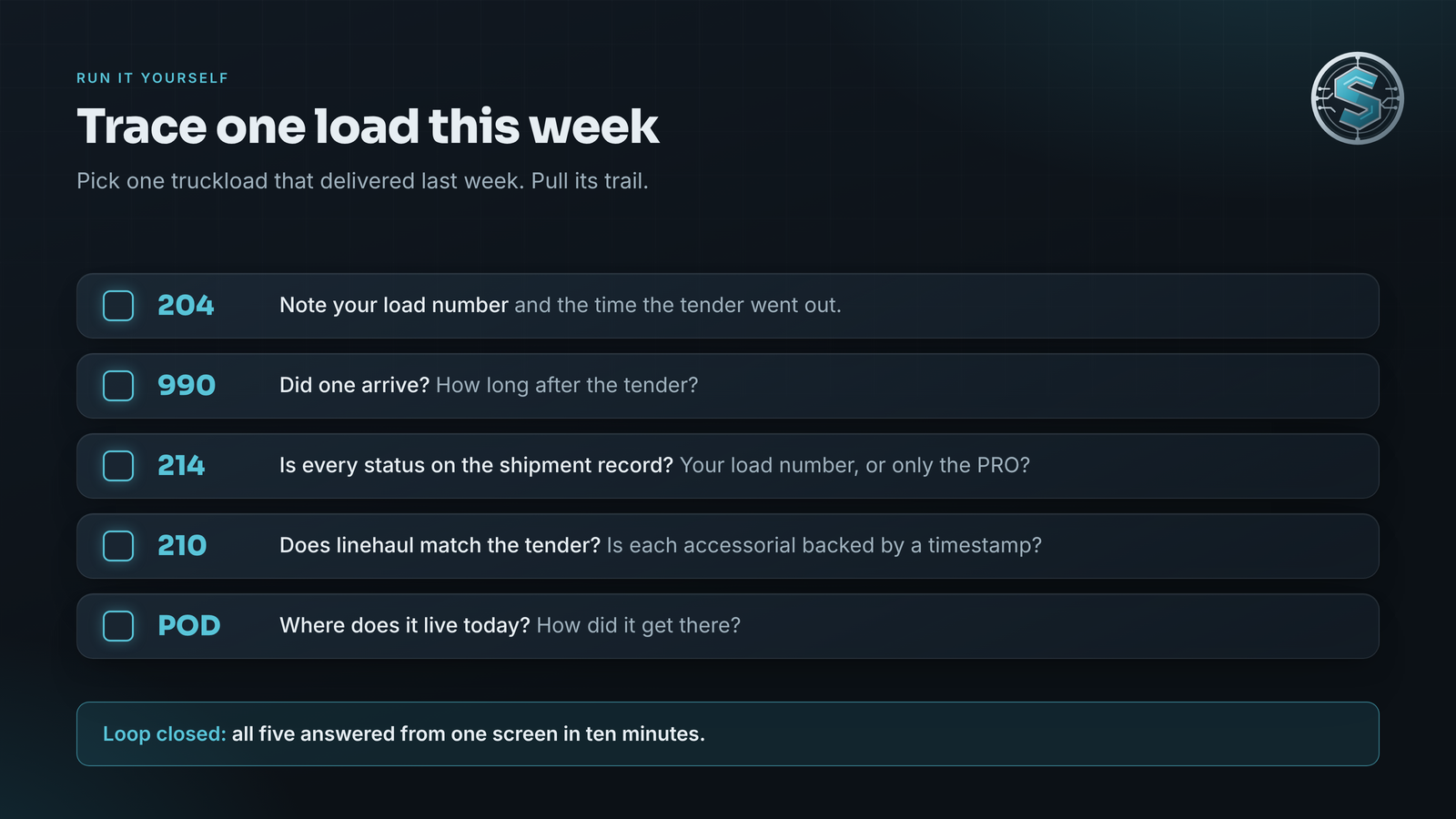
You can test your own loop in under an hour. Pick one truckload that delivered last week and pull its trail.
- The 204. Note your load number and the time it went out.
- The 990. Did one arrive? How long after the tender?
- Every 214. Count the status events. Can you find each one on the shipment record? Do they carry your load number, or only the carrier's PRO?
- The 210. Does linehaul match the tender rate? Is every accessorial backed by a timestamp or a note?
- The POD. Where does it live today, and how did it get there?
If you can answer all five from one screen in ten minutes, your loop is closed. If it took three inboxes and a phone call, the gap is in the software seams, not in your people. And if one of your carriers or brokers changes systems next year, this is the load trail to document first.
Our B2B EDI and trading-partner integration practice maps, tests, and monitors these loops end to end. Every map ships with its spec and test files. If your trace turned up a seam, we will scope the fix at a fixed price, quoted up front.