A shipping desk opens at 6 a.m. and the rate column is blank. Nothing in the ERP changed over the weekend. The carrier changed how systems log in, and the old shipping module has no way to keep up.
That gap is the heart of most legacy ERP carrier integration work in 2026. Carriers now issue logins that expire within hours. Many older ERPs were built for a password that never changes. Fixing it does not mean ripping anything out. A small service beside the ERP can handle the modern connection while the ERP keeps doing its job.
The timing is not abstract. IBM ended standard support for IBM i 7.4 on September 30, 2026, according to its release life cycle page. Paid extended support runs through 2029. If your order entry runs on that platform, a modernization decision just landed on your desk. Your carrier connections do not have to wait for it.
What changed about carrier logins
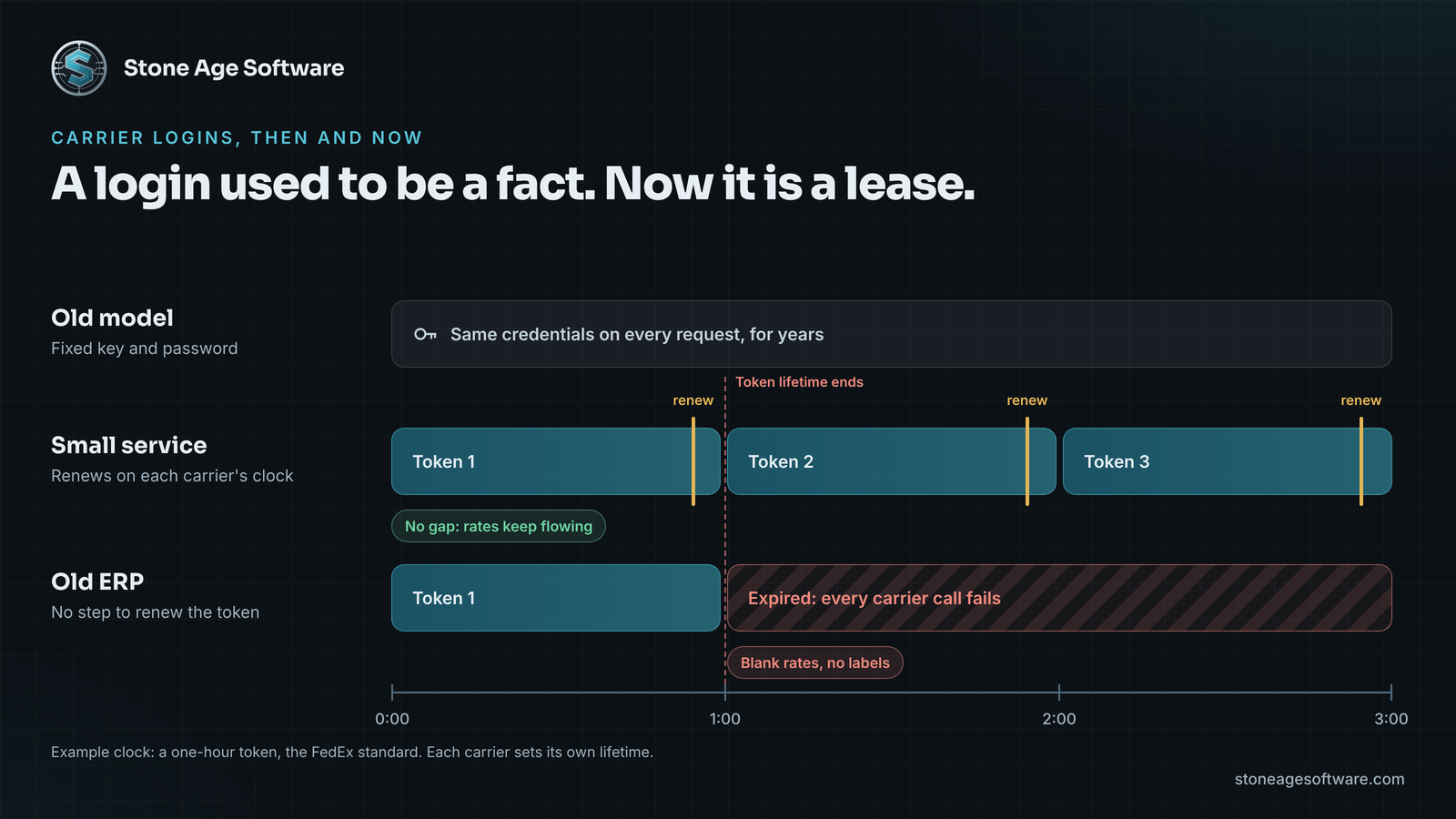
For years, a carrier login was a fact. Your system stored an account number, a key, and a password. Every request carried the same values, and they rarely changed.
Today the login is a lease. UPS, FedEx, and the Postal Service all moved to OAuth 2.0, the standard defined in RFC 6749. Your system presents a client ID and secret. It gets back an access token with an expiration time. It attaches that token to each request, then asks for a new one before the old one runs out.
The clocks are short. FedEx states that its access token expires in an hour. The Postal Service requires an OAuth token on every USPS API call. FreightWaves reports that UPS dropped its old access keys, and FedEx moved its integrations to OAuth-based REST.
The retirement dates for the old methods are public. Our direct carrier API integration article walks through the changes carrier by carrier. This article takes the next question. What if the system that needs those logins is twenty years old?
Why an older ERP struggles with expiring logins
Old does not mean broken. Most legacy ERPs still post orders, allocate stock, and bill correctly. The trouble sits in one seam. The shipping module was designed for a world where a login never moved.
Here is where that design shows up:
- Credentials live in a table. The key and password sit on a setup screen. There is no field for a token that keeps changing.
- Requests are one-shot. A batch job builds a request, sends it, and exits. Nothing stays awake to renew a token.
- The plumbing is dated. Older platforms often speak SOAP, XML, or fixed-width files. Carriers now expect JSON over modern HTTPS.
- Errors have nowhere to land. A failed login returns a message the old screen cannot show. The field just stays blank.
- Changes are risky. The request logic may sit in a customized module with no tests around it.
None of this is a people problem. It is a structural gap between two eras of software. FreightWaves describes broken USPS connections turning up inside legacy ERP modules after the old endpoints were retired.
The usual advice is to replace the ERP. That is a large, slow answer to a narrow problem.
Legacy ERP carrier integration with a small service beside it
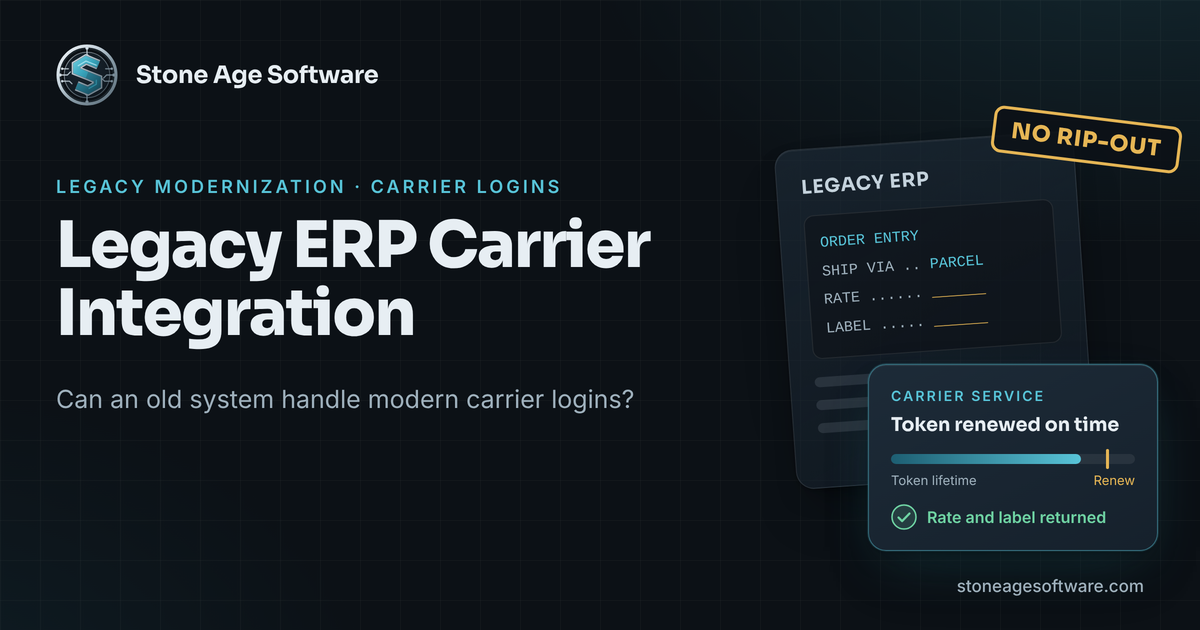
The narrow answer is a small service that sits next to the ERP. It speaks the ERP's language on one side and the carrier's on the other. Nothing in the ERP gets ripped out.
On the ERP side, the service uses doors the system already has. That might be a staging table, a file drop folder, a print queue, or a simple web call. The ERP writes a shipment request the way it always has. Then it reads back a rate, a label, and a tracking number.
On the carrier side, the service handles the modern work:
- Requests a token for each carrier account and holds it in memory.
- Renews each token before it expires, on that carrier's own clock.
- Translates the ERP's request into the carrier's JSON format.
- Converts the reply into fields the ERP already understands.
- Returns the label in the format your printers expect, converting it when needed.
- Logs every call, so a failure has a time and a reason.
FreightWaves recommends the same kind of boundary. Each carrier's reply gets converted into your own shipment format at the edge. The systems behind it never deal with carrier field names.
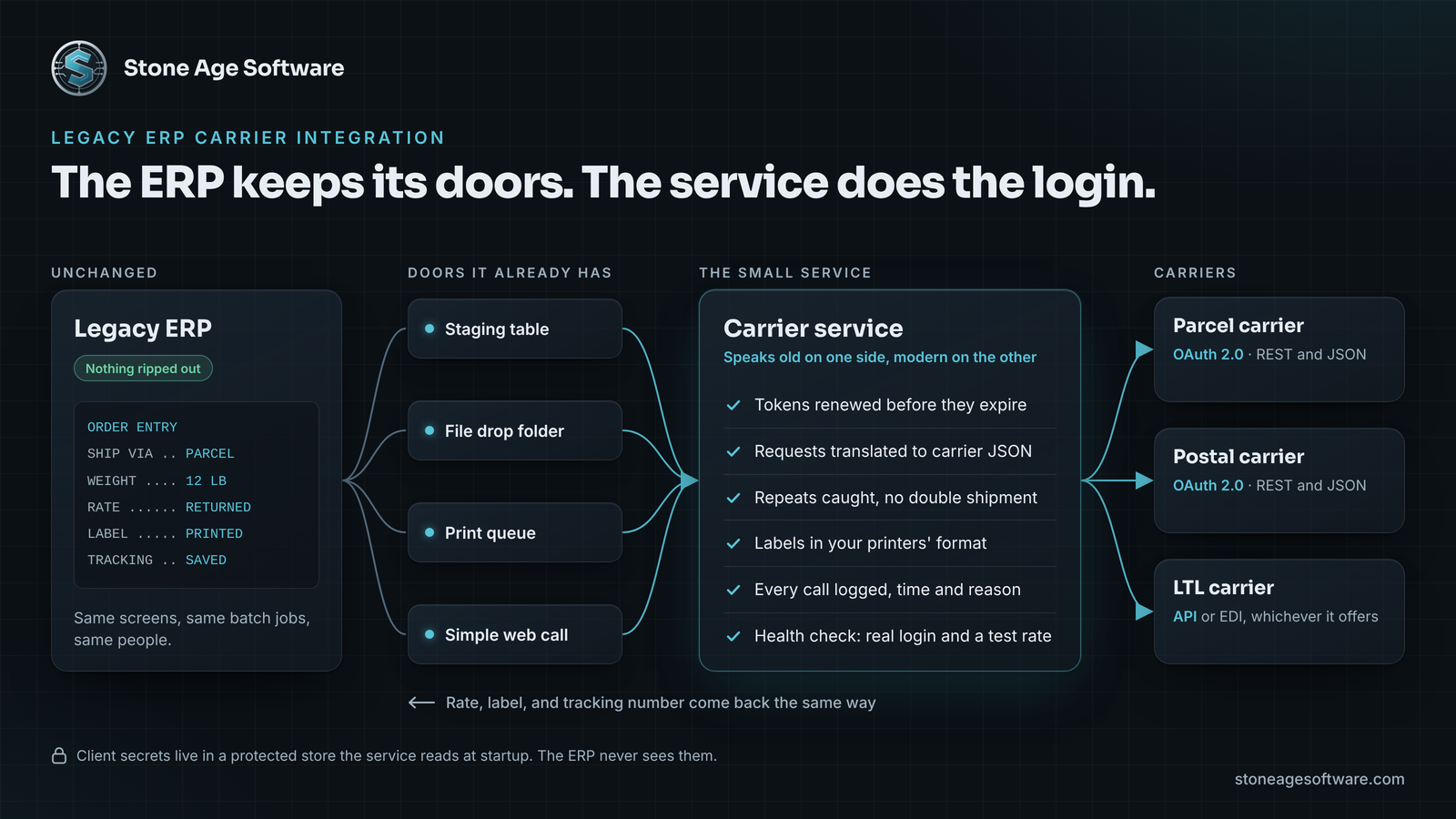
The secret moves out of the ERP too. A setup screen inside an old ERP was rarely built to protect a credential. The service reads its secrets from a protected store at startup, and the ERP never sees them.
What the service has to get right
Fetching a token once is easy. Keeping a carrier connection healthy through peak week is the real job. Four details carry most of the weight.
- One token, shared. Every request for an account reuses the same token until renewal. A fresh token per call can trip the carrier's limits. FedEx blocks an address for 10 minutes when token requests come too fast.
- Repeats recognized. Old batch jobs sometimes resend after a timeout. The service should return the first label, not create a second shipment.
- Field widths checked. A tracking number field sized for one carrier can truncate another's. Flag the mismatch before the value gets cut.
- Health checks that mean something. "The service is running" proves very little. The check should prove a real carrier login works.
That last point comes from the field. On a badge reader project, a browser kiosk could not see the card reader plugged into its own desktop. A small local service bridged the gap. Its first health check kept reporting healthy after the reader had stopped reading. The fix was a heartbeat from the reader loop itself. A second thread watches it and restarts the service when it stalls.
A carrier service needs the same honesty. Green should mean a token was renewed and a test rate came back.
Where this fits in a modernization plan
Our legacy modernization ladder runs cheapest option first. Most of what we assess should stay put or be retired, and what moves goes one piece at a time. A carrier service is one piece. You keep the ERP, write down its risks, and fix the seam that is failing.
It also makes the bigger decision easier. The service becomes a stable boundary. If you later leave IBM i or replace the ERP, the carrier work is already done. The new system talks to the same service. Nobody rebuilds carrier connections during a cutover weekend.
The people side matters most. Today, someone on the shipping desk probably catches blank rates by eye. With the service in place, software watches every request. That person spends the morning on the few shipments that need judgment: a bad address, a hazmat question, an account at its limit.
FreightWaves also advises planning for at least one forced carrier migration in any three-year span. When the next change arrives, you update one small service. The ERP never notices.
Run the login check this week
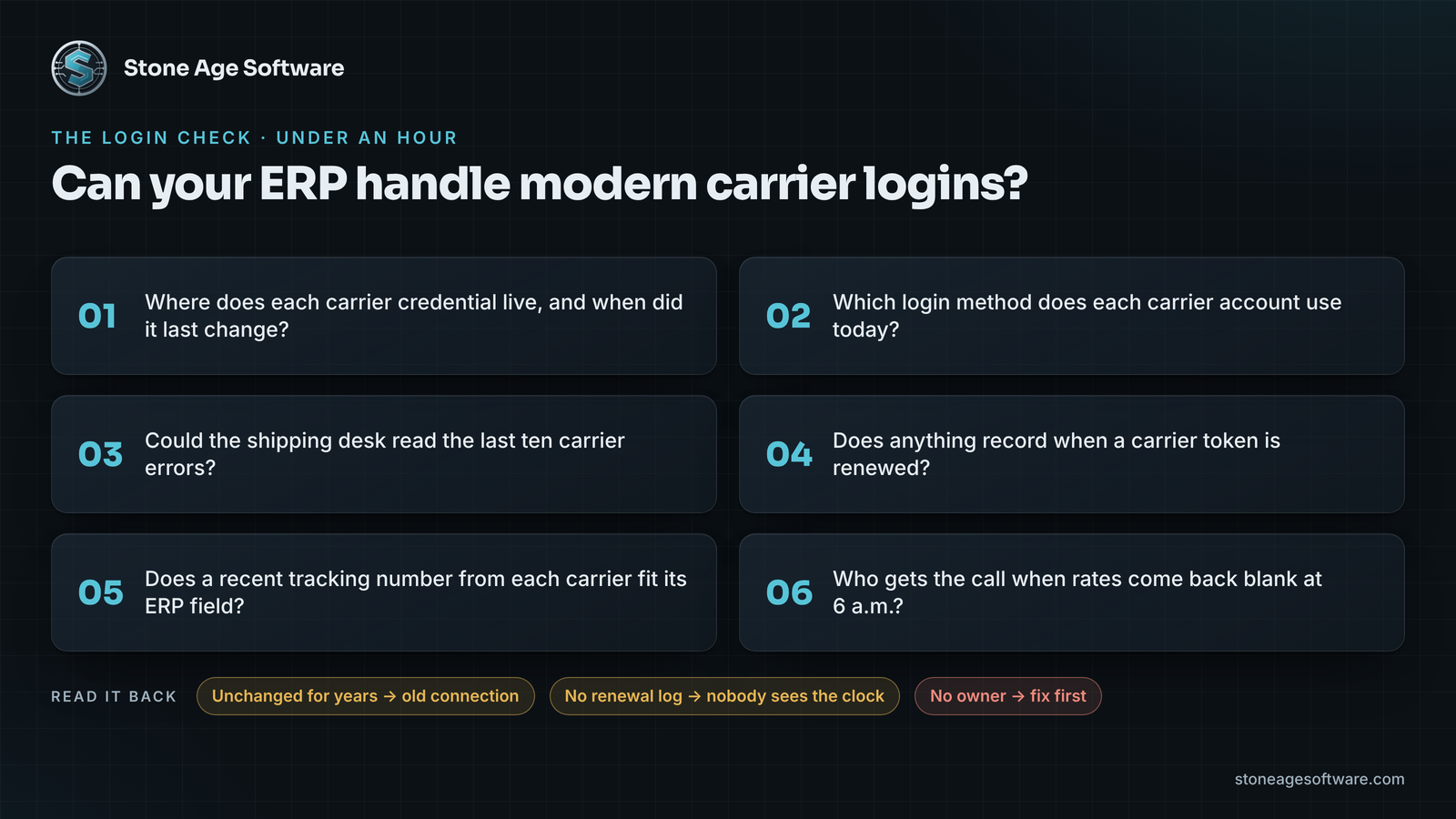
You can size this in under an hour. Sit down with whoever owns shipping and walk through six questions.
- Where does each carrier credential live in the ERP, and when did it last change?
- Which login method does each carrier account use today?
- Could the shipping desk read the last ten carrier errors in the ERP log?
- Does anything in your stack record when a carrier token is renewed?
- Does a recent tracking number from each carrier fit its ERP field?
- Who gets the call when rates come back blank at 6 a.m.?
Read the answers back. A credential unchanged for years points to an old connection. A missing renewal log means nobody can see the clock. A blank owner line is the first thing to fix.
Stone Age Software builds small carrier services like this as part of legacy modernization and migration work. Your ERP stays, the code is yours, and the work is fixed price, quoted up front. Tell us which carrier went quiet, and we will tell you what it takes.