Most practice owners run a tight building. The front door locks at six. The chart room has a key. The shredder bin gets emptied on schedule. Then the same owner hands a patient the Wi-Fi password. A hygienist walks a child back to the exam room. A screen full of names and birthdates glows on, unattended. The building is secure. The network inside it has no doors at all.
That gap is where most small-practice exposure lives, and a network security assessment is how you find it. The picture in most owners' heads is a hacker overseas. The reality is closer to the lobby couch. A phone on your guest Wi-Fi. An unattended operatory screen. A hallway camera that has never had a firmware update. Each one is a physical object with a digital reach. Most dental offices, clinics, optometry practices, and daycares have never walked the building the way an intruder would.
The regulators have noticed. On October 8, 2026, the federal Office for Civil Rights (OCR) settled with a small rural dental practice. Its paper charts sat in plastic boxes on the floor and in a bathroom. No written policy governed them. Nobody hacked anything. The records were simply reachable by anyone in the building. The digital version of that bathroom is sitting in your waiting room right now.
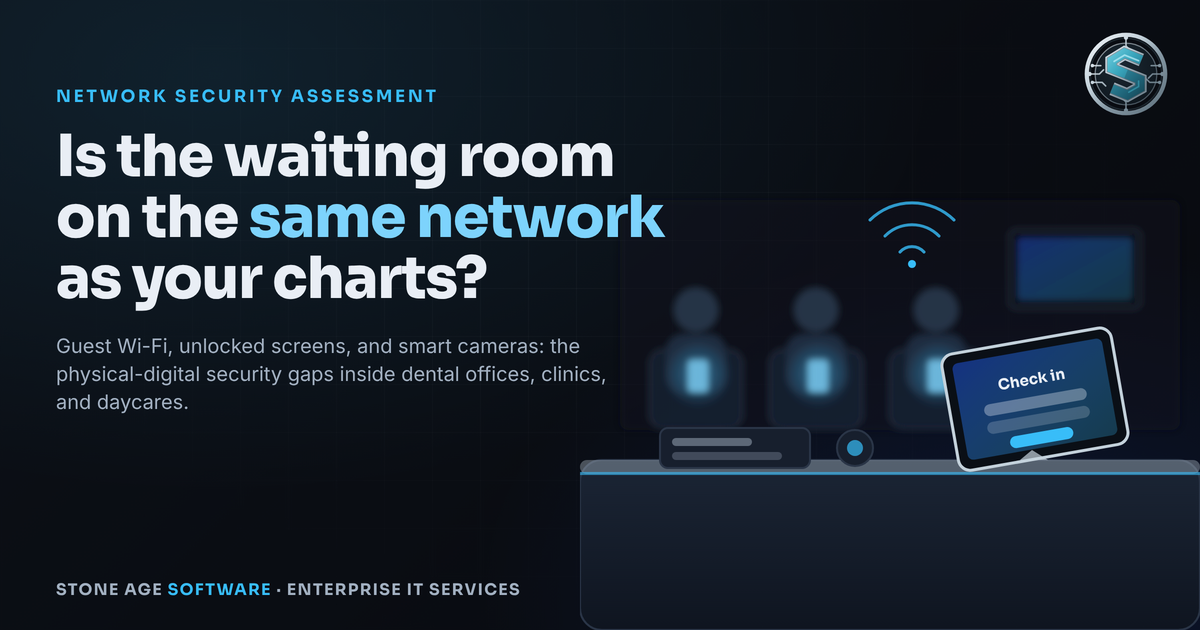
The waiting room Wi-Fi hazard
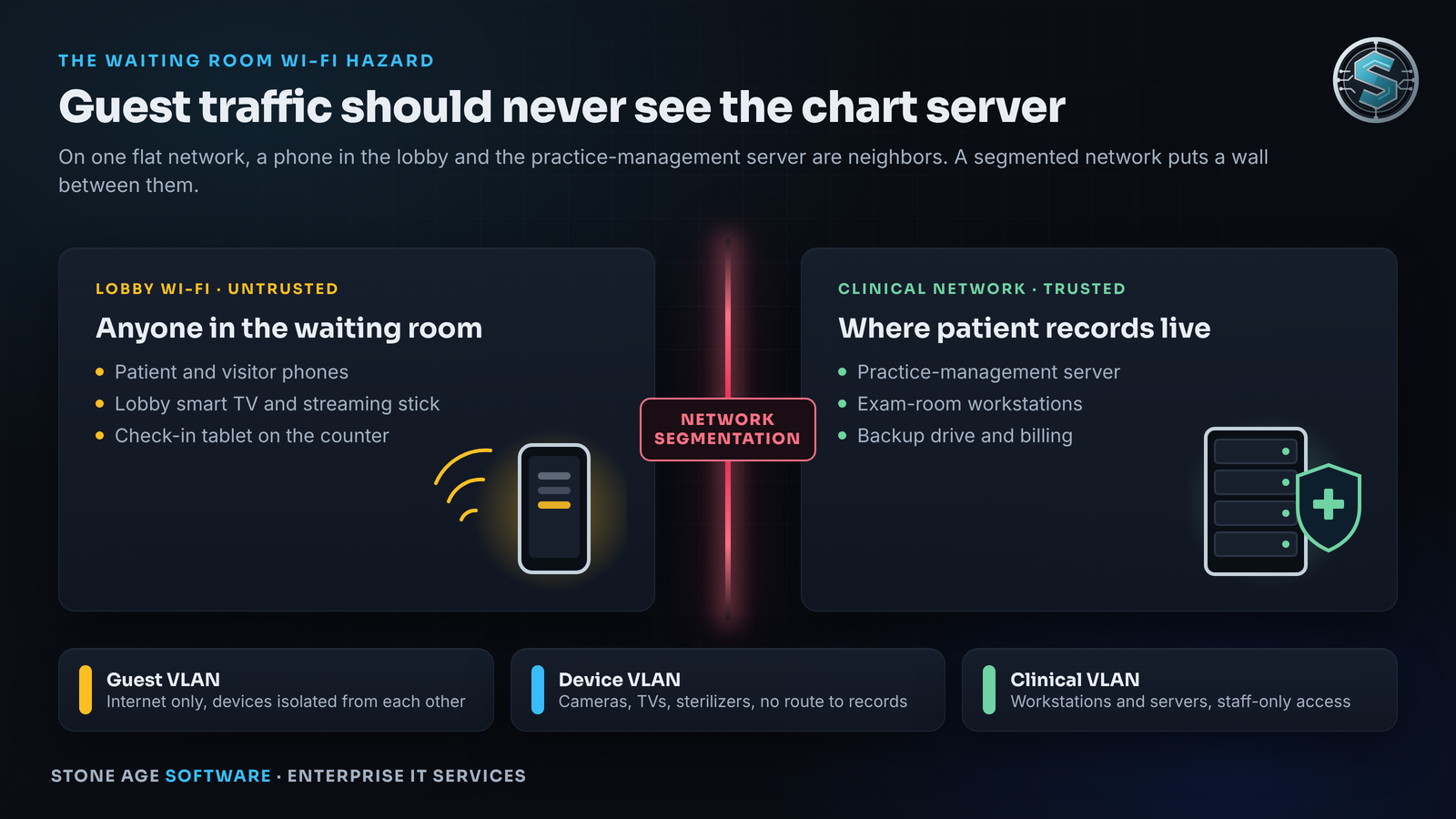
Walk into a typical practice and count what is on the network. The lobby smart TV. The check-in tablet on the counter. The patient Wi-Fi. The front-desk workstation, the operatory PCs, the imaging server, and the box that holds every chart. In most small offices, all of it shares one network behind one router. Nothing separates the TV from the server. That is called a flat network. It is the default state of nearly every office that bought its equipment one piece at a time.
On a flat network, a phone in the lobby can see everything. A free scanning app lists every device, identifies the maker, and flags which ones have a login page. No special skill is required. A hospital security tester described exactly this to The Register in July 2026. He "connected to the hospital's guest Wi-Fi from the waiting room" and ran a scan. Medical devices showed up on the same network segment as the guests. The dental trade press said the same thing a month later. A DrBicuspid column in September put it plainly: "A second network name on a sign in the waiting room is not evidence of segmentation." The reach extends to the parking lot, at night, on weekends.
The business impact is not abstract. A guest who can see the practice-management server can see where the charts live. A guest who can see an unencrypted backup drive can read it. The HIPAA Security Rule never uses the word "VLAN." It does require an "accurate and thorough" risk analysis. That one provision was cited in nine of the eleven financial enforcement actions OCR announced in 2026 through October 22. HHS's own small-practice playbook tells practices to give guests access to "authorized guest services only." Its self-check poster grades one Wi-Fi network shared by staff, patients, and guests as "Very Risky."
Here is the structural problem. The guest network feature on a consumer router covers Wi-Fi only, and consumer routers do not offer VLANs at all. A wired lobby TV or kiosk cannot be isolated by that checkbox. The fix is network segmentation: business-class equipment that splits the office into zones, with a firewall deciding what crosses between them. Guests reach the internet and nothing else. Cameras, TVs, and printers sit in their own zone with no route to records. The clinical zone holds the server and the workstations. The proposed HIPAA update would make segmentation an explicit requirement. Its own analysis estimated the setup at roughly four and a half hours of a security analyst's time per entity.
The unattended terminal and the 15-minute default
Picture the operatory. The hygienist steps out to answer a question at the front desk. The nurse walks a patient to the restroom. The daycare worker crouches to comfort a crying toddler. The screen stays on. Today's schedule, full names, dates of birth, chart notes, and account balances sit in plain view. The next patient in the chair can read them. So can the parent in the doorway, and whoever is on the lobby couch with a clear line of sight.
Every one of those fields is protected health information. A passerby's glance counts as an "incidental" disclosure only when the practice has applied reasonable safeguards. HHS guidance is direct: an incidental disclosure caused by "a failure to apply reasonable safeguards" is not permitted under the Privacy Rule. An impermissible disclosure is presumed to be a breach unless the practice documents otherwise. The exposure is also an investigation problem. The proposed rule notes that activity on an open session "would appear to originate from an authorized user." The newest enforcement case shows how that plays out. In September 2026, OCR settled with a genetics lab over a breach affecting 225,370 people. Two of the three findings were no unique user IDs and no procedure to cut off departed staff. Shared sessions erase the audit trail.
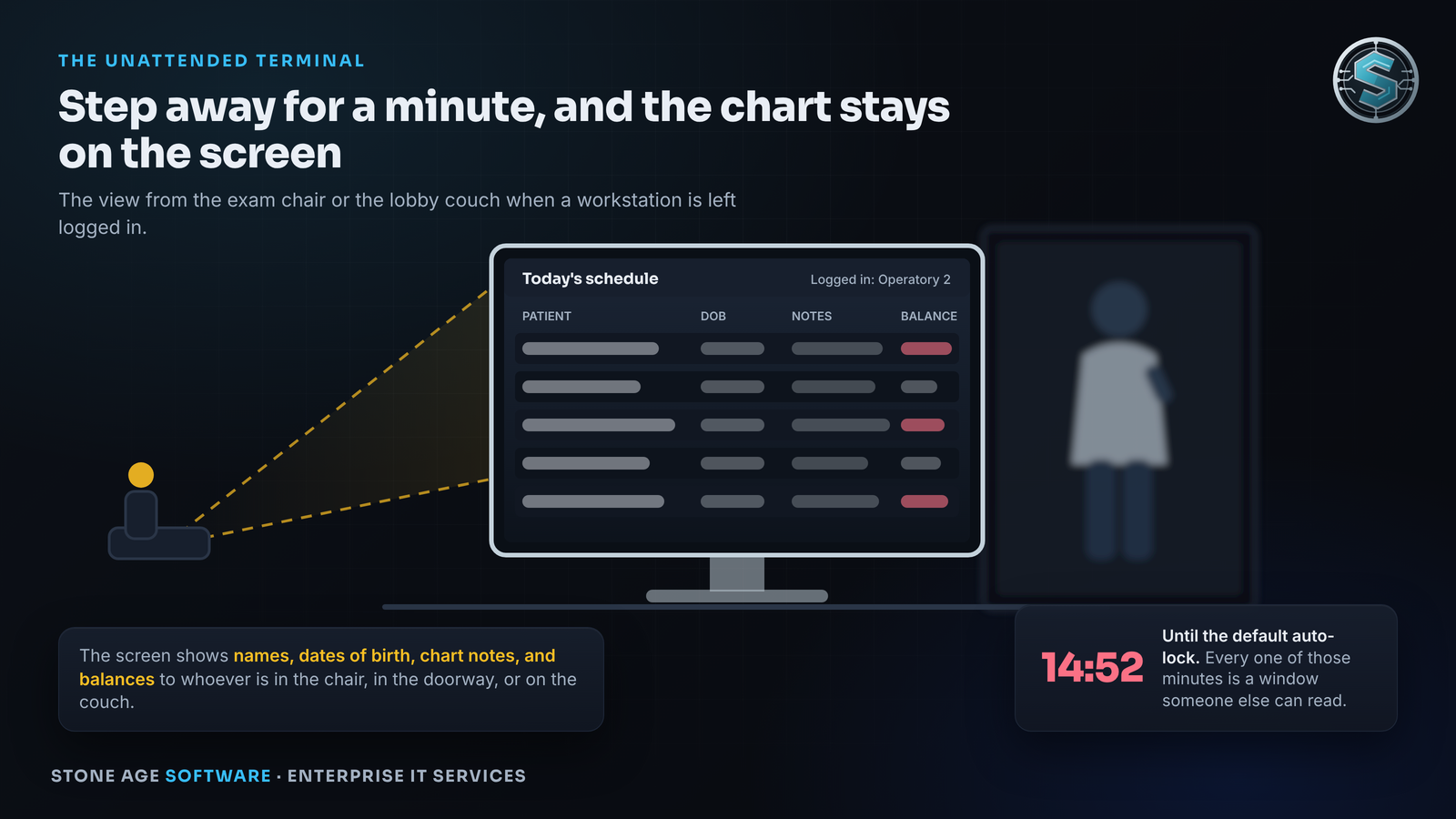
So where does the familiar 15-minute lock come from? Not from any rule written for a clinic. The HIPAA Security Rule requires automatic logoff after "a predetermined time of inactivity" and names no number. The 15-minute figure is a federal desk baseline. It was copied from government information-system standards written for office workers in badge-controlled buildings. Windows itself ships with no inactivity lock set. The proposed HIPAA update says a practice "must determine whether the default automatic logoff is reasonable and appropriate and make modifications if it is not." Fifteen minutes in a room where patients sit three feet from the monitor is a liability waiting for a complaint.
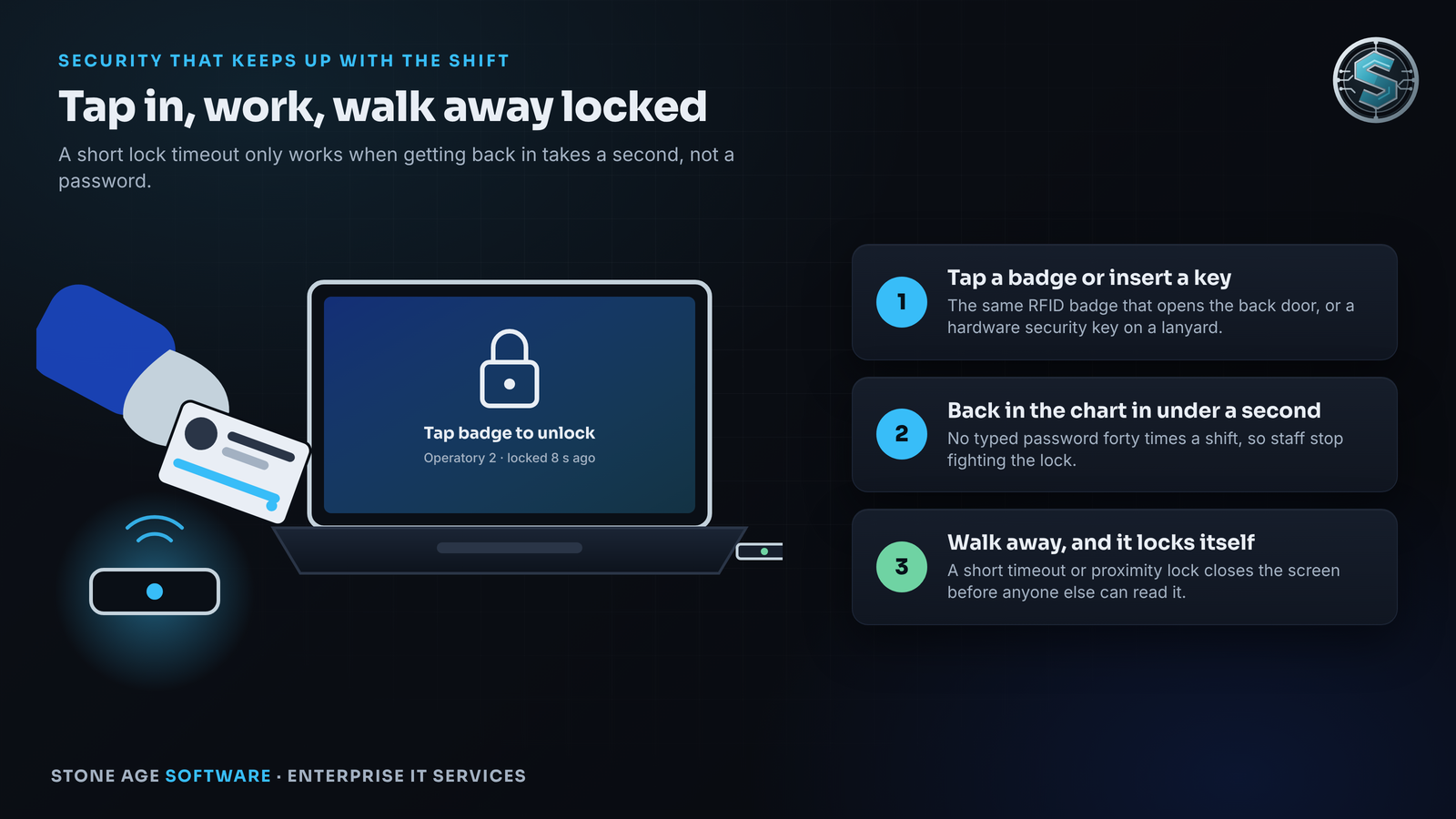
The reason practices keep the long timeout is friction, and the friction is real. Researchers who studied clinicians a decade ago found proximity sensors defeated with Styrofoam cups. They found junior staff assigned to press the space bar on everyone's keyboard. A short lock that demands a typed password forty times a shift will get sabotaged. The gap is not the staff. It is a login design that treats a treatment room like a desk.
The fix is to make re-entry take a second. A proximity badge reader at each shared workstation lets staff tap in to unlock and tap again to lock. A hardware security key on a lanyard does the same job and resists phishing. Windows Hello handles single-user PCs with a PIN or fingerprint. A paired phone can lock the screen when its owner walks out of Bluetooth range. NIST's own control language says a proximity lock may be used to trigger the device lock. Some practice-management systems support badge login natively; Open Dental does, with a password kept behind it. Ask your vendor in writing whether it supports badge or multi-factor login, because the proposed rule requires a written migration plan for any system that cannot. We have built this kind of bridge ourselves. Our badge reader that works inside a browser runs on centrally managed Windows desktops. It restarts itself when the reader wedges over a long weekend. The engineering was not in reading the card. It was in the reader still working on Monday morning.
Smart cameras, baby monitors, and the rest of the office
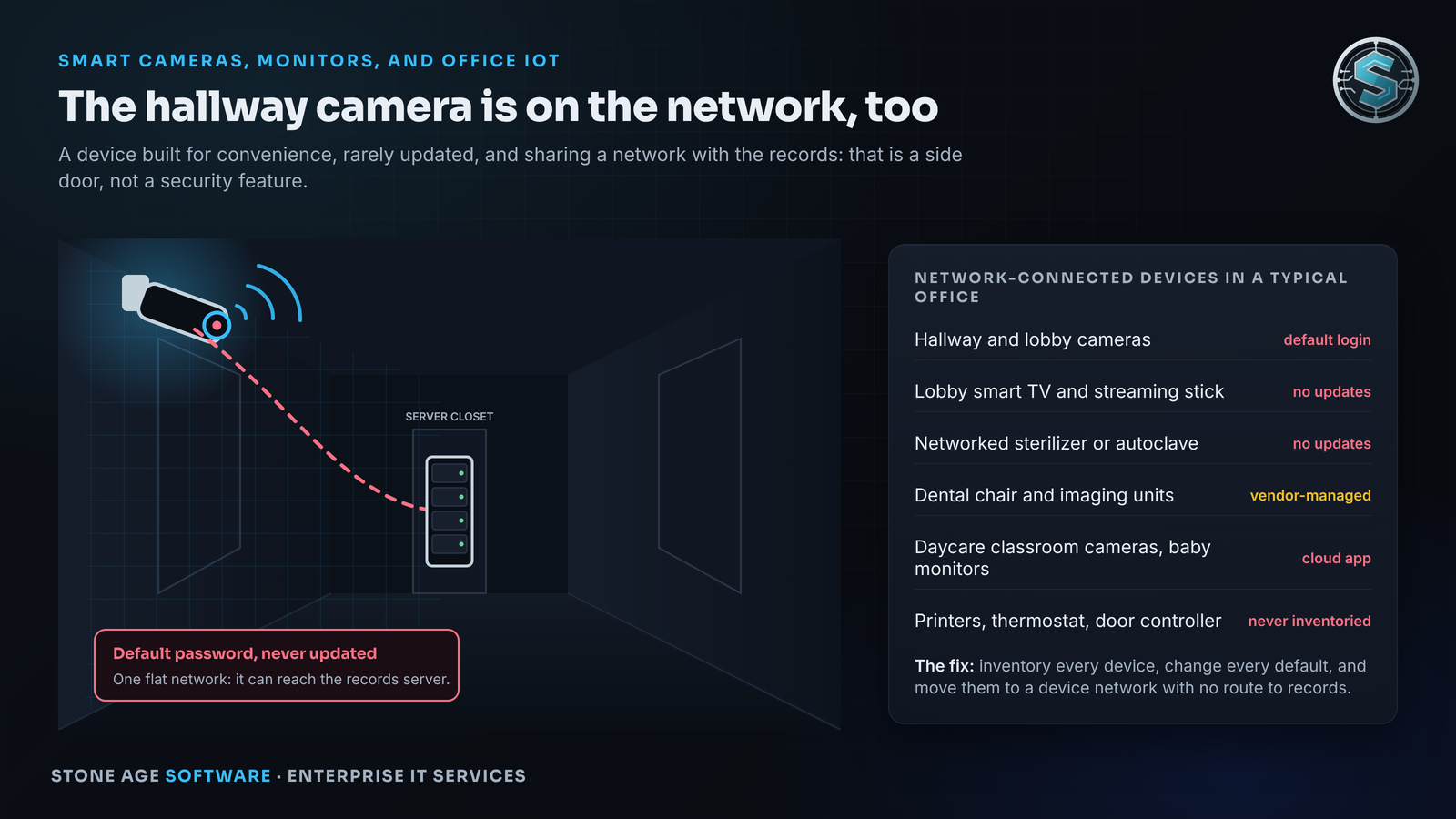
Make a list of everything in the building that connects to the network and was not sold as a computer. Hallway and lobby cameras and the recorder behind them. The lobby smart TV and its streaming stick. The printer. The internet-connected sterilizer that reports its cycles. The thermostat. The dental chair monitor and the panoramic imaging unit. In a daycare, the classroom cameras that stream to parents and the baby monitors in the infant room. Each one is a small computer with a network cable. Each was built for convenience, and almost none were built for security.
The record on these devices is consistent. In March 2025, CISA warned about an Edimax camera being exploited by botnets. The vendor said the model had been discontinued a decade earlier and could not be patched. Researchers found the attacks "passing default credentials; typically admin:1234." In March 2026, CISA added a nine-year-old Hikvision camera flaw to its Known Exploited Vulnerabilities list because the installed base is still being attacked. In June 2025, researchers disclosed that 689 Brother printer models ship with an administrator password derived from the serial number. The maker said firmware cannot fully fix it. In May 2026, a researcher found about 1.1 million baby monitors and cameras from one manufacturer viewable without a password. The FDA went further with a line of patient monitors in January 2025. The software contained a backdoor. No patch existed. The instruction was to unplug the network cable.
A compromised lobby camera is not only a privacy problem. On a flat network it is a trojan horse. OCR's own newsletter said years ago that unpatched devices with "weak or unchanged default passwords" can give an intruder "a foothold into an organization's IT network." Its January 2026 newsletter repeated the basics. Inventory every asset. Change default passwords. Remove what you do not need. Patch what you keep. The camera in the hallway still has its factory login. Its firmware has never been updated. It has a direct path to the server that holds every chart. Daycares face a version of this with no HIPAA backstop at all. Texas does not require cameras in child-care centers and has no general confidentiality rule for children's electronic records. The duty there is to the parents who trust the feed, and to the reputation that disappears the day a classroom stream shows up where it should not.
The remedy follows the same shape as the Wi-Fi fix. Put every one of these devices in its own zone with no route to records. Change every factory password the day a device arrives. Turn off remote administration and port forwarding on the router. View cameras from outside only through a VPN or an app with multi-factor login. Give each daycare family its own camera login and revoke it when the child leaves. Put firmware updates on a calendar with a named owner. Retire anything the maker no longer patches, because CISA's instruction for end-of-life gear is "discontinue use." A device that cannot be patched and cannot yet be replaced can at least be unplugged from the network and run standalone.
What the regulators are doing while you read this
The HIPAA Security Rule rewrite was proposed in January 2025. It would make segmentation, multi-factor login, an annual device inventory, a network map, and automatic logoff explicit requirements. As of late October 2026 it is parked. The federal regulatory agenda lists it as a long-term action with a July 2027 target, and HHS has not decided whether to finalize it. Congress moved faster. On October 1, 2026, the Senate passed the Health Care Cybersecurity and Resiliency Act by unanimous consent. Senator Cornyn of Texas co-sponsored it. The bill would write multi-factor authentication and encryption into statute, and it now sits in the House.
Enforcement under the existing rule has not waited. OCR's 2026 docket runs on the risk-analysis provision, and private practices appear in it regularly. The 2025 docket included a one-physician neurology office and a single-location imaging center. Texas adds its own layer. The state's medical records privacy law treats anyone who comes into possession of health information as a covered entity. It requires training within 90 days of hire, with signed attestations kept six years. It also lets licensing boards discipline a practice separately from any fine. A breach affecting 250 or more Texans must reach the Attorney General within 30 days. In July 2026, Texas led every state in large healthcare breaches, with a Floresville dental practice on the list.
Your network security assessment: a five-step action plan
Physical proximity to digital systems calls for a specific kind of configuration, and it starts with knowing what you have. Here is the sequence a practice owner can direct without learning the vocabulary.
- Inventory everything. Get a written list of every device that touches the network, with make, model, owner, and location. Add a one-page drawing of how patient information moves. Regulators start here, and so does every fix below.
- Split the network into zones. Business-class firewall and access points, four zones (clinical, front desk, devices, guests), and a rule that nothing crosses unless it is written down. Guests reach the internet only.
- Shorten the lock and add a tap. Set a lock time per room, shortest where patients sit, and document the reasoning in your risk analysis. Pair it with badge readers or hardware keys so staff never fight it. One login per person, cut off the day someone leaves.
- Quarantine the devices. Cameras, TVs, printers, sterilizers, and monitors in their own zone. Defaults changed, remote access closed, firmware on a calendar, end-of-life gear retired.
- Paper it. Keep the inventory, the zone drawing, the lock policy, and the risk analysis as dated documents. Twelve months of documented practice is the statutory basis for a lower penalty. Texas lists documented training as a mitigating factor.
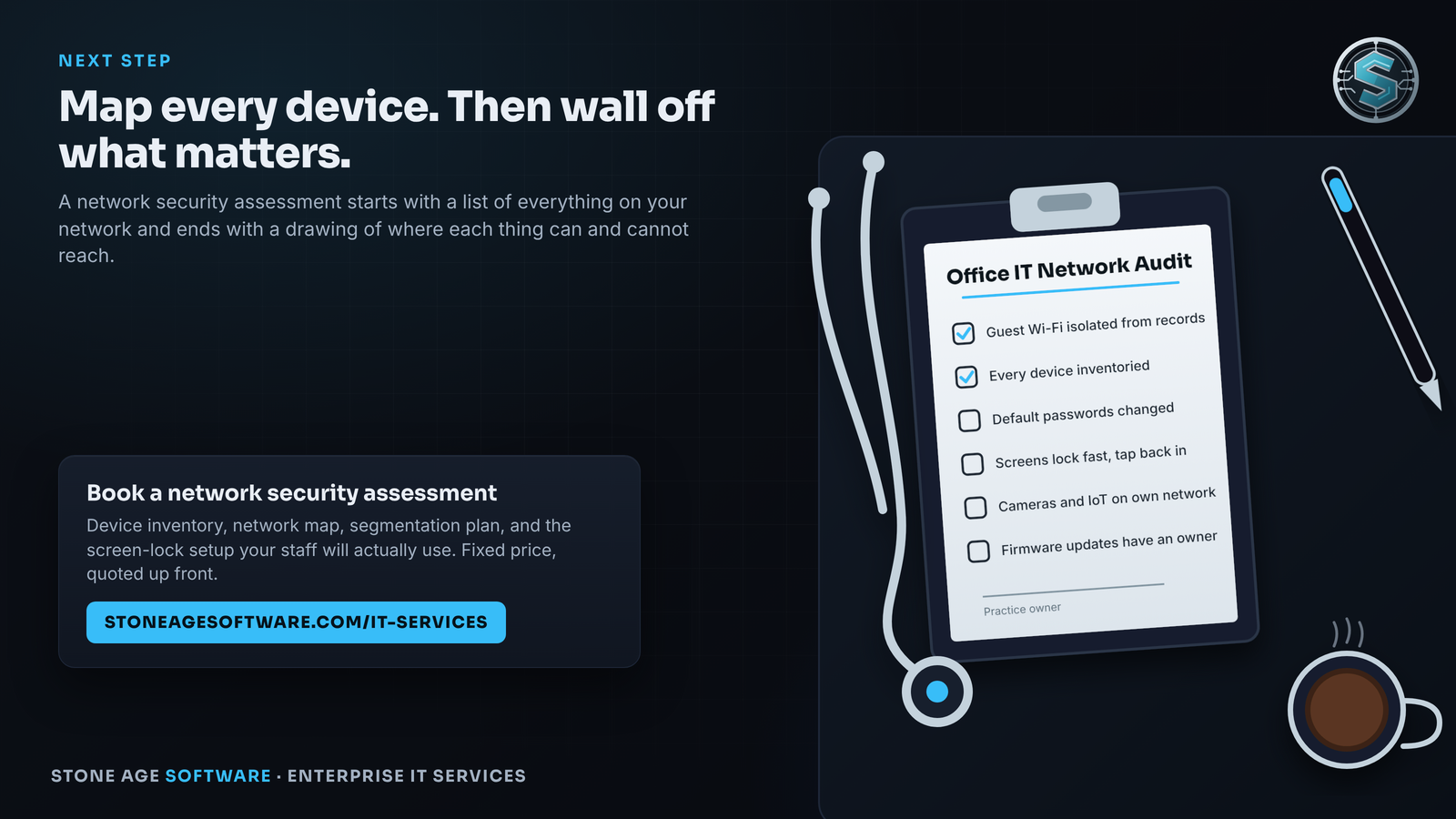
Here is a check you can run before lunch. Sit in your own waiting room with a phone. Join the guest Wi-Fi. Install a free network-scanning app and tap scan. If the only things it finds are your phone and the router, your guest network is doing its job. If it lists a server, a printer, a camera, or a workstation, you have a flat network. Every patient who has ever sat in that chair with a phone has had the same view. Then walk the treatment rooms at a busy hour. Count the screens showing a name with nobody in front of them. Those two numbers are the first page of your assessment.
Stone Age Software runs network security assessments for small and mid-sized offices, on-site across Greater Houston and remote across Texas. The assessment covers the device inventory, the network map, the segmentation plan, and the screen-lock setup your staff will actually use. Fixed price, quoted up front, and we work the process we build before we hand it to you.