Texas just changed the front door. On September 29, 2026, the Secretary of State retired SOSDirect and opened SOSPortal, and same-day filing went online on October 8. If you plan to start a business in Texas this fall, the first form is faster than ever. Everything after that form is still on you.
That part is the problem. Forming the company takes an afternoon. Standing up the systems behind it takes weeks of small errands, done in the right order, in accounts you actually control. Most founders do not have an engineering department. They have a phone, a laptop, and a customer waiting.
You are not alone in that line. Texas ranked third among states for new business applications in September 2026, and it accounts for about 9% of all U.S. applications, per the Census Bureau's Business Formation Statistics. Year to date, Texas applications are up nearly 14%.
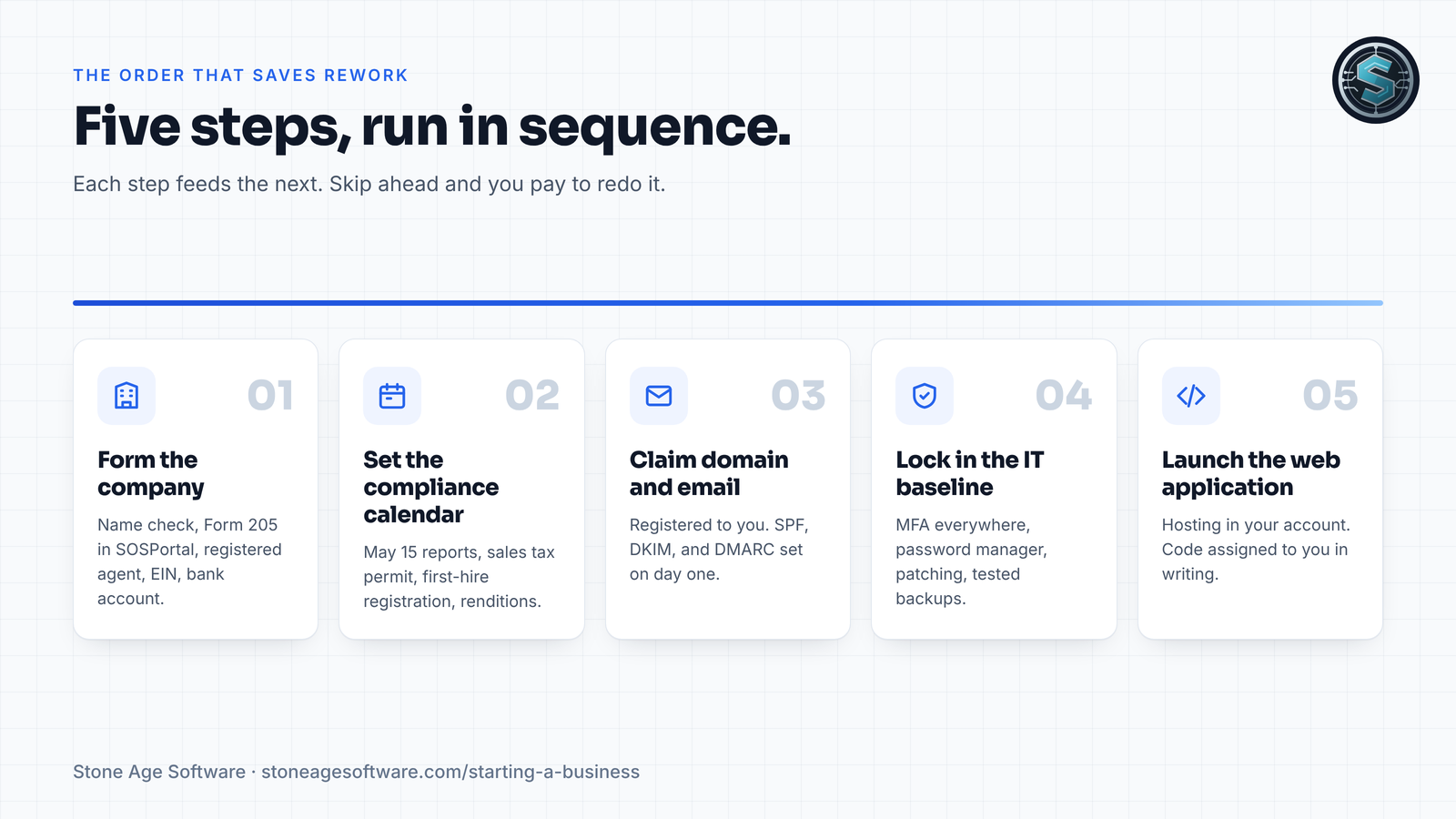
Here is the checklist we work from. Run it in order.
Step 1: How do you start a business in Texas the right way?
Formation comes first, because the legal name and the tax ID feed everything else. Get these done before you buy a domain or print a card.
- Check the name against the state register before anything goes public.
- File the Certificate of Formation (Form 205 for a limited liability company) in SOSPortal.
- Name a registered agent with a Texas street address. That address goes on the public record, so think before you list your house.
- Get your EIN from the IRS. It is free and issued online in one sitting.
- Open the business bank account the same week, so money has somewhere to land.
One federal item dropped off the list. FinCEN now exempts U.S. companies from beneficial ownership reporting, under a final rule effective August 14, 2026. A new Texas company formed this fall files nothing there.
Step 2: What does Texas compliance require after you file?
Formation is a one-time event. Compliance repeats every year, and the dates are easy to miss.
- Franchise tax reports are due May 15. Most new companies owe no tax, but the Comptroller still expects a Public Information Report or Ownership Information Report. The old "no tax due" report ended in 2024.
- Sales tax permit. Needed if you sell goods or taxable services. Apply through the Comptroller and allow two to three weeks.
- First hire. Register with the Texas Workforce Commission for unemployment tax once you pay wages.
- Houston specifics. There is no general city business license, but leased commercial space needs a certificate of occupancy. Business property renditions go to the appraisal district by April 15.
Put every date on a shared calendar the day you file. A missed report can cost a company its right to do business in the state.
Veteran founders: claim it before you file
Texas waives the formation fee for a new company owned entirely by honorably discharged veterans. It also skips franchise tax, and the annual information report, for five years. HB 346 made that benefit permanent in 2025. Many websites still say it expired on December 31, 2025. They are out of date.
The order matters. Each owner requests a free Veteran Verification Letter from the Texas Veterans Commission. Then you complete Comptroller Form 05-904. Both ride along with the formation filing. File without them, and the fee is owed. Our veteran-owned business page walks through every step.
Step 3: What belongs in a day-one IT baseline?
This is where small companies get hurt. The risk rarely comes from the owner. It comes from accounts set up in a hurry, on personal emails, with one shared password.
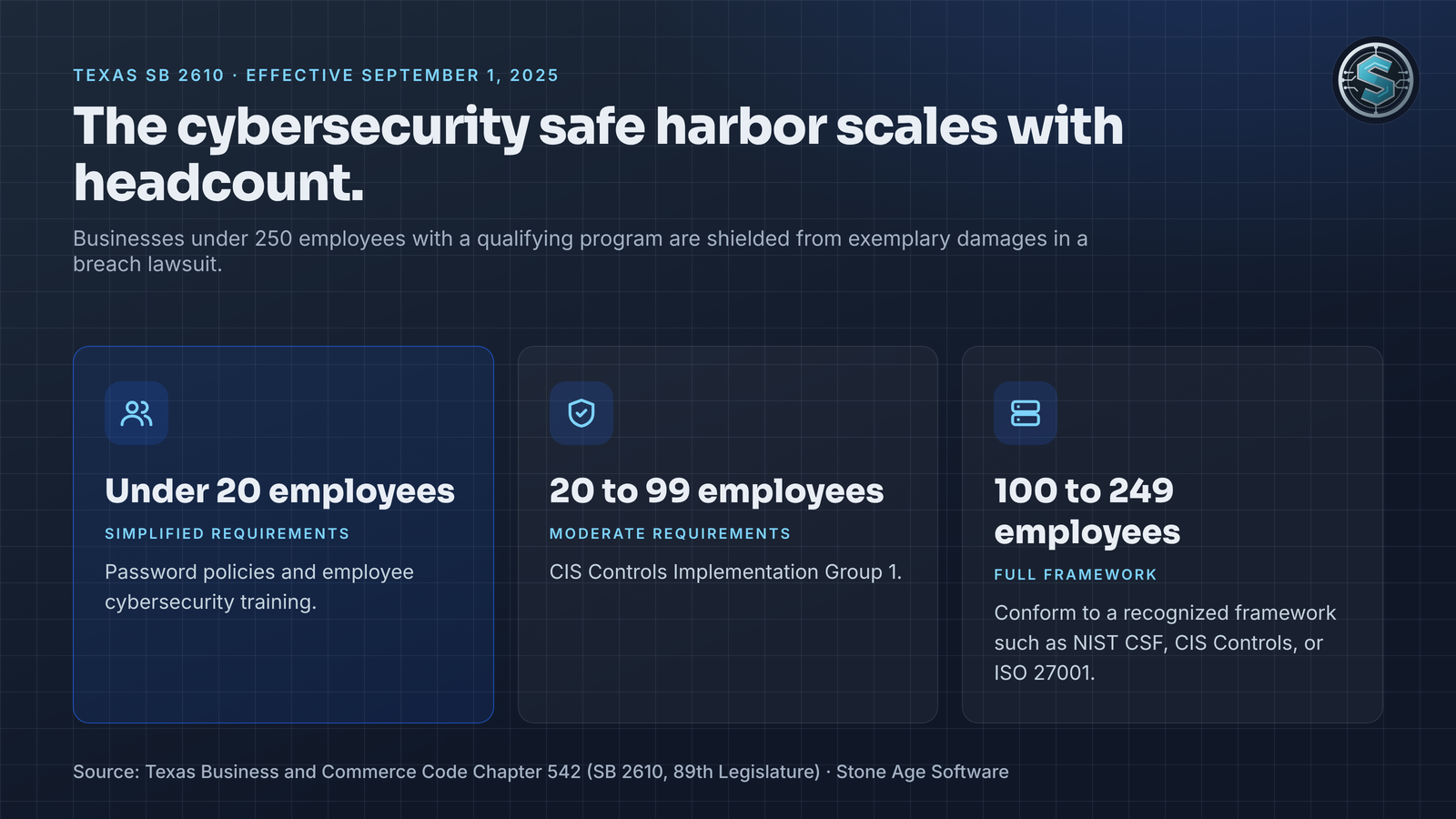
Texas now rewards getting this right. SB 2610, in effect since September 1, 2025, protects businesses under 250 employees from exemplary damages in a breach lawsuit. The condition: a cybersecurity program that fits the business's size. For a company under 20 people, the law asks for simplified steps, including password policies and employee training. From 20 to 99 employees, the bar is CIS Controls Implementation Group 1.
The baseline we set up mirrors NIST's Small Business Cybersecurity Quick-Start Guide:
- Domain and DNS registered in the company's name, with auto-renew and registrar lock on.
- Business email on your domain, with SPF, DKIM, and DMARC set, so your quotes reach inboxes.
- Multi-factor authentication on every account, starting with email, banking, and the registrar.
- A password manager with shared vaults, so nobody keeps the keys in a notebook.
- Automatic updates on every laptop and phone. If someone offers you a used server, check the date: Windows Server 2016 stops getting security updates on January 12, 2027.
- Backups you have restored at least once. A backup that has never been tested is a guess.
- A one-page offboarding list and a written "who to call" sheet for the day something breaks.
None of this needs an IT department. It needs to be done once, written down, and checked on a schedule.
Step 4: Who owns the code behind your web application?
Most founders assume they own what they paid for. Under federal copyright law, that is not automatic.
Custom software written by an outside firm is not one of the nine "work made for hire" categories in 17 U.S.C. 101. The Copyright Office's Circular 30 is blunt: if every condition is not met, it is not a work made for hire. A transfer of copyright also needs a signed writing. Without one, the developer can keep the copyright. You keep, at best, permission to use it.
So your web application setup should hand over more than a login. Ask for these on day one:
- A signed, present-tense assignment of the code to your company.
- The source code repository in an account you own, with full history.
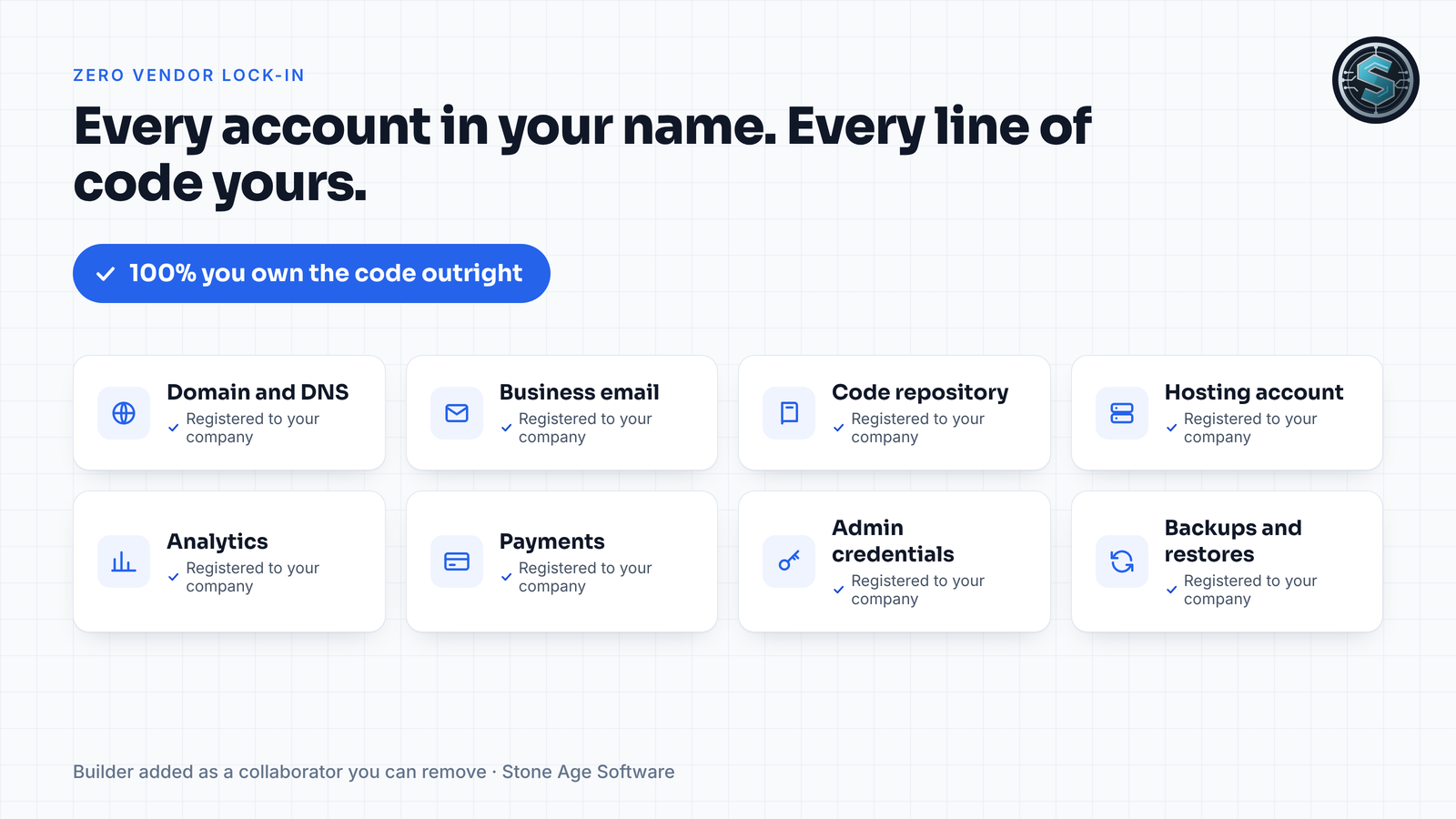
- Hosting, domain, analytics, and payment accounts registered to you, billed to you, with your builder as a removable collaborator.
- A list of open-source components and their licenses.
- Data you can export in standard formats like CSV or SQL.
- A short handover document that says how to deploy, back up, and restore.
Our standard is simple. With custom software builds, you own 100% of the code outright. We run our own company on an app we built the same way, and the Do-Engine case study shows what that looks like in production. Zero vendor lock-in is a contract term, not a slogan.
What does turn-key support actually include?
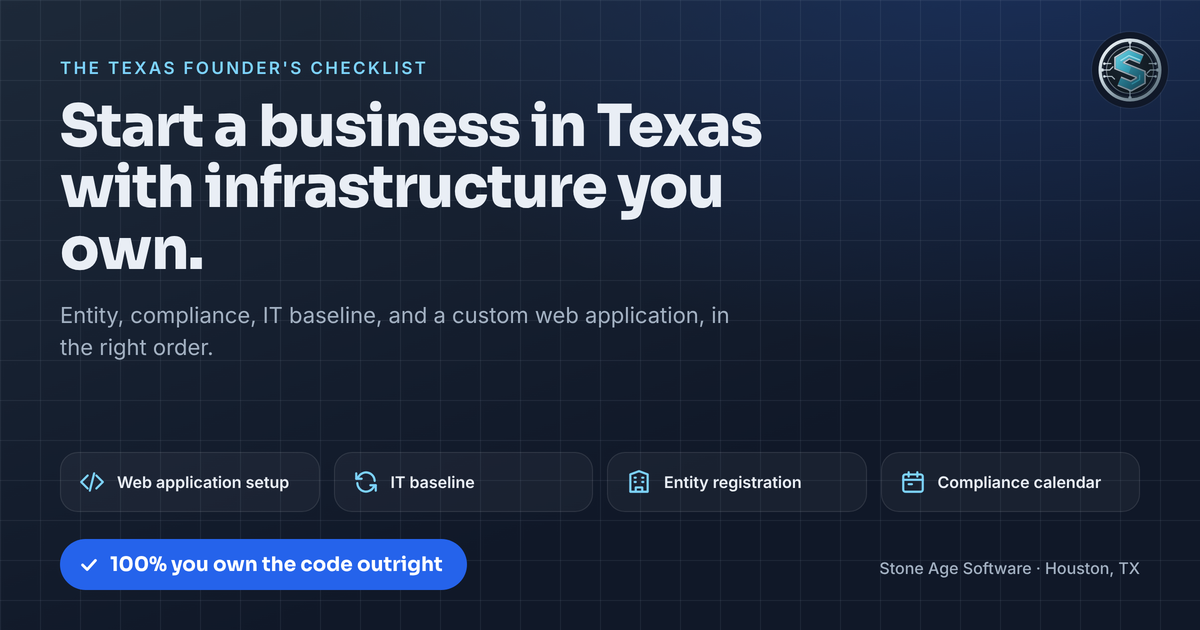
Turn-key means one accountable team runs the errands in order. Here is the work we take on for founders across Houston and Texas:
- Entity registration: name check, formation filing, registered agent options, EIN, and assumed names. Veteran paperwork filed in the right order.
- Compliance calendar: franchise tax, information reports, sales tax permit, and renewals, on your calendar from day one.
- IT baseline services: domain, business email, MFA, password management, backups, patching, and the written plan SB 2610 rewards.
- Custom web application setup: a site or portal sized to the business, on hosting in your account, with a contact form that provably reaches you.
The pricing is fixed price, quoted up front. Entity choice, ownership splits, and tax questions go to your lawyer or CPA, and we will tell you when you reach one. When a free state program does the job, you will hear about it from us first.
Run this check before you sign with anyone
Take ten minutes and answer five questions honestly:
- Is your domain registered to your company, on your card?
- Can you log in as an admin to your email, hosting, and code repository without calling anyone?
- Is MFA turned on for every one of those accounts?
- Do you have a signed document that assigns the code to your company?
- Are May 15 and your other filing dates on a calendar someone checks?
Every "no" is a seam where the business depends on something it does not control. Each one is fixable in a day.
Get your infrastructure set up the right way
A short note is enough. Tell us what you are starting and where you are in the process. A sentence is plenty; we'll ask the rest. See the full sequence on our starting a business page, or send that note here.