Somewhere in your operation there is a web page nobody has touched since the person who built it left. A customer tracking portal, a returns form, a dock appointment page, the intranet tool that reprints labels. Odds are good it runs PHP, and until this week nobody needed to know which version. On October 21, 2026, the PHP project shipped an emergency release for two critical bugs, known together as PHP2Shell, that let an attacker run code on a server with nothing more than a web request. This PHP2Shell vulnerability fix guide covers what to install, why a reload is not enough, and what to do when the portal still runs PHP 7.4.
What PHP2Shell is, in plain terms
Two bugs, CVE-2026-109618 and CVE-2026-109619, sit in the part of PHP that hands out memory and cleans up after each request. The first fires when a request pushes a worker past its memory limit at the wrong moment. PHP aborts the request while its own bookkeeping is half built, and the cleanup step then trusts that half-built data. The second lets leftover state from one request survive into the next request the same worker handles. Both end the same way: an unauthenticated attacker can run code as the web server account.
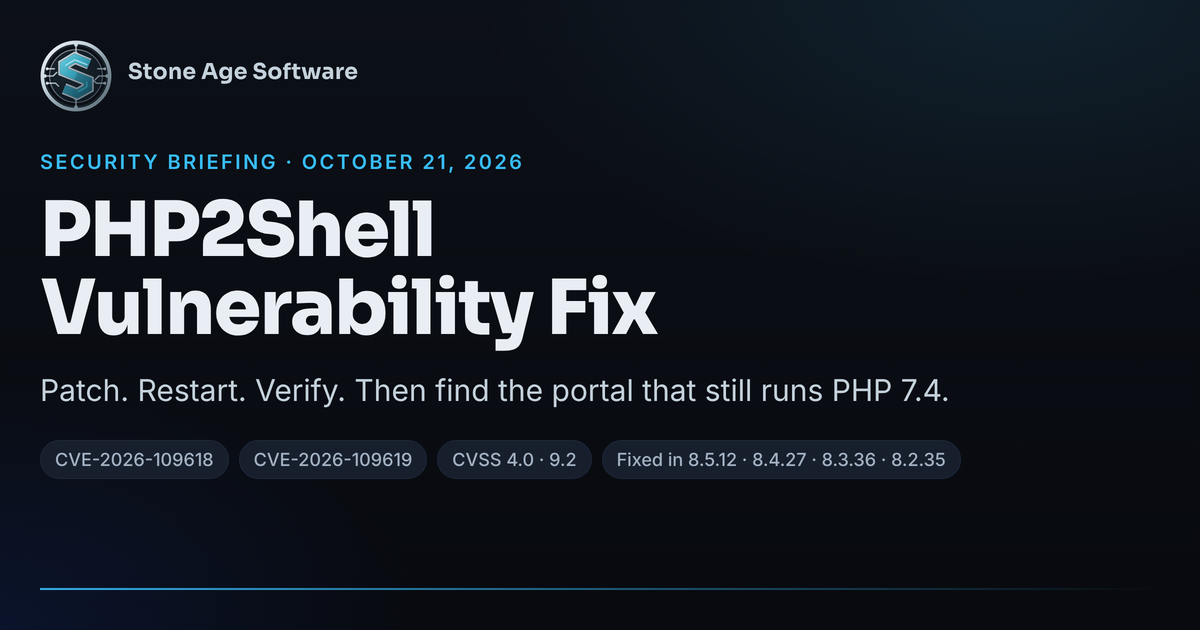
The PHP security team scored both bugs 9.2 on the CVSS 4.0 scale. Its security advisory says it plainly: "There are no complete mitigations, updating is the only safe choice." The flaw is in PHP itself, not in a plugin or a framework. A "Hello World" page on a vulnerable runtime is exploitable, and so is a default install of WordPress, Drupal, Magento, or Laravel. CISA published its own alert the same day, Critical Vulnerabilities in PHP Require Immediate Patching.
None of this is a reason to blame whoever set up the server. The vulnerable code dates to PHP 5.4 in 2012 and lives in a part of the engine that nearly every request touches. The gap is structural, and the repair is a version number.
The PHP2Shell vulnerability fix is four version numbers
Install the release that matches the branch you run:
- PHP 8.5: install 8.5.12.
- PHP 8.4: install 8.4.27.
- PHP 8.3: install 8.3.36.
- PHP 8.2: install 8.2.35, then plan a move to 8.3 or newer. PHP 8.2 leaves security support on December 31, 2026.
If your server gets PHP from a Linux distribution, the version on screen may not change. Ubuntu, Debian, and Red Hat backport the fix into the package they already ship, so Ubuntu 24.04 still reports PHP 8.3.6 after patching. Check the package changelog for the CVE numbers instead of trusting the version string.
Within five hours of the release, Debian, Ubuntu, Red Hat, Fedora, Docker's official images, FrankenPHP, and Plesk had fixed builds. cPanel was still preparing packages that evening. If a hosting company runs your portal, ask which PHP build is live today, not which one is planned.
Why restart matters more than install
The bug lives in long-running worker processes. Apache's mod_php, PHP-FPM pools, and LiteSpeed all keep workers alive across many requests. Installing a package puts new code on disk. The worker that is serving your customers keeps running the old code until it restarts. A graceful reload is not enough either, because it leaves the old module loaded.
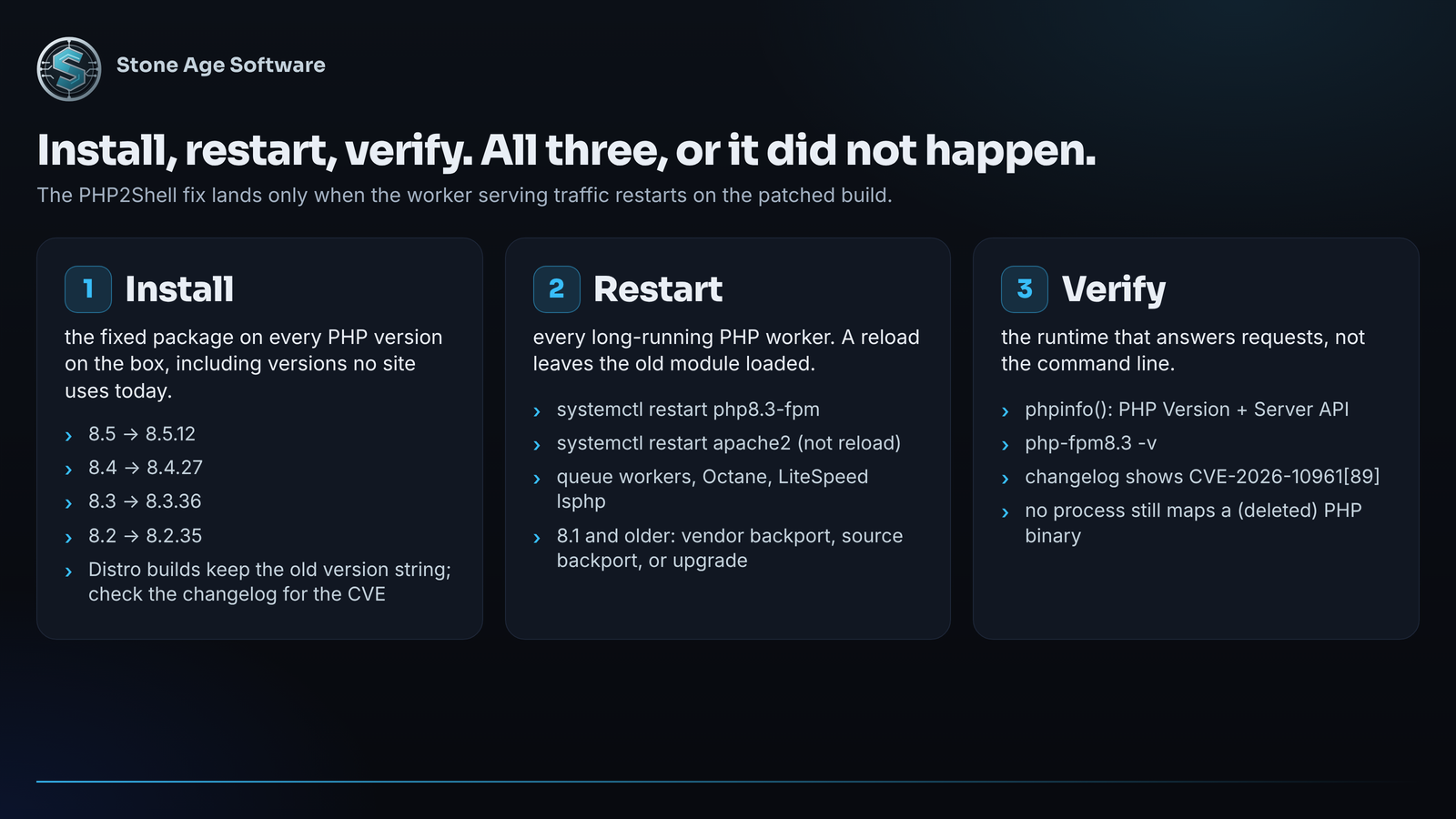
So the fix is three steps, not one:
- Install the fixed package for every PHP version on the box, including versions no site currently uses.
- Restart Apache or PHP-FPM fully, with a restart rather than a reload. Restart queue workers and any other long-running PHP process too.
- Verify the runtime that serves requests, not the command line.
php -vreports the command-line binary. Aphpinfo()page orphp-fpm8.3 -vshows what is actually answering traffic.
The PHP project rated Apache mod_php the highest risk. Its advisory on GitHub explains why: mod_php runs its cleanup even when request startup fails, so the attack lands before any application code. PHP-FPM is safer by one step, but it is still confirmed exploitable through application-level paths.
It is the same discipline we use when deploying to a system that nobody can stop using: the old version keeps running until the new one proves out. Patching a runtime under live traffic deserves the same care as shipping a feature.
The portal on PHP 7.4 has no upstream patch
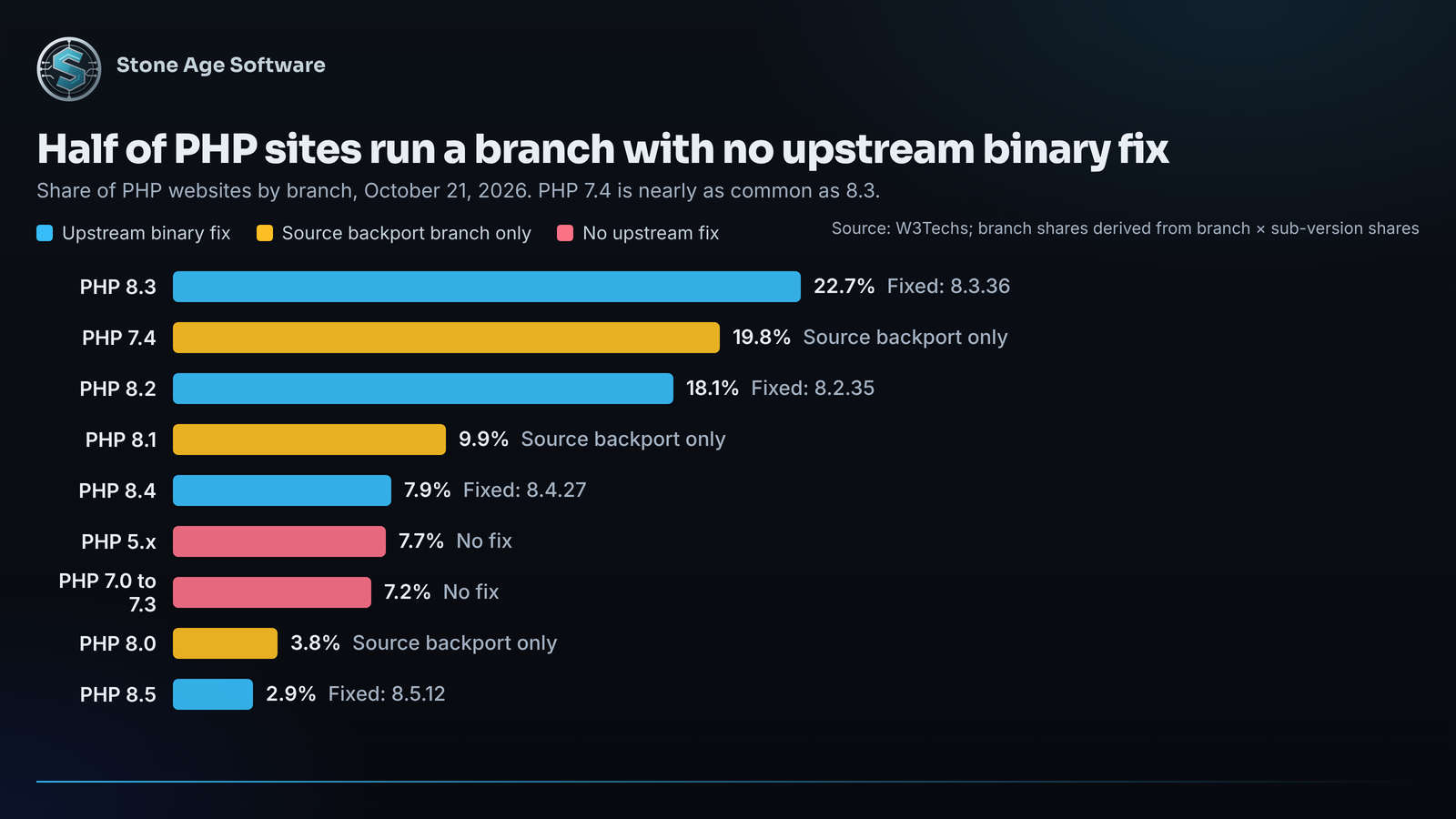
Here is the structural problem. PHP 8.1 and older no longer get releases from the PHP project. W3Techs data as of October 21 puts about 48.5% of PHP websites on a branch with no official binary fix. PHP 7.4 alone is 19.8% of PHP sites, nearly as common as the current 8.3 at 22.7%. Among servers that advertise a version in their headers, VirusTotal counted roughly 758,000 on end-of-life branches against 272,000 on supported ones.
An old portal is not neglect. It is what happens when software gets built once and works. The seam is that PHP's support clock runs on a different calendar than your operation does.
Three paths exist, in order of effort:
- A vendor backport. Ubuntu 22.04 patched its PHP 8.1 package, Red Hat shipped a fix for PHP 7.4 on RHEL 8, and Ubuntu Pro covers 20.04 and older.
- A source backport. The PHP security team published patch branches on GitHub for 7.4, 8.0, and 8.1, aimed at people who compile their own PHP.
- An upgrade. For PHP 7.3 and older there is no upstream fix of any kind. The honest answer is a move to 8.3 or newer, which usually means touching code written for an older PHP.
That third path is where a quick patch turns into a modernization project, and it is a known shape of work. Inventory what the application touches, run it on a new PHP beside the old one, fix the deprecations, and cut over without stopping the business.
Stopgaps that help, and two that hurt
If the patch cannot land today, the PHP security team lists partial measures. Each one closes a specific path. None of them makes a server safe.
- Set
memory_limit=-1in a way the application cannot override. Hitting the limit is the trigger, so removing the limit removes that trigger. Pair it with a container or cgroup memory cap. - Lower
post_max_sizeto 8M if the application takes no uploads, or 32M if it does. - Set
session.upload_progress.enabled=0inphp.inior the FPM pool, then restart every worker. Setting it from inside the application is too late. - On PHP 8.5, set
fatal_error_backtraces=0and restart. - Turn on your CDN or firewall's managed rules. Cloudflare enabled its rules for every plan nine hours before disclosure, and still told customers that "these measures do not replace the PHP fix."
Two things make matters worse. Do not use RLIMIT_AS or RLIMIT_DATA to cap memory, because they trigger the exact allocation failure the bug needs. And do not lower memory_limit to contain the problem, because a lower limit makes the trigger easier to hit.
If nothing else is possible, take the server off the public internet until a fixed build is in place. Several national governments did exactly that on October 21, according to SecurityWeek.
What this looks like from the warehouse floor
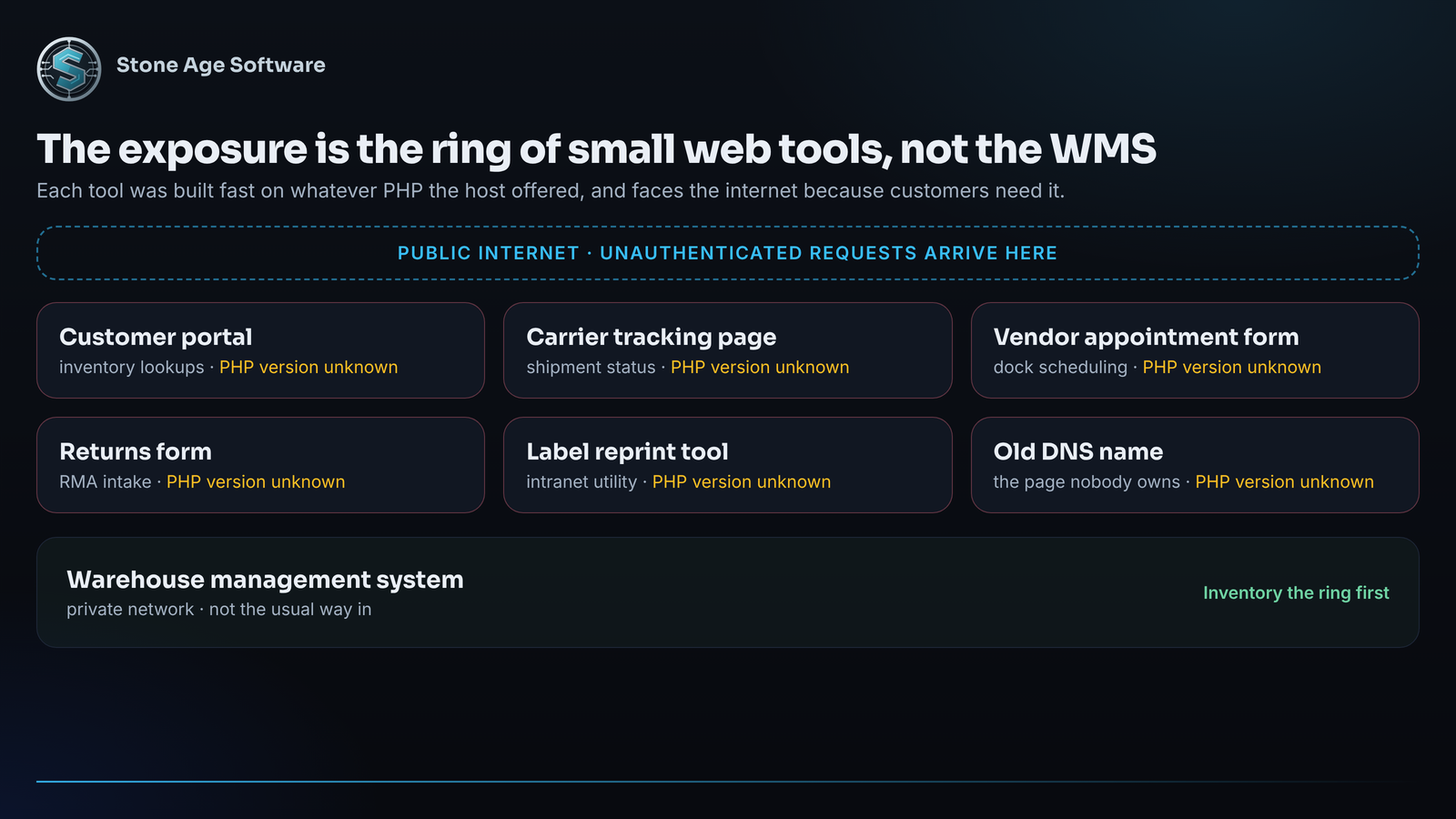
The exposure in a logistics operation is rarely the main WMS. It is the ring of small web tools around it: the carrier tracking page, the customer portal that shows inventory, the vendor appointment form, the label reprint tool on the wiki. Those were built fast, on whatever PHP the host offered, and they face the public internet because customers need them.
Treat this week as an inventory exercise:
- List every host that answers HTTP and runs PHP, including the one behind the old DNS name.
- Record the serving version per host, not the command-line version.
- Note which hosts a hosting company controls, and get a written answer on patch status.
- Flag anything on 8.1 or older for one of the three paths above.
Watch the logs while you work. Bursts of "Allowed memory size exhausted" errors, runs of HTTP 500 responses, worker restarts, and oversized PHPSESSID cookies in responses are the signals the researchers described. The advisory also warns that "absence of an error in logs is not proof of safety." If a server saw odd multipart traffic while unpatched, rotate the passwords, tokens, and keys that lived on it, because the memory-disclosure variant can leak those without running code.
A check you can run in ten minutes
Open a terminal on each PHP host and run four commands.
- List every installed version:
ls /etc/phpon Debian or Ubuntu, ordnf module list --enabled phpon the Red Hat family. - For each version, read the serving runtime:
php-fpm8.3 -v, or load aphpinfo()page and note "PHP Version" and "Server API." - Confirm the fix is in the package:
apt changelog php8.3-fpm | grep -m1 -E 'CVE-2026-10961[89]', orrpm -q --changelog php-fpm | grep -m1 -E 'CVE-2026-10961[89]'. - Confirm nothing still runs the old binary:
sudo grep -lE 'php.*\(deleted\)' /proc/[0-9]*/maps. Empty output means every process restarted.
If step 3 prints a CVE line and step 4 prints nothing, that host is done. If step 2 shows 8.1 or older, that host needs one of the three paths.
If one of those hosts comes back as "8.1 or older, and nobody knows how to upgrade it," that is the kind of work our Legacy Modernization & Migrations practice exists for. We move the application to a supported runtime without stopping the business, fixed price, quoted up front.